
Last Updated May 28, 2026
Python for biological modeling and automation gives life scientists a practical computational language for turning biological theory, experimental data, simulation logic, quality-control rules, and repetitive analytical tasks into reproducible, inspectable, and reusable scientific workflows. Modern biology increasingly requires more than isolated scripts or manual spreadsheet operations. Researchers need model systems that can be parameterized, rerun, compared, validated, versioned, and automated across changing data, assumptions, and scientific questions.
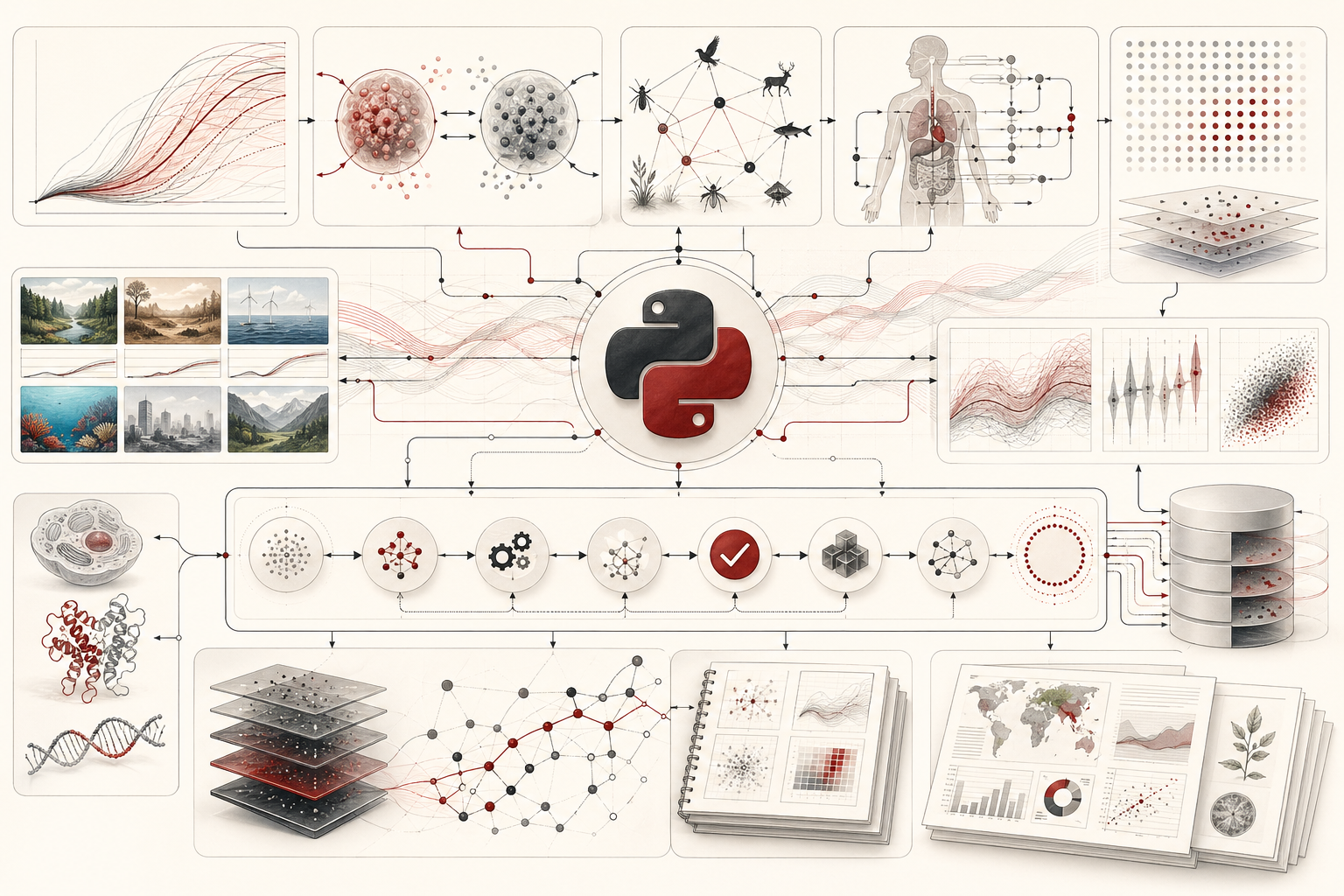
This article introduces Python as a central tool for biological modeling and automation. It explains how Python supports compartment models, population models, physiological models, ecological scenarios, laboratory data validation, parameter sweeps, batch simulation, metadata checks, workflow manifests, automated reporting, provenance records, and reproducible scientific software design. The focus is not simply on writing code, but on building biological computation that can be trusted, audited, extended, and reused.
Main Library
Publications
Article Map
Biology
Related Topic
Mathematical Modeling
Related Topic
Environmental Science
Related Topic
Physics
The article is written for biologists, ecologists, marine biologists, biomedical researchers, laboratory scientists, computational biologists, bioinformaticians, systems biologists, biotechnology teams, environmental scientists, data engineers, scientific software developers, and engineers who need to connect biological reasoning with computational reliability. It emphasizes model structure, assumptions, parameters, units, validation, automation, uncertainty, documentation, and responsible interpretation.
The article also extends the discussion into reproducible computational practice through Python-first workflows, NumPy-style numerical modeling, SciPy-style differential-equation and optimization thinking, pandas-style validation, Matplotlib-style visualization, Jupyter-based exploration, Snakemake-inspired automation, SQL-backed provenance, cross-language validation helpers, and a linked full-stack GitHub repository containing Python, R, Julia, Fortran, Rust, Go, C, C++, SQL, notebooks, data files, validation notes, and reproducibility documentation.
Why Python matters for biological modeling
Python matters for biological modeling because it connects scientific reasoning with reusable computation. A biological model is more than a formula. It is a structured representation of assumptions about living systems: how populations grow, how compartments exchange material, how physiological feedback behaves, how infection spreads, how gene regulation changes over time, how ecological recovery unfolds, or how experimental conditions affect outcomes.
Python is well suited to this work because it can represent models as functions, parameters as data, simulations as repeatable procedures, outputs as tables, and reports as reproducible artifacts. It can support quick exploration in notebooks and more durable execution in scripts. It can run small teaching examples, automate laboratory data checks, and scale into larger scientific workflows.
The deeper value of Python is that it allows biological models to become inspectable. The scientist can see the assumptions, rerun scenarios, compare parameter settings, validate inputs, record outputs, and document provenance. A model becomes not just an idea but a reproducible computational object.
This matters because biology is dynamic, variable, and context-dependent. A model may need to be rerun when new field data arrive, when a lab batch changes, when parameters are updated, when a reviewer asks for sensitivity analysis, or when a collaborator needs to reproduce the work. Python helps make that possible.
Automation as scientific infrastructure
Automation is often misunderstood as a convenience feature. In scientific work, automation is infrastructure. It reduces manual error, preserves analytical logic, enables repeated execution, and helps ensure that results can be regenerated from documented inputs.
Biological research contains many repetitive tasks. Files must be checked. Metadata must be validated. Units must be confirmed. Sample identifiers must match. Models must be rerun across parameter combinations. Figures must be regenerated after data updates. Reports must be assembled. Output directories must be created. Provenance must be recorded. Logs must be saved.
When these steps are performed manually, the analysis becomes fragile. A spreadsheet may be edited without record. A figure may not match the latest data. A model may be rerun with undocumented parameters. A sample may be excluded without explanation. Automation helps move these steps into code where they can be inspected and repeated.
The goal is not to automate judgment. Biological interpretation still requires expertise. The goal is to automate the repetitive, structural, and auditable parts of the workflow so that scientific judgment rests on a stronger computational foundation.
From biological question to computational model
A good Python model begins with a biological question. The question determines the structure of the model, the variables, the assumptions, the time scale, the data requirements, and the interpretation.
A population biologist may ask how growth changes under different resource limits. An ecologist may ask how recovery depends on initial abundance and disturbance intensity. A physiologist may ask how a substance moves among compartments. A microbiologist may ask how microbial abundance responds to nutrient availability. A biomedical researcher may ask how a biomarker changes across simulated treatment conditions.
Once the question is defined, the model can be formalized. State variables describe the system. Parameters describe rates, capacities, transition probabilities, sensitivities, or constraints. Equations or rules describe how the state changes. Initial conditions define the starting point. Outputs define what will be measured from the simulation.
Python is useful because each of these pieces can be represented explicitly. A parameter table can be stored in CSV. A model can be written as a function. A simulation can return a DataFrame. A plotting script can visualize trajectories. A validation script can check whether parameters are plausible. A provenance table can record which model created which output.
Model parameters, units, and assumptions
Parameters are not just numbers. They are biological assumptions encoded numerically. A growth rate, carrying capacity, clearance rate, transition probability, mortality rate, diffusion coefficient, uptake rate, or saturation constant must have meaning, scale, unit, and context.
Python workflows should therefore treat parameters as data. Parameter files should include names, values, units, descriptions, valid ranges, and sources where possible. Scripts should validate that parameters are present and plausible. Outputs should record which parameter set produced them.
Units are especially important. A growth rate per day is not the same as a growth rate per hour. A concentration in mmol/L is not the same as mg/dL. A spatial distance in meters is not kilometers. Automated modeling workflows should make units explicit enough to prevent silent misuse.
Assumptions should also be documented. Is the model deterministic or stochastic? Does it assume homogeneous mixing? Are time steps discrete? Are rates constant? Are compartments well mixed? Are individuals identical? Are environmental conditions fixed? These assumptions determine what the model can and cannot claim.
Compartment models and dynamic systems
Compartment models represent biological systems as state variables connected by flows. They are common in physiology, epidemiology, pharmacokinetics, ecology, metabolism, and systems biology. A compartment might represent a population, tissue, organ, environmental pool, disease state, molecular species, or resource reservoir.
Python can implement compartment models in several ways. Simple models can use Euler time steps. More advanced models can use differential-equation solvers. Stochastic models can include random transitions. Scenario models can compare parameter sets. Sensitivity analysis can reveal which parameters drive outcomes.
A two-compartment physiological model, for example, may describe how a substance moves from blood to tissue and back while being cleared from the body. An ecological model may describe biomass moving between living organisms and detrital pools. An epidemiological model may describe transitions among susceptible, infected, and recovered states.
The strength of compartment modeling is clarity. The model forces the scientist to specify what compartments exist, how flows occur, and what assumptions govern change. Python makes those assumptions executable.
Population, ecological, and physiological modeling
Population models help biologists explore growth, limitation, competition, predation, extinction risk, restoration scenarios, and harvest or disturbance effects. Ecological models can represent interactions among species, resources, habitats, and environmental drivers. Physiological models can represent flows, feedback, uptake, clearance, regulation, and compartmental exchange.
Python supports all of these because it can represent both mathematical equations and data workflows. A population model may use arrays for trajectories and DataFrames for outputs. An ecological scenario may loop over parameters and export comparison tables. A physiological model may use functions to calculate rates and plots to compare compartments over time.
These models are not substitutes for empirical data. They are tools for structured reasoning. They can identify plausible mechanisms, generate hypotheses, test sensitivity, compare scenarios, and clarify what data would be needed to distinguish between explanations.
Good Python modeling therefore remains humble. It asks not “what does the model prove?” but “what does the model imply under these assumptions, and how could those implications be tested?”
Parameter sweeps and scenario analysis
Parameter sweeps are one of Python’s most useful modeling practices. Instead of running one model with one parameter set, the analyst runs many model scenarios across a structured range of values. This helps reveal sensitivity, thresholds, nonlinear behavior, and regions where outcomes change sharply.
In biology, parameter sweeps can examine growth rates, carrying capacities, clearance rates, transmission rates, recovery rates, mortality rates, nutrient inputs, restoration intensities, or initial conditions. A scenario table can define each run. Python can iterate over the table, execute the model, save outputs, and summarize final states.
Scenario analysis is especially useful when uncertainty is high. Rather than pretending that one parameter value is certain, the model can explore a plausible range. This does not eliminate uncertainty, but it makes the implications of uncertainty visible.
The key is traceability. Every scenario should have an identifier. Every output should point back to its parameter set. Every figure should be reproducible from the scenario table. Python makes this structure straightforward.
Automated data validation and quality control
Modeling and automation depend on valid inputs. If sample identifiers are duplicated, parameters are missing, units are inconsistent, or values fall outside plausible ranges, automated workflows can produce misleading results quickly. Validation should therefore occur before modeling.
Python can validate biological data in many ways. A script can check required columns, missing values, numeric ranges, controlled vocabulary, sample identifier uniqueness, unit consistency, file presence, scenario completeness, and output existence. It can generate a validation report before running simulations.
Quality-control automation is useful in laboratory data, ecological monitoring, genomics metadata, image-derived measurements, physiological traces, and model parameter tables. Automated validation does not replace expert review, but it catches structural problems early.
A good validation workflow fails clearly. It does not silently proceed with broken inputs. It tells the scientist what failed, where it failed, and what should be corrected.
Workflow automation and reproducible execution
A biological modeling workflow may include multiple steps: validate parameters, run simulations, summarize outputs, create figures, record provenance, and generate a report. Workflow automation connects those steps.
A small project may use a single run_all.py script. A larger project may use a workflow manager. The principle is the same: define inputs, scripts, outputs, and dependencies. If an input changes, the relevant outputs should be regenerated. If a step fails, the workflow should stop and report the problem.
Python supports simple automation through scripts, functions, command-line interfaces, configuration files, and structured directories. It also integrates with workflow systems that describe computational steps more formally.
The goal is not only speed. The goal is reproducible execution. A collaborator should be able to run the workflow and regenerate the same outputs from the same inputs. A future version of the project should make it clear what changed and why.
Provenance, logging, and auditability
Provenance is the record of how outputs were produced. For biological modeling and automation, provenance should answer several questions: Which input data were used? Which parameter set was used? Which script ran? Which version of the workflow produced the output? When was it run? Which scenario generated which result? Were validation checks passed? Which files were created?
Python can record provenance using CSV manifests, JSON files, logs, SQL databases, checksums, and structured output directories. Even simple provenance is valuable. A table linking scenario identifiers, parameter files, script names, output files, timestamps, and notes can make a project far more auditable.
Auditability is especially important when models inform decisions. Conservation planning, biomedical research, biotechnology workflows, environmental monitoring, and public health modeling all require traceable evidence. A model output without provenance is difficult to trust.
Notebooks, scripts, and production-ready science
Python notebooks are useful for exploration, explanation, and teaching. Scripts are better for repeatable execution. Mature scientific projects often use both.
A notebook can demonstrate a model, visualize trajectories, explain assumptions, and show exploratory results. A script can define reusable functions, validate inputs, run scenarios, save outputs, and support automation. A workflow can call scripts in order. A report can summarize results. SQL can store provenance. Tests can check critical functions.
The problem is not notebooks themselves. The problem is relying on notebooks as the only record of analysis when execution order, hidden state, or manual edits can make results hard to reproduce. A good Python project separates reusable logic from exploratory presentation.
Production-ready science does not mean commercial software. It means that the computational work is organized, documented, modular, validated, and rerunnable.
Visualization, reporting, and decision support
Biological modeling becomes useful when its outputs can be interpreted. Visualization helps scientists see trajectories, uncertainty, thresholds, sensitivity, compartment flows, scenario differences, and validation failures. Automated reporting helps preserve that interpretation in a reproducible form.
Python can generate plots, tables, reports, and dashboards. A model can export final-state summaries, trajectory files, parameter comparisons, and figures. A report can include model assumptions, input validation, scenario descriptions, visual outputs, and limitations.
Decision support should be handled carefully. A model can inform decisions, but it should not pretend to eliminate uncertainty. Visualizations should not overstate precision. Reports should include assumptions, caveats, and validation status.
The best modeling workflows do not hide uncertainty. They make uncertainty easier to inspect.
Mathematical lens: modeling and automation
Several mathematical ideas connect biological modeling and automation. These expressions do not replace biological evidence, field observation, laboratory validation, or domain interpretation. They help clarify how biological state, model parameters, scenario outputs, validation rules, workflow dependencies, and file stability can be represented formally.
Discrete-time state update
x_{t+1}=f(x_t,\theta)
\]
Interpretation: The biological state at the next time step depends on the current state \(x_t\) and parameter vector \(\theta\). This form is useful for simulations where model rules are applied repeatedly over time.
Logistic population growth
\frac{dN}{dt}=rN\left(1-\frac{N}{K}\right)
\]
Interpretation: Population size \(N\) changes according to intrinsic growth rate \(r\) and carrying capacity \(K\). Growth slows as \(N\) approaches environmental limits.
Two-compartment exchange
\frac{dA}{dt}=-k_{ab}A+k_{ba}B-k_{clear}A
\]
Interpretation: Compartment \(A\) loses material to compartment \(B\), gains material back from \(B\), and loses material through clearance. This structure can represent physiological, pharmacokinetic, ecological, or biochemical exchange.
\frac{dB}{dt}=k_{ab}A-k_{ba}B
\]
Interpretation: Compartment \(B\) gains material from \(A\) and returns material to \(A\). Together, the equations define a simple dynamic exchange system.
Scenario sweep
Y_s = M(\theta_s)
\]
Interpretation: Model \(M\) is run for scenario-specific parameters \(\theta_s\), producing output \(Y_s\). This is the formal logic behind parameter sweeps and scenario comparison.
Sensitivity ratio
S_i=\frac{\Delta Y/Y}{\Delta \theta_i/\theta_i}
\]
Interpretation: The sensitivity ratio approximates the relative change in model output \(Y\) caused by a relative change in parameter \(\theta_i\). It helps identify which assumptions most strongly affect outcomes.
Validation rule
I(x \in [L,U])=
\begin{cases}
1 & \text{if } L \le x \le U \\
0 & \text{otherwise}
\end{cases}
\]
Interpretation: A validation rule flags whether a value \(x\) falls within an acceptable interval. Automated checks can prevent invalid inputs from moving silently through a workflow.
Workflow graph
G=(V,E)
\]
Interpretation: A workflow graph contains tasks or artifacts \(V\) and dependencies \(E\). This helps represent how validation, simulation, summary, visualization, and reporting steps depend on one another.
Checksum stability
H(f_t)=H(f_{t+1})
\]
Interpretation: If file content is unchanged across time, its hash remains stable. Checksums help verify whether inputs or outputs have changed between workflow runs.
Python workflows
The following examples are compact article-level workflows. The full GitHub repository expands them into richer Python-first implementations with SQL provenance, cross-language validation, parameter sweeps, automation scripts, scenario outputs, and reproducible documentation.
Python example: configurable logistic growth model
import pandas as pd

def simulate_logistic_growth(
    scenario: str,
    initial_population: float,
    growth_rate: float,
    carrying_capacity: float,
    dt: float,
    steps: int,
) -> pd.DataFrame:
    """Run a logistic growth model and return a tidy trajectory table."""
    population = float(initial_population)
    rows = []

    for step in range(steps + 1):
        time = step * dt
        rows.append(
            {
                "scenario": scenario,
                "step": step,
                "time": time,
                "population": population,
            }
        )

        growth = growth_rate * population * (1 - population / carrying_capacity)
        population = max(population + dt * growth, 0.0)

    return pd.DataFrame(rows)

scenario = simulate_logistic_growth(
    scenario="baseline",
    initial_population=25,
    growth_rate=0.35,
    carrying_capacity=1000,
    dt=0.1,
    steps=200,
)

print(scenario.tail().round(4).to_string(index=False))
Python example: parameter sweep automation
import pandas as pd

def simulate_final_population(initial_population, growth_rate, carrying_capacity, dt, steps):
    """Return only the final population after logistic growth simulation."""
    population = float(initial_population)

    for _ in range(steps):
        growth = growth_rate * population * (1 - population / carrying_capacity)
        population = max(population + dt * growth, 0.0)

    return population

parameter_grid = pd.DataFrame(
    {
        "scenario": ["low_growth", "baseline", "high_growth", "high_capacity"],
        "initial_population": [25, 25, 25, 25],
        "growth_rate": [0.15, 0.35, 0.55, 0.35],
        "carrying_capacity": [1000, 1000, 1000, 1500],
        "dt": [0.1, 0.1, 0.1, 0.1],
        "steps": [200, 200, 200, 200],
    }
)

outputs = []

for _, row in parameter_grid.iterrows():
    final_population = simulate_final_population(
        initial_population=row["initial_population"],
        growth_rate=row["growth_rate"],
        carrying_capacity=row["carrying_capacity"],
        dt=row["dt"],
        steps=int(row["steps"]),
    )

    outputs.append(
        {
            "scenario": row["scenario"],
            "final_population": final_population,
            "growth_rate": row["growth_rate"],
            "carrying_capacity": row["carrying_capacity"],
        }
    )

summary = pd.DataFrame(outputs)

print(summary.round(4).to_string(index=False))
Python example: two-compartment biological model
import pandas as pd

def simulate_two_compartment_model(
    initial_a: float,
    initial_b: float,
    k_ab: float,
    k_ba: float,
    k_clear: float,
    dt: float,
    steps: int,
) -> pd.DataFrame:
    """Simulate exchange between two biological compartments using Euler steps."""
    amount_a = float(initial_a)
    amount_b = float(initial_b)
    rows = []

    for step in range(steps + 1):
        rows.append(
            {
                "step": step,
                "time": step * dt,
                "compartment_a": amount_a,
                "compartment_b": amount_b,
                "total_amount": amount_a + amount_b,
            }
        )

        flow_ab = k_ab * amount_a
        flow_ba = k_ba * amount_b
        clearance = k_clear * amount_a

        amount_a = max(amount_a + dt * (-flow_ab + flow_ba - clearance), 0.0)
        amount_b = max(amount_b + dt * (flow_ab - flow_ba), 0.0)

    return pd.DataFrame(rows)

trajectory = simulate_two_compartment_model(
    initial_a=100,
    initial_b=0,
    k_ab=0.18,
    k_ba=0.07,
    k_clear=0.03,
    dt=0.1,
    steps=150,
)

print(trajectory.tail().round(4).to_string(index=False))
Python example: automated parameter validation
import pandas as pd

parameters = pd.DataFrame(
    {
        "parameter": ["growth_rate", "carrying_capacity", "dt", "steps"],
        "value": [0.35, 1000, 0.1, 200],
        "lower_bound": [0.0, 1.0, 0.001, 1],
        "upper_bound": [5.0, 100000.0, 10.0, 100000],
        "unit": ["per_day", "individuals", "days", "count"],
    }
)

validation_results = []

for _, row in parameters.iterrows():
    passed = row["lower_bound"] <= row["value"] <= row["upper_bound"]
    validation_results.append(
        {
            "parameter": row["parameter"],
            "value": row["value"],
            "unit": row["unit"],
            "passed": passed,
            "message": "within expected range" if passed else "outside expected range",
        }
    )

validation_report = pd.DataFrame(validation_results)

print(validation_report.to_string(index=False))
Python example: workflow manifest and provenance
import hashlib
import pandas as pd

def sha256_text(content: str) -> str:
    """Create a stable hash from text content."""
    return hashlib.sha256(content.encode("utf-8")).hexdigest()

workflow_steps = pd.DataFrame(
    {
        "step_id": [1, 2, 3, 4],
        "operation": [
            "validate_parameters",
            "run_parameter_sweep",
            "summarize_outputs",
            "generate_report",
        ],
        "input_artifact": [
            "model_parameters.csv",
            "validated_parameters.csv",
            "simulation_outputs.csv",
            "summary_outputs.csv",
        ],
        "output_artifact": [
            "validated_parameters.csv",
            "simulation_outputs.csv",
            "summary_outputs.csv",
            "model_report.md",
        ],
        "script": [
            "validate_parameters.py",
            "run_parameter_sweep.py",
            "summarize_outputs.py",
            "generate_report.py",
        ],
    }
)

workflow_steps["provenance_hash"] = workflow_steps.apply(
    lambda row: sha256_text(
        f"{row['operation']}|{row['input_artifact']}|{row['output_artifact']}|{row['script']}"
    ),
    axis=1,
)

print(workflow_steps.to_string(index=False))GitHub repository
The article body includes compact Python examples so the scientific argument remains readable. The full repository expands those examples into a rigorous Python-first workflow for biological modeling and automation, including logistic-growth models, two-compartment models, parameter sweeps, sensitivity scaffolds, automated validation, workflow manifests, checksum provenance, SQL audit structures, notebook documentation, cross-language validation helpers, and full-stack scientific-computing examples across Python, R, Julia, Fortran, Rust, Go, C, C++, SQL, and notebooks.
Limits, responsible use, and common pitfalls
Python makes biological modeling and automation easier, but ease can create false confidence. A model can be cleanly written and still biologically wrong. A workflow can be automated and still validate the wrong assumptions. A parameter sweep can explore many scenarios without including the scenarios that matter most. A report can be reproducible without being scientifically persuasive.
Common pitfalls include undocumented units, hard-coded parameters, unvalidated input tables, hidden random seeds, overwritten outputs, unclear scenario identifiers, missing provenance, poorly chosen time steps, treating simulations as forecasts, ignoring uncertainty, and using automation to accelerate flawed analysis.
Another danger is overengineering. Not every biology project needs a complex workflow system. Small projects may need only clear scripts, documented parameters, validation checks, and reproducible outputs. The goal is fit-for-purpose computational structure, not complexity for its own sake.
Responsible Python-based biological modeling requires clear biological questions, transparent assumptions, input validation, sensitivity analysis, empirical grounding, domain review, and humility about what models can claim.
Why Python-based biological automation matters
Python-based biological automation matters because biological research increasingly depends on chains of computation. A result may depend on parameter files, validation scripts, simulation functions, scenario loops, summary tables, visualizations, notebooks, reports, and provenance records. If the chain is broken, the evidence becomes difficult to trust.
Automation helps preserve the chain. It allows researchers to rerun analyses, update models, compare scenarios, validate inputs, regenerate figures, and document how results were produced. It also supports collaboration because others can inspect and execute the workflow rather than reconstructing it from memory.
The deeper value of Python is not that it automates work. It is that it can make biological modeling more explicit, repeatable, auditable, and scientifically accountable.
Conclusion
Python for biological modeling and automation gives life scientists a practical language for building reproducible computational systems around biological questions. It supports model formulation, scenario analysis, parameter validation, simulation, workflow execution, provenance, reporting, and cross-language integration.
Biological modeling requires more than equations. It requires assumptions, parameters, units, validation, outputs, and interpretation. Automation requires more than scripts. It requires workflow structure, artifact tracking, reproducibility, and auditability. Python helps connect these pieces into a coherent scientific system.
Used responsibly, Python does not merely speed up biological computation. It strengthens the architecture that makes biological models inspectable, reusable, and trustworthy.
Related articles
- Biology
- Python for Simulation, Bioinformatics, and Scientific Workflows
- R for Biological Data Analysis and Visualization
- R for Biostatistics, Ecology, and Genomics
- Data, Measurement, and Reproducibility in the Life Sciences
- Mathematical Biology and the Logic of Living Systems
- Differential Equations in Population and Physiological Modeling
- Nonlinearity, Feedback, and Biological Regulation
- Networks, Systems, and Biological Complexity
- Statistics, Uncertainty, and Measurement in Biology
- Observation, Experiment, and the Methods of Biological Inquiry
Further reading
- Python Software Foundation (n.d.) Python Documentation. Available at: https://docs.python.org/3/
- NumPy Developers (n.d.) NumPy. Available at: https://numpy.org/
- SciPy Developers (2026) SciPy. Available at: https://scipy.org/
- pandas Development Team (n.d.) pandas: Python Data Analysis Library. Available at: https://pandas.pydata.org/
- Matplotlib Development Team (n.d.) Matplotlib: Visualization with Python. Available at: https://matplotlib.org/
- Project Jupyter (n.d.) Project Jupyter. Available at: https://jupyter.org/
- Snakemake (2026) Snakemake Documentation. Available at: https://snakemake.readthedocs.io/
- Virtanen, P. et al. (2020) ‘SciPy 1.0: fundamental algorithms for scientific computing in Python’, Nature Methods, 17, pp. 261–272. Available at: https://www.nature.com/articles/s41592-019-0686-2
- Cock, P.J.A. et al. (2009) ‘Biopython: freely available Python tools for computational molecular biology and bioinformatics’, Bioinformatics, 25(11), pp. 1422–1423. Available at: https://pmc.ncbi.nlm.nih.gov/articles/PMC2682512/
- Jupyter Book (n.d.) Jupyter Book. Available at: https://jupyterbook.org/
References
- Cock, P.J.A. et al. (2009) ‘Biopython: freely available Python tools for computational molecular biology and bioinformatics’, Bioinformatics, 25(11), pp. 1422–1423. Available at: https://pmc.ncbi.nlm.nih.gov/articles/PMC2682512/
- Jupyter Book (n.d.) Jupyter Book. Available at: https://jupyterbook.org/
- Matplotlib Development Team (n.d.) Matplotlib: Visualization with Python. Available at: https://matplotlib.org/
- NumPy Developers (n.d.) NumPy. Available at: https://numpy.org/
- pandas Development Team (n.d.) pandas: Python Data Analysis Library. Available at: https://pandas.pydata.org/
- Project Jupyter (n.d.) Project Jupyter. Available at: https://jupyter.org/
- Python Software Foundation (n.d.) Python Documentation. Available at: https://docs.python.org/3/
- SciPy Developers (2026) SciPy. Available at: https://scipy.org/
- Snakemake (2026) Snakemake Documentation. Available at: https://snakemake.readthedocs.io/
- Virtanen, P. et al. (2020) ‘SciPy 1.0: fundamental algorithms for scientific computing in Python’, Nature Methods, 17, pp. 261–272. Available at: https://www.nature.com/articles/s41592-019-0686-2