
Last Updated May 28, 2026
Python has become one of the central languages of modern chemical computation. It connects laboratory measurements, simulation workflows, data cleaning, numerical modeling, visualization, uncertainty analysis, notebooks, chemical informatics, instrument exports, metadata, quality control, and reproducible scientific reporting into one practical computational environment.
The central thesis of this article is that Python is not just a programming language for chemists. It is a practical bridge between experiment, simulation, computation, documentation, and interpretation. Modern chemistry increasingly produces data before it produces understanding: titrations generate curves, spectrometers produce intensity arrays, kinetic experiments produce time series, molecular simulations produce trajectories, computational chemistry workflows produce energies and coordinates, and laboratory notebooks produce metadata. Python helps bring these pieces together.
Python’s scientific value in chemistry does not come from automation alone. It comes from making chemical reasoning more inspectable. A well-structured Python workflow can show where data came from, how units were handled, how calibration was fitted, how uncertainty was estimated, how models were solved, how figures were produced, and what assumptions shaped the result. Its strongest role is not replacing chemical judgment, but making that judgment more transparent, reproducible, and auditable.
Main Library
Publications
Article Map
Chemistry
Related Topic
Data Systems & Analytics
Related Topic
Mathematical Modeling
Related Topic
Artificial Intelligence Systems
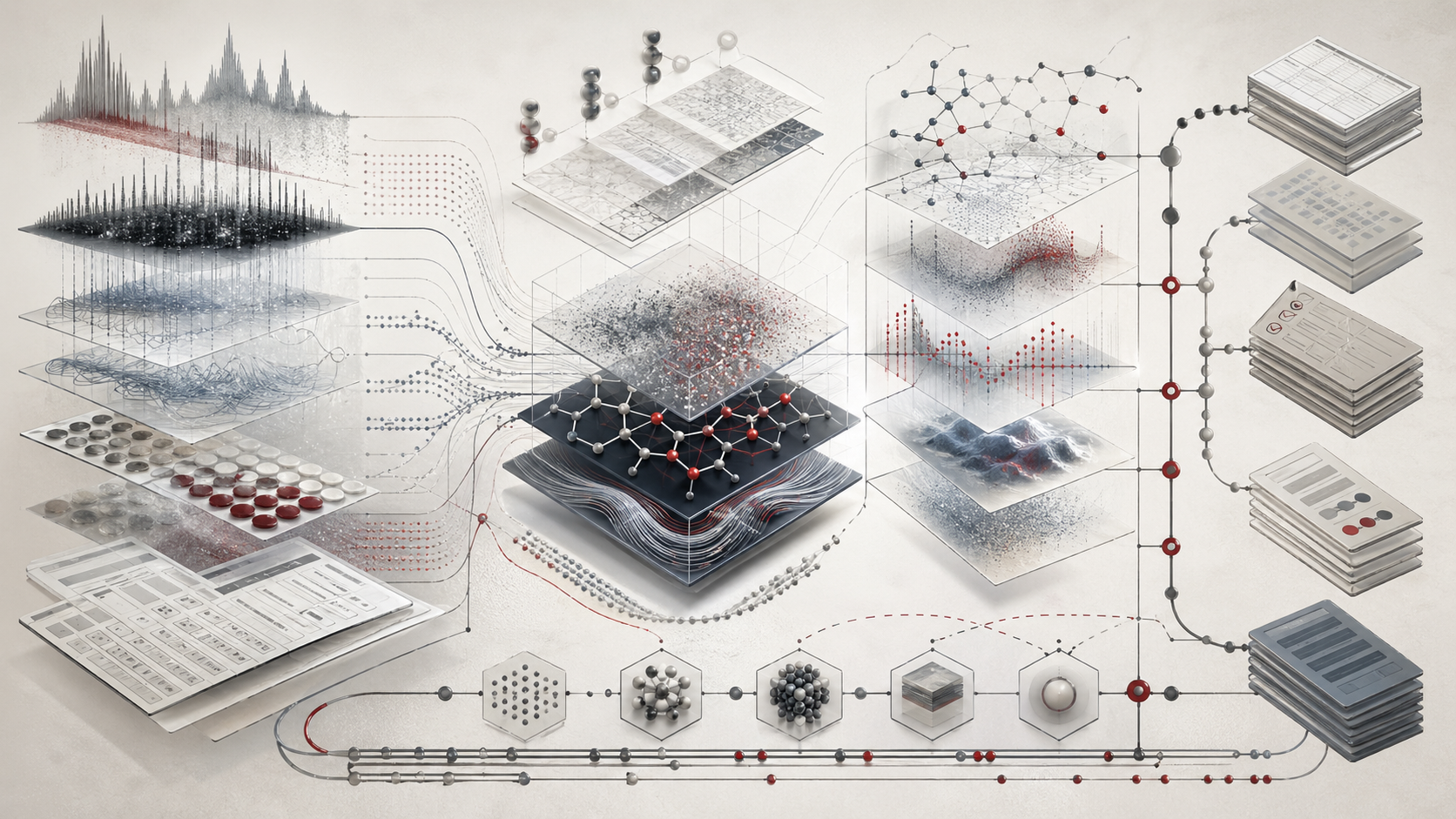
Why Python Matters for Chemistry
Python matters for chemistry because it gives chemists a flexible computational language for working across experimental data, simulation data, chemical databases, numerical models, and scientific reports. It can read spreadsheets, parse instrument exports, clean data, fit calibration curves, solve equations, simulate reaction kinetics, visualize spectra, organize metadata, automate repetitive analysis, and preserve workflows in reproducible form.
Modern chemistry is no longer limited to the bench, the blackboard, or the textbook. It is also computational infrastructure. A chemist may need to move between CSV files from an instrument, Excel workbooks from a laboratory notebook, spectral intensity arrays, titration curves, reaction time courses, molecular simulation outputs, chemical identifiers, molecular descriptors, statistical models, publication figures, quality-control records, GitHub repositories, Jupyter notebooks, and reproducible reports.
Python is useful because it does not force these tasks into separate worlds. It can serve as the connective tissue between laboratory data, scientific computing, modeling, and communication. A calibration workflow can become a script. A kinetic model can become a reproducible notebook. A simulation can be summarized into tables and plots. A laboratory report can be regenerated from source data. A quality-control check can be repeated consistently across batches.
The point is not that every chemist must become a software engineer. The point is that chemical reasoning increasingly benefits from computational literacy. Even ordinary laboratory work now involves files, tables, units, transformations, metadata, uncertainty, instrument exports, and reproducible documentation. Python gives chemists a practical language for handling those materials with greater transparency.
For researchers and scientists, Python’s value is clearest when a workflow needs to remain visible. A spreadsheet may hide formulas. A manual plot may hide filtering. An instrument export may lose metadata. A notebook may preserve the full path from raw data to figure. Python helps make chemical analysis more reproducible by moving transformations out of hidden interfaces and into inspectable code.
Chemistry as Data and Computation
Chemistry produces structured evidence. A concentration is a number with units. A calibration curve is a relationship between known standards and measured response. A rate constant is inferred from a model fit. A spectrum is a signal over wavelength, wavenumber, mass-to-charge ratio, retention time, frequency, or energy. A molecular simulation is a sequence of coordinates over time. A database record is a link among structure, identifier, property, source, and uncertainty.
Python helps chemists represent these objects clearly. A chemical dataset may include sample identifiers, replicate numbers, concentrations, instrument responses, calibration standards, blank measurements, time points, temperature, pressure, pH, absorbance, peak areas, retention times, uncertainty estimates, method metadata, analyst notes, processing scripts, and quality-control flags.
Chemical computation is therefore not only advanced simulation. It begins with disciplined handling of ordinary laboratory data. A Python workflow can import raw observations, preserve units, calculate derived quantities, fit models, flag questionable records, generate plots, export results, and write provenance files. These operations are not merely technical. They shape what the chemical evidence can support.
A spreadsheet can be useful, but it often hides formulas, provenance, and transformations. Python allows the workflow itself to become visible. Data are loaded, cleaned, transformed, modeled, plotted, and exported through explicit steps. That explicitness is the foundation of reproducible chemical analysis.
Python also helps distinguish layers of evidence. Raw data are not the same as processed data. Features are not the same as interpretations. Model parameters are not the same as chemical mechanisms. A predicted property is not the same as a measured property. A plotted curve is not the same as a validated model. Python can help preserve those distinctions when workflows are designed carefully.
For researchers, the practical lesson is that chemical computation begins wherever chemical observations need structure. A Python script that checks units, preserves sample IDs, and writes a reproducible calibration table can be as important as a more advanced simulation workflow.
The Python Scientific Stack
Python’s power in chemistry comes from its scientific ecosystem. The language itself is flexible, readable, and widely used, but chemistry workflows usually depend on specialized libraries for numerical computing, data handling, visualization, simulation, cheminformatics, machine learning, and reproducible notebooks.
Important tools include:
- Python, the programming language and standard library;
- NumPy, for arrays, vectorized computation, linear algebra, random numbers, and numerical operations;
- SciPy, for optimization, integration, interpolation, statistics, differential equations, and scientific algorithms;
- pandas, for tabular data, data cleaning, grouping, merging, time series, and analysis;
- Matplotlib, for plots, figures, and publication-style visualization;
- Jupyter, for notebooks combining code, explanation, equations, data, and outputs;
- RDKit, for cheminformatics, molecular descriptors, fingerprints, and structure handling;
- OpenMM, MDTraj, MDAnalysis, ASE, Psi4, PySCF, and related packages, for molecular simulation, trajectory analysis, atomistic modeling, and electronic-structure workflows;
- scikit-learn, for machine learning, regression, classification, model validation, and preprocessing.
Different chemical tasks need different tools. Calibration and laboratory data may require pandas, NumPy, SciPy, and Matplotlib. Cheminformatics may require RDKit. Simulation analysis may require MDAnalysis, MDTraj, or OpenMM. Quantum chemistry automation may require Psi4, PySCF, ASE, or file parsers. Materials modeling may require domain-specific packages. Machine-learning workflows may require scikit-learn, but they also require careful chemical curation and validation.
The most important skill is not memorizing every package. It is understanding the workflow:
- What chemical question is being asked?
- What data represent the question?
- What transformations are scientifically justified?
- What model or calculation is appropriate?
- What uncertainty should be reported?
- How can the result be reproduced?
Python is valuable when it supports that reasoning. The language should not become a black box that turns raw files into polished plots without explanation. A strong Python chemistry workflow makes inputs, assumptions, transformations, outputs, and limitations explicit.
For researchers, the scientific stack should be treated as infrastructure. Package versions, environments, file paths, input data, and output manifests all matter. A Python workflow that runs today but cannot be reproduced next year is weaker than it appears.
Arrays, Tables, and Laboratory Measurements
Most chemical Python workflows begin with arrays and tables. An array is useful for numerical values: concentrations, intensities, time points, coordinates, energies, masses, absorbances, voltages, charges, temperatures, and simulation positions. A table is useful when values have labels: sample ID, replicate, concentration, response, temperature, instrument method, analyst, batch, unit, and uncertainty.
A simple laboratory table might include:
- sample identifier;
- known concentration;
- measured response;
- replicate number;
- blank flag;
- instrument method;
- measurement date;
- quality-control status;
- matrix or sample type;
- unit and dilution factor.
In mathematical form, a dataset can be represented as a matrix:
X \in \mathbb{R}^{n \times p}
\]
Interpretation: \(n\) is the number of observations and \(p\) is the number of variables. In chemistry, the meaning of each column must be preserved through names, units, metadata, and provenance.
Python makes this representation practical. NumPy handles numerical arrays. pandas handles labeled tables. SciPy performs modeling. Matplotlib visualizes results. Jupyter documents the workflow. Together, these tools allow chemical data to be structured and interpreted without losing the path from input to output.
Good laboratory computation begins with ordinary discipline: clear column names, units, sample identifiers, replicate labels, raw data preservation, and explicit transformations. A dataset with a column named value is weaker than one named concentration_mM. A plot without units is incomplete. A table without sample identifiers cannot support traceability. A model without calibration metadata is fragile.
For researchers, arrays and tables are not just programming structures. They are scientific records. Their organization determines whether later analysis can preserve chemical meaning.
Calibration and Analytical Chemistry
Calibration is one of the most important places where Python supports chemistry. Analytical chemistry often estimates an unknown concentration from instrument response by fitting a relationship to known standards. This occurs in UV-visible spectroscopy, chromatography, mass spectrometry, fluorescence assays, electrochemistry, atomic spectroscopy, sensor systems, and many routine laboratory workflows.
A simple linear calibration model is:
y = mx + b
\]
Interpretation: \(y\) is instrument response, \(x\) is concentration, \(m\) is slope, and \(b\) is intercept. The relationship is valid only within the calibrated range and under the method conditions used to build it.
The unknown concentration is then estimated by:
x = \frac{y-b}{m}
\]
Interpretation: The unknown estimate depends on response, slope, intercept, blank correction, calibration uncertainty, matrix effects, and whether the unknown falls within the validated calibration range.
Python can support calibration workflows by loading standard and unknown measurements, subtracting blanks, averaging replicates, fitting calibration models, checking residuals, calculating unknown concentrations, estimating uncertainty, flagging outliers, exporting tables and plots, and preserving provenance.
Calibration is not just a line on a plot. It is a measurement model. The quality of the result depends on standards, blanks, instrument stability, linear range, replicate precision, residual behavior, matrix effects, detection limits, and uncertainty. A calibration curve with a high \(R^2\) can still be inappropriate if residuals are systematic, low-level performance is poor, or unknown samples lie outside the calibrated range.
Python helps make the analytical reasoning visible. A workflow can show which standards were used, how the fit was calculated, what residuals looked like, what units were used, which unknowns were estimated, which results require review, and which files were exported. That makes calibration more auditable than a manually copied equation or static spreadsheet figure.
For researchers, calibration should be treated as evidence infrastructure. Python is valuable because it keeps that infrastructure inspectable.
Kinetics and Time Series
Chemical kinetics often produces time-series data. Concentration, absorbance, pressure, conductivity, fluorescence, mass-spectrometric intensity, pH, temperature, or electrochemical current may change over time. Python is useful because kinetic analysis often requires tables, arrays, nonlinear fitting, differential equations, visualization, residual diagnostics, and uncertainty estimation in one workflow.
A first-order decay model is:
C(t) = C_0 e^{-kt}
\]
Interpretation: \(C(t)\) is concentration at time \(t\), \(C_0\) is initial concentration, and \(k\) is the first-order rate constant. The model should be tested against data and residuals rather than assumed automatically.
Taking the natural logarithm gives:
\ln C(t) = \ln C_0 – kt
\]
Interpretation: A plot of \(\ln C(t)\) against time can estimate \(k\), but linearization may alter error structure. Nonlinear fitting may be more appropriate when measurement error is additive in concentration.
The half-life for a first-order process is:
t_{1/2} = \frac{\ln 2}{k}
\]
Interpretation: The half-life is the time required for concentration to fall to half its initial value under first-order assumptions.
Python can support kinetic analysis by loading time-course data, plotting concentration versus time, testing zero-, first-, or second-order behavior, fitting nonlinear models, estimating rate constants, calculating half-life, comparing temperatures, modeling coupled reactions, solving systems of differential equations, and visualizing residuals and uncertainty.
Kinetic analysis requires chemical caution. Early time points may be affected by mixing. Late time points may approach detection limits. Side reactions may invalidate simple models. Sampling may perturb the system. Temperature may drift. A spectroscopic signal may not remain proportional to concentration. A rate law can fit over a short interval without representing the full mechanism.
For researchers, Python’s value in kinetics is not that it can fit curves quickly. Its value is that it can keep data, models, diagnostics, and interpretation together so that the fitted rate constant remains connected to the evidence that produced it.
Simulation and Numerical Modeling
Python is widely used for simulation scaffolds. Even when high-performance production code is written in C, C++, Fortran, Julia, CUDA, or specialized engines, Python often organizes inputs, launches calculations, processes outputs, analyzes results, and generates reports.
Chemical simulations may include reaction kinetics, diffusion, molecular dynamics, Monte Carlo sampling, thermodynamic models, phase equilibria, quantum chemistry workflows, spectral simulation, materials modeling, chemical reactor modeling, environmental fate models, laboratory process models, and parameter sweeps.
A simple ordinary differential equation model for first-order decay is:
\frac{dC}{dt} = -kC
\]
Interpretation: The rate of concentration loss is proportional to concentration. Python can solve this analytically or numerically, but the chemical validity depends on whether the first-order model describes the system.
For a consecutive reaction:
A \rightarrow B \rightarrow C
\]
Interpretation: A reactant \(A\) forms intermediate \(B\), which then forms product \(C\). The observed concentration profiles depend on the rate constants and initial conditions.
The corresponding model may be written as:
\frac{dA}{dt} = -k_1A
\]
Interpretation: Reactant \(A\) is consumed with first-order rate constant \(k_1\).
\frac{dB}{dt} = k_1A-k_2B
\]
Interpretation: Intermediate \(B\) forms from \(A\) and is consumed to form \(C\).
\frac{dC}{dt} = k_2B
\]
Interpretation: Product \(C\) forms from intermediate \(B\). The concentration of \(C\) depends on the buildup and decay of \(B\).
Python makes it possible to solve such systems numerically, compare model output with data, and visualize concentration profiles. It can also run parameter sweeps, estimate confidence intervals, fit rate constants, and test competing reaction networks.
Simulation is not prediction by magic. It is a mathematical representation of assumptions. Python is useful because it makes those assumptions explicit and testable. The model, parameters, initial conditions, numerical method, tolerances, and outputs can be documented in one reproducible workflow.
For researchers, the central question is not whether Python can simulate a chemical system. It is whether the simulation model is chemically meaningful, numerically stable, sufficiently documented, and honestly interpreted.
Chemical Equilibrium and Root Finding
Many chemical problems involve solving equations rather than applying a direct formula. Acid-base equilibrium, solubility, speciation, mass balance, charge balance, complexation, redox equilibrium, buffer behavior, and phase equilibrium often require numerical root finding.
A simple weak-acid equilibrium involves:
K_a = \frac{[H^+][A^-]}{[HA]}
\]
Interpretation: \(K_a\) relates hydrogen ion concentration, conjugate base concentration, and undissociated acid concentration at equilibrium.
The mass balance is:
C_T = [HA] + [A^-]
\]
Interpretation: Total analytical acid concentration is distributed between undissociated acid and conjugate base forms.
More complex systems may require charge balance, activity corrections, multiple equilibria, precipitation, complex formation, gas exchange, or redox coupling. Hand calculation can become fragile. Python can solve nonlinear equations using numerical methods, but the chemist still defines the chemical model: equilibrium constants, conservation laws, activity corrections, charge balance, assumptions, units, and initial estimates.
Root finding is useful for pH estimation, acid-base titration modeling, solubility equilibria, complexation equilibria, redox speciation, buffer capacity, phase equilibrium, and reaction equilibrium composition.
Numerical tools also require care. A root-finding algorithm may converge to a mathematically valid but chemically meaningless result if constraints are poorly defined. Negative concentrations, unit errors, missing charge balance, inappropriate ideality assumptions, or invalid equilibrium constants can all produce misleading outputs.
For researchers, Python’s role is to make chemical equations solvable and inspectable. It should not hide the chemical assumptions that define the equations.
Uncertainty, Error Propagation, and Quality Control
Laboratory data are never perfect. They include instrument noise, replicate variation, calibration uncertainty, blank correction uncertainty, sample preparation error, drift, matrix effects, rounding, unit conversion risk, and human workflow variation. Python helps quantify and document uncertainty when workflows are designed to preserve it.
For a mean of replicate measurements:
\bar{x} = \frac{1}{n}\sum_{i=1}^{n}x_i
\]
Interpretation: The mean summarizes repeated observations, but it should be interpreted alongside replicate type, standard deviation, and uncertainty.
The sample standard deviation is:
s = \sqrt{\frac{1}{n-1}\sum_{i=1}^{n}(x_i-\bar{x})^2}
\]
Interpretation: \(s\) estimates dispersion among replicate measurements. Its meaning depends on whether the replicates are instrumental, preparation, batch, field, biological, or independent experimental replicates.
The standard error is:
SE = \frac{s}{\sqrt{n}}
\]
Interpretation: Standard error estimates uncertainty in the mean under simplified assumptions. It does not capture uncertainty sources not represented by the replicates.
Quality-control workflows may include blank checks, calibration residual checks, replicate precision checks, control sample tracking, instrument drift monitoring, limit-of-detection estimates, limit-of-quantification estimates, unit validation, outlier flagging, and audit-ready exports.
Python is especially valuable because uncertainty and quality checks can be repeated consistently. Instead of relying on manual spreadsheet inspection, a workflow can define explicit rules: flag values outside calibration range, identify failed QC samples, check required columns, reject negative concentrations, detect missing units, report high relative standard deviation, and preserve all flags in output tables.
Good chemical data analysis does not hide uncertainty. It makes uncertainty visible. Python supports that visibility when uncertainty calculations, quality rules, and review flags are built into the workflow rather than added after the conclusion.
For researchers, uncertainty is not a weakness in chemical evidence. It is part of what makes evidence scientifically honest.
Visualization and Chemical Interpretation
Visualization is central to chemical interpretation. Python can generate calibration plots, residual plots, spectra, chromatograms, titration curves, kinetic time courses, concentration profiles, phase diagrams, molecular descriptor maps, simulation trajectory summaries, heat maps, and uncertainty plots.
Chemical visualization should be honest. It should show raw data where appropriate, replicates rather than only averages, uncertainty intervals where meaningful, units on axes, model fits and residuals, quality-control failures, outliers with explanation rather than silent removal, and clear distinctions between observed and modeled data.
A good figure is not decoration. It is part of the argument. A calibration plot should show standards, fit, residual behavior, and calibration range. A kinetic plot should show time points, model fit, and residuals. A spectrum should show axes and units. A chromatogram should preserve retention time and detector response. A simulation plot should distinguish equilibration from production data. A quality-control chart should show limits and failed runs.
Python is useful because the same script can produce a plot and document how that plot was created. This reduces the risk of manual figure manipulation, undocumented smoothing, inconsistent filtering, or unreproducible formatting. It also makes it easier to regenerate figures when data or assumptions change.
For researchers, visualization should be treated as a form of evidence review. A plot should help reveal whether the data support the chemical claim, not merely make the claim look polished.
Instrument Data and File Formats
Chemical instruments export data in many formats: CSV, TXT, XLSX, vendor-specific formats, JCAMP-DX, mzML, NetCDF, JSON, XML, HDF5, and proprietary binary files. Python is often used to normalize these outputs into analysis-ready data.
Instrument data may include spectral intensity arrays, chromatographic peak tables, mass spectra, retention times, baseline-corrected signals, raw signals, instrument method metadata, calibration files, sample queue files, quality-control runs, and processing logs.
A robust Python workflow should preserve raw data and write processed outputs separately. Raw files should not be overwritten. Transformations should be scripted. Metadata should be retained. File names should be meaningful. Units should be explicit. Derived results should link back to source files. Checksums and manifests can help preserve file identity.
The risk in laboratory computation is not only computational error. It is silent data loss, undocumented transformation, and broken provenance. A CSV export may omit acquisition metadata. A spreadsheet may contain manual edits. A processed peak table may no longer link to raw detector traces. A vendor conversion may lose important method details. A local file path may break when shared with another researcher.
Python can help by creating explicit import routines, file manifests, data dictionaries, validation checks, and export logs. It can also make raw-to-processed workflows repeatable across batches and instruments.
For researchers, instrument data should be treated as primary evidence. Python workflows should protect that evidence by preserving raw files, documenting transformations, and keeping method context attached to results.
Notebooks and Reproducible Analysis
Jupyter notebooks are useful for chemical work because they combine code, explanatory text, equations, data tables, plots, and outputs. They are especially helpful for teaching, exploratory analysis, method development, computational reports, and transparent research communication.
However, notebooks must be used carefully. A notebook can become confusing if cells are run out of order, hidden state accumulates, outputs are stale, file paths are local-only, or dependencies are undocumented. A notebook that displays the right answer once is not necessarily reproducible.
Good notebook practice includes:
- clear title and purpose;
- documented data sources;
- imports in one section;
- parameters grouped near the top;
- raw data loaded without modification;
- processed data written to separate files;
- plots generated from code;
- random seeds set when relevant;
- units documented;
- environment dependencies recorded;
- final notebook restarted and run from top to bottom.
For production or repeated laboratory analysis, notebooks can be paired with scripts. The notebook explains and explores; the script executes the standardized workflow. This combination is powerful for chemistry because it is readable, reproducible, and auditable.
Notebook outputs should also be treated carefully. Figures and tables should be regenerated from source data, not manually pasted and edited. If outputs are included in a publication or report, the notebook should identify the exact data and code that produced them.
For researchers, notebooks are strongest when they preserve the reasoning process without becoming a hidden-state scratchpad. They should make chemical analysis more transparent, not more fragile.
Laboratory Metadata and Provenance
Laboratory data without metadata can become scientifically weak. A measurement is more useful when it includes context: sample preparation, instrument method, analyst, date, calibration set, reagent lot, temperature, pH, solvent, matrix, replicate, and processing version.
Provenance answers the question: where did this result come from? A useful provenance record may include raw input file, file checksum, script name, script version, software environment, processing date, parameters used, output file, analyst or automation ID, quality-control flags, notes, and limitations.
Python can automatically generate provenance files. This is especially important when workflows are repeated, shared, reviewed, or used for publication. A JSON manifest can record which files were read, which outputs were written, which package versions were used, and which assumptions shaped the workflow. A data dictionary can explain column meanings and units. A log file can preserve warnings and review flags.
Provenance is not bureaucracy. It is the connection between a number and its source. Without provenance, a concentration table may become detached from sample identity, calibration method, instrument file, or processing script. Without provenance, a simulation result may become detached from force-field parameters, random seed, or input geometry.
For researchers, reproducibility begins with traceability. Python is valuable because it can make traceability part of the normal workflow rather than an afterthought.
Python for Cheminformatics and Molecular Data
Python is central to cheminformatics because molecules can be represented as strings, graphs, descriptors, fingerprints, coordinates, and database records. Python workflows can standardize structures, calculate descriptors, compare fingerprints, query databases, build machine-learning datasets, and validate models.
A molecular descriptor model may use:
y = f(\mathbf{x}) + \varepsilon
\]
Interpretation: \(y\) is a chemical property, \(\mathbf{x}\) is a molecular feature vector, and \(\varepsilon\) is error. The model depends on the quality of molecular structures, descriptors, training data, and validation design.
Python can support molecular descriptor calculation, fingerprint similarity, chemical-space visualization, assay standardization, QSAR modeling, scaffold splitting, applicability-domain analysis, database merging, molecular machine learning, and model reporting.
The same caution applies: molecular data science requires chemical judgment. A model is only meaningful if structures are valid, assays are curated, splits avoid leakage, and predictions remain within the model’s domain. A high validation score can be misleading if train-test splits are not chemically independent or if duplicate compounds leak between datasets.
Cheminformatics workflows should preserve molecular identifiers, structure normalization rules, salt handling, tautomer handling, stereochemistry, descriptor definitions, missing-data rules, assay sources, units, and uncertainty. A prediction without these records may be difficult to interpret or reproduce.
For researchers, Python gives powerful tools for molecular data, but chemistry defines the meaning. Structure, assay context, domain of applicability, and uncertainty must remain visible.
Python for Molecular Simulation
Python is often used around molecular simulation workflows. It may prepare inputs, define systems, launch simulations, analyze trajectories, calculate observables, and create reports. Its role is often orchestration and analysis rather than raw numerical performance.
Simulation-related Python workflows may include coordinate parsing, trajectory analysis, mean-squared displacement, radial distribution functions, energy analysis, root-mean-square deviation, hydrogen-bond analysis, free-energy surface construction, Monte Carlo sampling, ODE models for reaction kinetics, parameter sweeps, and simulation provenance.
For molecular dynamics, a trajectory is:
\mathbf{R}(t_0), \mathbf{R}(t_1), \ldots, \mathbf{R}(t_n)
\]
Interpretation: A trajectory records particle positions over time. Python can help turn this trajectory into interpretable quantities such as distances, energies, diffusion estimates, conformational summaries, and structural changes.
But simulation analysis must remain tied to the model. Force field, timestep, sampling length, ensemble, solvation, boundary conditions, convergence, thermostat, barostat, cutoffs, initial conditions, and random seeds all matter. A Python script can calculate a beautiful curve from a poor simulation. Computational convenience does not guarantee chemical validity.
Python also supports electronic-structure and materials workflows by preparing inputs, parsing outputs, organizing calculations, comparing energies, summarizing geometries, and generating reports. Here too, method details matter: functional, basis set, convergence criteria, dispersion correction, charge, multiplicity, pseudopotentials, and solvation model can shape conclusions.
For researchers, Python-supported simulation should preserve model assumptions and input provenance. A simulation result is not just a number; it is the output of a defined chemical model.
Python for Chemical Education
Python is useful for teaching chemistry because it allows students to explore equations dynamically. Instead of only seeing a formula, students can vary parameters, plot curves, simulate systems, and test assumptions.
Python can help teach the Beer–Lambert law, calibration curves, acid-base titration, buffer behavior, reaction kinetics, Arrhenius plots, equilibrium composition, Boltzmann distributions, molecular geometry, spectral analysis, diffusion, statistical uncertainty, and chemical modeling.
A simple educational model can reveal why chemistry is quantitative. Students can see how slope affects calibration, how temperature affects rate, how noise affects regression, how sampling affects uncertainty, how pH depends on equilibrium assumptions, and how model structure shapes results.
Python also helps students learn reproducibility early. A notebook can show code, data, equation, plot, and explanation together. Students can rerun the analysis, change parameters, and see how outputs respond. That makes computational thinking part of chemical reasoning rather than a separate technical skill.
Education also requires boundaries. A simplified model should be labeled as simplified. Synthetic data should be identified as synthetic. A teaching example should not be mistaken for validated laboratory analysis. Python makes exploration easier, but exploration must still be framed responsibly.
For researchers and educators, Python turns chemistry from static problem-solving into computational inquiry. It helps students see the connection between equations, data, models, and evidence.
Responsible Python in Chemistry
Python can make chemical work more reproducible, but it can also create new risks. Code can contain bugs. Units can be mishandled. Data can be filtered incorrectly. Models can be overfit. Figures can be misleading. Scripts can silently overwrite files. Notebooks can preserve stale outputs. Dependencies can change. AI-generated code can appear plausible while being wrong.
Responsible Python practice includes:
- preserving raw data;
- using clear units;
- testing calculations with known examples;
- checking intermediate outputs;
- using version control;
- documenting assumptions;
- recording dependencies;
- validating models against known data;
- avoiding silent outlier removal;
- reviewing code before scientific use;
- reporting uncertainty;
- keeping human chemical judgment central.
A Python workflow should not be trusted because it runs. It should be trusted only when it is inspected, tested, documented, and chemically justified. Executability is necessary for reproducibility, but not sufficient for validity.
Responsible use also requires distinguishing context. A teaching notebook can simplify. A research analysis must document. A regulated method must be validated. A clinical, environmental, forensic, pharmaceutical, or safety-critical workflow requires domain-specific oversight. Python can support these contexts, but it does not replace professional standards.
For researchers, responsible Python means building workflows that fail visibly rather than silently. Missing columns, invalid units, out-of-range values, failed quality controls, and questionable assumptions should trigger review instead of disappearing into polished outputs.
Mathematical Lens: Python for Chemistry
Python is useful in chemistry because it implements mathematical relationships as reproducible workflows. A linear calibration can be written as:
y = mx + b
\]
Interpretation: Calibration connects known concentration \(x\) to measured response \(y\). Python can fit \(m\) and \(b\), inspect residuals, and apply the model to unknowns.
The unknown concentration from calibration is:
x = \frac{y-b}{m}
\]
Interpretation: The unknown estimate should be reported with uncertainty and flagged if it falls outside the validated calibration range.
The Beer–Lambert law is:
A = \varepsilon \ell c
\]
Interpretation: \(A\) is absorbance, \(\varepsilon\) is molar absorptivity, \(\ell\) is path length, and \(c\) is concentration. Python can model this relationship, but the chemistry must satisfy the law’s assumptions.
First-order kinetics can be written as:
C(t) = C_0e^{-kt}
\]
Interpretation: Python can fit \(k\), simulate decay, and compare model output with data, but the rate law must remain chemically plausible.
The first-order half-life is:
t_{1/2} = \frac{\ln 2}{k}
\]
Interpretation: Half-life depends on the fitted rate constant under first-order assumptions.
The Arrhenius equation is:
k = Ae^{-E_a/(RT)}
\]
Interpretation: Rate constant \(k\) depends on pre-exponential factor \(A\), activation energy \(E_a\), gas constant \(R\), and temperature \(T\). Python can estimate activation parameters from temperature-dependent data.
The mean of replicate measurements is:
\bar{x} = \frac{1}{n}\sum_{i=1}^{n}x_i
\]
Interpretation: The mean summarizes repeated observations but should be interpreted alongside replicate design and variability.
The sample standard deviation is:
s = \sqrt{\frac{1}{n-1}\sum_{i=1}^{n}(x_i-\bar{x})^2}
\]
Interpretation: \(s\) estimates measurement dispersion. Python can calculate it consistently across many samples or batches.
The standard error is:
SE = \frac{s}{\sqrt{n}}
\]
Interpretation: \(SE\) estimates uncertainty in the mean under simplified assumptions. It does not capture all uncertainty unless the replicate design represents relevant variation.
A general ordinary differential equation can be written as:
\frac{dC}{dt} = f(C,t,\theta)
\]
Interpretation: \(f\) defines the chemical model and \(\theta\) represents parameters. Python can solve such equations numerically and compare them with data.
A root-finding problem is:
f(x) = 0
\]
Interpretation: Many equilibrium, mass-balance, and charge-balance problems can be expressed as root-finding tasks. Python solves the numerical problem; chemistry defines the equation.
A model residual is:
r_i = y_i-\hat{y}_i
\]
Interpretation: Residuals reveal how observations differ from model predictions. Systematic residuals may indicate model failure or missing chemical structure.
Root-mean-square error is:
RMSE = \sqrt{\frac{1}{n}\sum_{i=1}^{n}(y_i-\hat{y}_i)^2}
\]
Interpretation: RMSE summarizes prediction error in response units. It should be evaluated relative to measurement uncertainty and chemical purpose.
These equations are not Python-specific. Python matters because it allows chemists to turn them into transparent, repeatable, auditable workflows.
Computational Workflows for Python-Based Chemistry
Computational workflows can make Python-based chemical analysis more transparent. A workflow can track samples, standards, batches, instruments, units, calibration models, kinetic fits, simulation parameters, input files, output files, quality-control flags, package versions, notebooks, reports, and provenance manifests.
Useful Python workflows include calibration analysis, kinetics fitting, ordinary differential equation simulation, equilibrium root finding, spectral preprocessing, chromatographic peak summaries, mass-spectrometry feature tracking, molecular descriptor calculation, trajectory analysis, QC flagging, uncertainty summaries, automated reporting, and repository scaffolding.
For researchers, Python workflows should preserve three distinctions:
- Raw versus processed data: what was measured versus what was transformed.
- Computation versus interpretation: what the code calculated versus what the chemist concluded.
- Exploratory versus validated analysis: what was investigated versus what supports a final claim.
The examples below use synthetic data. They do not validate a laboratory method, certify a chemical result, approve environmental or pharmaceutical conclusions, or replace professional chemical review. They demonstrate how Python-based chemical reasoning can be structured, audited, and communicated responsibly.
Python Example: Calibration, Kinetics, QC Flags, and Provenance
The following Python example uses synthetic educational data to demonstrate a compact chemistry workflow. It fits a calibration curve, estimates unknown concentration, performs a first-order kinetics fit, calculates half-life, flags review conditions, and writes provenance outputs. In real chemical work, this scaffold would connect to instrument exports, sample metadata, standard preparation records, uncertainty budgets, and validated quality-control procedures.
from pathlib import Path
from typing import Dict, List
import json
import platform
import sys

import numpy as np
import pandas as pd


# Python workflow for chemistry, simulation, and laboratory data.
# Synthetic educational data only; not for validated laboratory,
# clinical, environmental, forensic, pharmaceutical, or regulatory use.


def require_columns(data: pd.DataFrame, required: List[str], table_name: str) -> None:
    """Raise an error if required columns are missing."""
    missing = [column for column in required if column not in data.columns]
    if missing:
        raise ValueError(f"{table_name} is missing required columns: {missing}")


def fit_linear_calibration(standards: pd.DataFrame) -> Dict[str, object]:
    """Fit response = intercept + slope * concentration."""

    require_columns(
        standards,
        ["standard_id", "concentration_mM", "response"],
        "standards",
    )

    x = standards["concentration_mM"].to_numpy(dtype=float)
    y = standards["response"].to_numpy(dtype=float)

    slope, intercept = np.polyfit(x, y, deg=1)

    predicted = intercept + slope * x
    residuals = y - predicted

    diagnostics = standards.copy()
    diagnostics["predicted_response"] = predicted
    diagnostics["residual"] = residuals
    diagnostics["residual_review_required"] = np.abs(residuals) > 0.04

    ss_residual = float(np.sum(residuals ** 2))
    ss_total = float(np.sum((y - np.mean(y)) ** 2))
    r_squared = float(1.0 - ss_residual / ss_total)

    return {
        "slope": float(slope),
        "intercept": float(intercept),
        "r_squared": r_squared,
        "diagnostics": diagnostics,
    }


def fit_first_order_kinetics(kinetics: pd.DataFrame) -> Dict[str, object]:
    """Fit ln(concentration) = ln(C0) - k*time for synthetic data."""

    require_columns(
        kinetics,
        ["time_s", "concentration_mM"],
        "kinetics",
    )

    if (kinetics["concentration_mM"] <= 0).any():
        raise ValueError("All concentrations must be positive for log transformation.")

    time_s = kinetics["time_s"].to_numpy(dtype=float)
    ln_concentration = np.log(kinetics["concentration_mM"].to_numpy(dtype=float))

    slope, intercept = np.polyfit(time_s, ln_concentration, deg=1)

    k_s_inv = -float(slope)
    half_life_s = float(np.log(2.0) / k_s_inv)

    predicted_ln = intercept + slope * time_s
    residuals = ln_concentration - predicted_ln

    diagnostics = kinetics.copy()
    diagnostics["ln_concentration"] = ln_concentration
    diagnostics["predicted_ln_concentration"] = predicted_ln
    diagnostics["kinetic_residual"] = residuals
    diagnostics["residual_review_required"] = np.abs(residuals) > 0.10

    return {
        "k_s_inv": k_s_inv,
        "half_life_s": half_life_s,
        "ln_c0": float(intercept),
        "diagnostics": diagnostics,
    }


standards = pd.DataFrame({
    "standard_id": ["blank", "std_01", "std_02", "std_03", "std_04", "std_05"],
    "concentration_mM": [0.0, 1.0, 2.0, 4.0, 6.0, 8.0],
    "response": [0.018, 0.312, 0.621, 1.196, 1.809, 2.412],
    "instrument_id": ["uvvis_A"] * 6,
    "method_id": ["calibration_v1"] * 6,
})

unknowns = pd.DataFrame({
    "sample_id": ["unknown_A", "unknown_A", "unknown_A"],
    "replicate_id": ["r1", "r2", "r3"],
    "response": [0.958, 0.971, 0.952],
})

kinetics = pd.DataFrame({
    "time_s": [0, 20, 40, 60, 80, 100],
    "concentration_mM": [10.0, 7.4, 5.5, 4.1, 3.0, 2.2],
})

calibration = fit_linear_calibration(standards)

slope = calibration["slope"]
intercept = calibration["intercept"]

unknowns["estimated_concentration_mM"] = (
    unknowns["response"] - intercept
) / slope

calibration_min = float(standards["concentration_mM"].min())
calibration_max = float(standards["concentration_mM"].max())

unknowns["outside_calibration_range"] = (
    (unknowns["estimated_concentration_mM"] < calibration_min)
    | (unknowns["estimated_concentration_mM"] > calibration_max)
)

unknown_summary = (
    unknowns
    .groupby("sample_id", as_index=False)
    .agg(
        mean_mM=("estimated_concentration_mM", "mean"),
        sd_mM=("estimated_concentration_mM", "std"),
        n=("estimated_concentration_mM", "count"),
        any_outside_calibration_range=("outside_calibration_range", "any"),
    )
)

unknown_summary["se_mM"] = unknown_summary["sd_mM"] / np.sqrt(unknown_summary["n"])
unknown_summary["rsd_percent"] = 100 * unknown_summary["sd_mM"] / unknown_summary["mean_mM"]
unknown_summary["precision_review_required"] = unknown_summary["rsd_percent"] > 5.0

kinetics_fit = fit_first_order_kinetics(kinetics)

output_dir = Path("outputs")
output_dir.mkdir(exist_ok=True)

calibration["diagnostics"].to_csv(
    output_dir / "python_calibration_diagnostics.csv",
    index=False,
)

unknowns.to_csv(
    output_dir / "python_unknown_estimates.csv",
    index=False,
)

unknown_summary.to_csv(
    output_dir / "python_unknown_summary.csv",
    index=False,
)

kinetics_fit["diagnostics"].to_csv(
    output_dir / "python_kinetics_diagnostics.csv",
    index=False,
)

manifest: Dict[str, object] = {
    "workflow": "synthetic_python_chemistry_workflow",
    "calibration_model": "response = intercept + slope * concentration_mM",
    "calibration_slope": slope,
    "calibration_intercept": intercept,
    "calibration_r_squared": calibration["r_squared"],
    "kinetics_model": "ln(concentration_mM) = ln(C0) - k*time_s",
    "k_s_inv": kinetics_fit["k_s_inv"],
    "half_life_s": kinetics_fit["half_life_s"],
    "python_version": sys.version,
    "platform": platform.platform(),
    "numpy_version": np.__version__,
    "pandas_version": pd.__version__,
    "output_files": [
        "outputs/python_calibration_diagnostics.csv",
        "outputs/python_unknown_estimates.csv",
        "outputs/python_unknown_summary.csv",
        "outputs/python_kinetics_diagnostics.csv",
        "outputs/python_chemistry_manifest.json",
    ],
    "responsible_use": [
        "Synthetic educational data only.",
        "Real chemistry workflows require validated methods, raw instrument files, quality controls, uncertainty analysis, metadata, and expert chemical review.",
    ],
}

with (output_dir / "python_chemistry_manifest.json").open("w", encoding="utf-8") as file:
    json.dump(manifest, file, indent=2)

print("Calibration summary")
print("-------------------")
print(f"slope = {slope:.6f}")
print(f"intercept = {intercept:.6f}")
print(f"R^2 = {calibration['r_squared']:.6f}")

print("\nUnknown summary")
print("---------------")
print(unknown_summary.round(6).to_string(index=False))

print("\nKinetics summary")
print("----------------")
print(f"k_s_inv = {kinetics_fit['k_s_inv']:.6f}")
print(f"half_life_s = {kinetics_fit['half_life_s']:.6f}")
This example illustrates a practical pattern for Python chemistry: validate required columns, preserve units in names, keep calibration and kinetics separate, export intermediate diagnostics, flag review conditions, and write a provenance manifest. The result is not simply a calculation. It is a small auditable research workflow.
R Example: Replicate Summary for Companion Statistical Review
Python and R often work together in chemical research. Python may handle data parsing, simulation, and workflow orchestration, while R supports statistical summaries, designed experiments, visualization, and reporting. The following R example summarizes synthetic replicate concentration estimates and flags precision concerns.
# Companion R workflow for replicate summary.
# Synthetic educational data only; not for validated laboratory reporting.

measurements <- data.frame(
  sample_id = c("A", "A", "A", "B", "B", "B"),
  concentration_mM = c(1.02, 1.05, 0.99, 2.10, 2.05, 2.15)
)

required_columns <- c("sample_id", "concentration_mM")
missing_columns <- setdiff(required_columns, names(measurements))

if (length(missing_columns) > 0) {
  stop(paste("Missing required columns:", paste(missing_columns, collapse = ", ")))
}

summary_table <- aggregate(
  concentration_mM ~ sample_id,
  data = measurements,
  FUN = function(x) c(
    mean = mean(x),
    sd = sd(x),
    n = length(x),
    se = sd(x) / sqrt(length(x)),
    rsd_percent = 100 * sd(x) / mean(x)
  )
)

summary_clean <- data.frame(
  sample_id = summary_table$sample_id,
  mean_mM = summary_table$concentration_mM[, "mean"],
  sd_mM = summary_table$concentration_mM[, "sd"],
  n = summary_table$concentration_mM[, "n"],
  se_mM = summary_table$concentration_mM[, "se"],
  rsd_percent = summary_table$concentration_mM[, "rsd_percent"]
)

summary_clean$precision_review_required <- summary_clean$rsd_percent > 5

dir.create("outputs", showWarnings = FALSE)

write.csv(
  summary_clean,
  file = "outputs/r_companion_replicate_summary.csv",
  row.names = FALSE
)

sink("outputs/r_companion_statistical_summary.txt")
cat("Companion R Replicate Summary\n")
cat("============================\n\n")
print(summary_clean)
cat("\nResponsible-use note:\n")
cat("Synthetic educational data only. Real chemical replicate summaries require clear replicate design, uncertainty context, and quality-control review.\n")
sink()

print(summary_clean)
This companion example reinforces the practical relationship between Python and R. The scientific task should determine the tool. Python may structure and automate the workflow; R may summarize and report statistical evidence. Both should preserve provenance, units, assumptions, and limitations.
SQL Example: Python Chemistry Evidence Register
Python-based chemical workflows become more reliable when datasets, instruments, scripts, environments, models, simulations, quality-control checks, and reports are traceable. A simple evidence register can preserve the context needed to audit computational chemistry and laboratory-data workflows.
CREATE TABLE python_chemistry_dataset (
    dataset_id TEXT PRIMARY KEY,
    dataset_name TEXT NOT NULL,
    dataset_type TEXT,
    source_description TEXT,
    raw_file_uri TEXT,
    processed_file_uri TEXT,
    file_checksum TEXT,
    unit_notes TEXT,
    created_datetime TEXT
);

CREATE TABLE laboratory_measurement_record (
    measurement_id TEXT PRIMARY KEY,
    dataset_id TEXT NOT NULL,
    sample_id TEXT NOT NULL,
    analyte_name TEXT,
    measurement_value REAL,
    measurement_unit TEXT,
    replicate_id TEXT,
    instrument_id TEXT,
    method_id TEXT,
    batch_id TEXT,
    qc_flag TEXT,
    FOREIGN KEY (dataset_id) REFERENCES python_chemistry_dataset(dataset_id)
);

CREATE TABLE python_analysis_script (
    script_id TEXT PRIMARY KEY,
    dataset_id TEXT NOT NULL,
    script_name TEXT NOT NULL,
    script_version TEXT,
    repository_uri TEXT,
    script_checksum TEXT,
    purpose TEXT,
    execution_datetime TEXT,
    FOREIGN KEY (dataset_id) REFERENCES python_chemistry_dataset(dataset_id)
);

CREATE TABLE python_environment_record (
    environment_id TEXT PRIMARY KEY,
    script_id TEXT NOT NULL,
    python_version TEXT,
    package_manifest_uri TEXT,
    requirements_uri TEXT,
    conda_environment_uri TEXT,
    container_image_uri TEXT,
    operating_system TEXT,
    environment_notes TEXT,
    FOREIGN KEY (script_id) REFERENCES python_analysis_script(script_id)
);

CREATE TABLE calibration_result_record (
    calibration_id TEXT PRIMARY KEY,
    dataset_id TEXT NOT NULL,
    analyte_name TEXT,
    model_formula TEXT,
    slope REAL,
    intercept REAL,
    r_squared REAL CHECK (r_squared BETWEEN 0 AND 1),
    calibration_min REAL,
    calibration_max REAL,
    residual_review_status TEXT,
    model_notes TEXT,
    FOREIGN KEY (dataset_id) REFERENCES python_chemistry_dataset(dataset_id)
);

CREATE TABLE kinetic_model_record (
    kinetic_model_id TEXT PRIMARY KEY,
    dataset_id TEXT NOT NULL,
    model_formula TEXT,
    rate_constant REAL,
    rate_constant_unit TEXT,
    half_life REAL,
    half_life_unit TEXT,
    residual_review_status TEXT,
    mechanism_notes TEXT,
    FOREIGN KEY (dataset_id) REFERENCES python_chemistry_dataset(dataset_id)
);

CREATE TABLE simulation_record (
    simulation_id TEXT PRIMARY KEY,
    dataset_id TEXT NOT NULL,
    simulation_type TEXT,
    model_description TEXT,
    parameter_file_uri TEXT,
    input_file_uri TEXT,
    output_file_uri TEXT,
    random_seed TEXT,
    convergence_status TEXT,
    limitation_notes TEXT,
    FOREIGN KEY (dataset_id) REFERENCES python_chemistry_dataset(dataset_id)
);

CREATE TABLE python_quality_control_record (
    qc_id TEXT PRIMARY KEY,
    dataset_id TEXT NOT NULL,
    qc_type TEXT,
    qc_status TEXT,
    expected_condition TEXT,
    observed_condition TEXT,
    review_notes TEXT,
    FOREIGN KEY (dataset_id) REFERENCES python_chemistry_dataset(dataset_id)
);

CREATE TABLE python_output_artifact (
    artifact_id TEXT PRIMARY KEY,
    script_id TEXT NOT NULL,
    artifact_type TEXT,
    artifact_uri TEXT,
    artifact_checksum TEXT,
    generated_datetime TEXT,
    artifact_notes TEXT,
    FOREIGN KEY (script_id) REFERENCES python_analysis_script(script_id)
);

SELECT
    d.dataset_id,
    d.dataset_name,
    d.dataset_type,
    d.file_checksum,
    s.script_name,
    s.script_version,
    e.python_version,
    e.requirements_uri,
    c.model_formula AS calibration_model,
    c.r_squared,
    k.model_formula AS kinetic_model,
    k.rate_constant,
    q.qc_status,
    CASE
        WHEN d.file_checksum IS NULL
            THEN 'dataset provenance review required'
        WHEN s.script_checksum IS NULL
            THEN 'script provenance review required'
        WHEN e.requirements_uri IS NULL
             AND e.conda_environment_uri IS NULL
             AND e.container_image_uri IS NULL
            THEN 'computational environment review required'
        WHEN c.residual_review_status IS NOT NULL
             AND c.residual_review_status != 'pass'
            THEN 'calibration residual review required'
        WHEN k.residual_review_status IS NOT NULL
             AND k.residual_review_status != 'pass'
            THEN 'kinetic model review required'
        WHEN q.qc_status IS NOT NULL
             AND q.qc_status != 'pass'
            THEN 'quality control review required'
        ELSE 'standard review'
    END AS python_chemistry_review_status
FROM python_chemistry_dataset d
LEFT JOIN python_analysis_script s
    ON d.dataset_id = s.dataset_id
LEFT JOIN python_environment_record e
    ON s.script_id = e.script_id
LEFT JOIN calibration_result_record c
    ON d.dataset_id = c.dataset_id
LEFT JOIN kinetic_model_record k
    ON d.dataset_id = k.dataset_id
LEFT JOIN python_quality_control_record q
    ON d.dataset_id = q.dataset_id
ORDER BY python_chemistry_review_status, d.dataset_id;
The purpose of this register is to keep Python-based chemical interpretation attached to evidence. A computational result should preserve dataset identity, file provenance, script version, environment information, calibration model, kinetic model, simulation parameters, QC status, and output artifacts. Python chemistry becomes stronger when its evidence trail is structured.
GitHub Repository
The companion repository for this article can support reproducible workflows for Python-based chemistry, calibration analysis, kinetic modeling, simulation scaffolds, uncertainty summaries, quality-control flags, laboratory metadata, SQL provenance, and responsible computational chemical interpretation.
Complete Code Repository
The full code distribution for this article, including selected Python for chemistry examples, expanded computational workflows, reproducible data structures, provenance documentation, calibration diagnostics, kinetics models, simulation scaffolds, SQL evidence registers, and scientific-computing infrastructure, is available on GitHub.
Limits, Uncertainty, and Responsible Interpretation
Python is powerful, but it does not make chemical inference valid by itself. Code can be syntactically correct and scientifically wrong. A model can converge while representing the wrong mechanism. A calibration can produce a slope while ignoring matrix effects. A simulation can produce a trajectory while using inappropriate parameters. A plot can look convincing while hiding missing data or invalid transformations.
Computational uncertainty should not be confused with total chemical uncertainty. A fit may report a small statistical error while excluding sample preparation uncertainty, calibration standard uncertainty, instrument drift, environmental heterogeneity, matrix effects, or model-form uncertainty. Python can calculate uncertainty, but chemists must decide which uncertainty sources are represented and which remain outside the model.
Python workflows also depend on data quality. If sample identifiers are wrong, units are inconsistent, raw files are overwritten, standards are mislabeled, or manual preprocessing is undocumented, Python may produce clean outputs from flawed inputs. Computational rigor begins before the first line of code. It begins with experimental design, sampling, metadata, calibration, quality control, and data governance.
Reproducibility also requires environment discipline. Package versions change. APIs change. File paths break. Local dependencies disappear. Notebooks preserve hidden state. Scripts can silently overwrite outputs. Tools such as virtual environments, requirements files, Conda environments, containers, Git, checksums, and provenance manifests can reduce these risks.
The computational examples associated with this article are synthetic and educational. They do not validate laboratory methods, certify chemical results, approve pharmaceutical or environmental conclusions, establish forensic findings, or replace professional chemical or computational review. They are designed to show how Python-based chemical reasoning can be structured and audited.
Responsible interpretation should avoid both computational overconfidence and computational avoidance. Python cannot replace chemistry, but chemistry becomes weaker when data transformations, models, figures, and assumptions are hidden. The strongest chemical analysis uses Python to make evidence more visible, not more automatic.
Conclusion
Python for chemistry, simulation, and laboratory data is a practical foundation for modern chemical work. It helps chemists manage arrays, tables, measurements, calibration curves, kinetic models, simulations, instrument exports, uncertainty, visualization, notebooks, metadata, and reproducible workflows.
Its value is not only technical. It changes how chemical evidence is handled. Instead of isolated spreadsheets, hidden formulas, manual plots, and undocumented transformations, Python supports explicit computational workflows that can be inspected, repeated, shared, and improved.
The future of chemistry will not be purely computational, but it will be increasingly computation-aware. Python gives chemists a language for that world: flexible enough for laboratory data, rigorous enough for numerical modeling, and transparent enough for reproducible science.
To understand Python in chemistry is to understand computation as part of the chemical method. Data, code, equations, models, metadata, and interpretation now belong together. Python helps make that connection visible.
Related articles
- What Is Chemistry?
- Measurement, Quantification, and the Experimental Basis of Chemistry
- Chemical Metrology, Standards, and Reference Materials
- Mathematics for Chemistry and Molecular Systems
- Computational Notebooks and Reproducible Chemical Research
- R for Chemistry, Statistics, and Experimental Analysis
- Computational Chemistry and Molecular Modeling
- Cheminformatics and Molecular Data Science
- Molecular Dynamics and Chemical Simulation
- Analytical Chemistry and the Identification of Matter
- Chemical Kinetics and Reaction Mechanisms
- Reaction Networks and Chemical Systems Modeling
Further reading
- Python Software Foundation (n.d.) Python Documentation. Available at: https://docs.python.org/
- NumPy Developers (n.d.) NumPy Documentation. Available at: https://numpy.org/doc/stable/
- SciPy Developers (n.d.) SciPy User Guide. Available at: https://docs.scipy.org/doc/scipy/tutorial/
- pandas Development Team (n.d.) pandas Documentation. Available at: https://pandas.pydata.org/docs/
- Matplotlib Development Team (n.d.) Matplotlib Documentation. Available at: https://matplotlib.org/stable/index.html
- Project Jupyter (n.d.) Project Jupyter Documentation. Available at: https://docs.jupyter.org/
- RDKit (n.d.) RDKit Documentation. Available at: https://www.rdkit.org/docs/
- OpenMM (n.d.) OpenMM Documentation. Available at: https://docs.openmm.org/
- MDAnalysis (n.d.) MDAnalysis User Guide. Available at: https://userguide.mdanalysis.org/
- Atomic Simulation Environment (n.d.) ASE Documentation. Available at: https://wiki.fysik.dtu.dk/ase/
- Harris, D.C. (2020) Quantitative Chemical Analysis. 10th edn. New York: W.H. Freeman.
- Hill, C. (2020) Learning Scientific Programming with Python. 2nd edn. Cambridge: Cambridge University Press.
References
- Atomic Simulation Environment (n.d.) ASE Documentation. Available at: https://wiki.fysik.dtu.dk/ase/
- Harris, D.C. (2020) Quantitative Chemical Analysis. 10th edn. New York: W.H. Freeman.
- Hill, C. (2020) Learning Scientific Programming with Python. 2nd edn. Cambridge: Cambridge University Press.
- Hunter, J.D. (2007) ‘Matplotlib: A 2D graphics environment’, Computing in Science & Engineering, 9(3), pp. 90–95. Available at: https://matplotlib.org/stable/users/project/citing.html
- MDAnalysis (n.d.) MDAnalysis User Guide. Available at: https://userguide.mdanalysis.org/
- NumPy Developers (n.d.) NumPy Documentation. Available at: https://numpy.org/doc/stable/
- OpenMM (n.d.) OpenMM Documentation. Available at: https://docs.openmm.org/
- pandas Development Team (n.d.) pandas Documentation. Available at: https://pandas.pydata.org/docs/
- Project Jupyter (n.d.) Project Jupyter Documentation. Available at: https://docs.jupyter.org/
- Python Software Foundation (n.d.) Python Documentation. Available at: https://docs.python.org/
- RDKit (n.d.) RDKit Documentation. Available at: https://www.rdkit.org/docs/
- SciPy Developers (n.d.) SciPy User Guide. Available at: https://docs.scipy.org/doc/scipy/tutorial/
- Virtanen, P. et al. (2020) ‘SciPy 1.0: fundamental algorithms for scientific computing in Python’, Nature Methods, 17, pp. 261–272. Available at: https://www.nature.com/articles/s41592-019-0686-2