
Table of Contents
- Abstract
- Prototype Repository
- SDG Alignment
- System Architecture
- Why a Smart Irrigation Controller with Arduino Matters
- What This Project Does
- Bill of Materials
- Engineering Specifications
- Measurement Principle: How the Soil Sensor Works
- How the Smart Irrigation Controller Works
- Design Assumptions and Constraints
- Electrical and Safety Considerations
- Wiring Overview
- Firmware Design Goals
- Advanced Arduino Code
- Code Review and Engineering Notes
- How to Calibrate the Moisture Sensor
- Validation and Testing
- Suggested Performance Metrics
- Build Steps
- Limitations
- Possible Upgrades
- Why This Matters for Sustainable Development
- Reproducibility
- Conclusion
Abstract
This project presents a prototype smart irrigation controller built around an Arduino microcontroller, a capacitive soil moisture sensor, an optional DHT22 environmental sensor, a relay module, and a small pump. The controller measures soil conditions, compares the measured value to a calibrated dryness threshold, and activates irrigation only when the substrate is sufficiently dry.
From an engineering perspective, the project demonstrates a simple closed-loop control system with explicit sensing, decision, and actuation stages. From a sustainability perspective, it demonstrates how embedded sensing and automation can improve water-use efficiency in small-scale growing environments.
Prototype Repository
This project is published as an open prototype so that engineers, researchers, students, and advanced makers can reproduce and extend the design. All firmware, documentation, wiring diagrams, and example data are available in the project repository.
GitHub Repository:
Smart Irrigation Controller Prototype – Source Files and Documentation
The repository contains the complete prototype build materials:
- Arduino firmware (.ino)
- wiring diagram
- circuit schematic
- bill of materials
- setup guide
- example sensor readings
Engineers can clone the repository, fork the design, or download the complete project using GitHub’s Download ZIP feature.
All materials are released under the MIT License to support reuse in research, education, and prototype engineering work.
Repository Structure
smart-irrigation-controller/

README.md
LICENSE

BOM.csv

firmware/
  smart_irrigation_controller.ino

docs/
  setup_guide.md
  calibration.md

data/
  example_sensor_readings.csv

hardware/
SDG Alignment
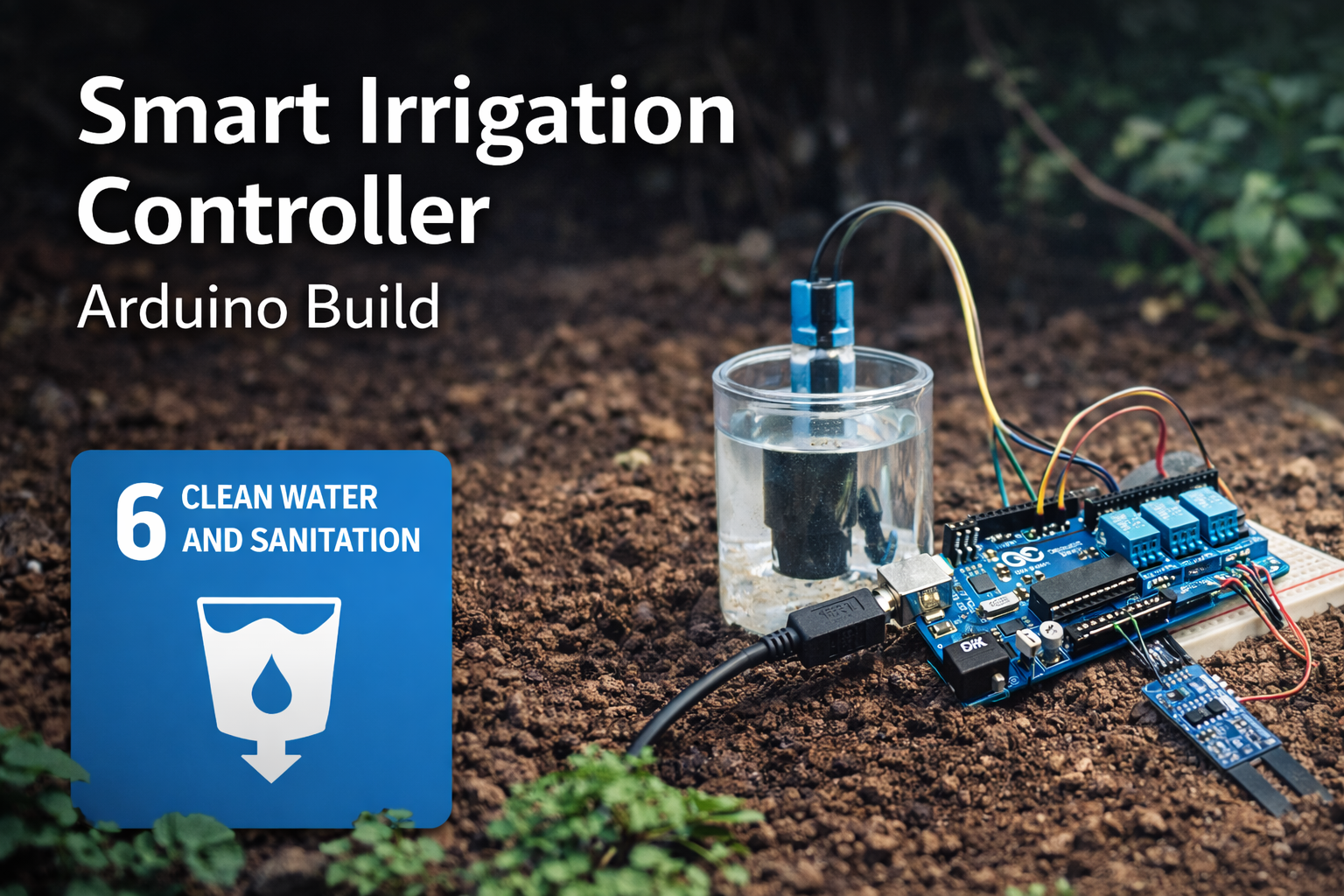
This smart irrigation controller with Arduino connects most directly to SDG 6: Clean Water and Sanitation, particularly the goal of improving water-use efficiency and supporting more sustainable freshwater management.
Related themes also appear in:
- SDG 2: Zero Hunger — through improved small-scale food production
- SDG 12: Responsible Consumption and Production — by reducing unnecessary water use
- SDG 13: Climate Action — since water and energy efficiency are closely linked
Water management is increasingly recognized as a systemic sustainability challenge. The United Nations SDG 6 framework highlights the need for technologies that improve water efficiency and support resilient water systems.
System Architecture
The prototype can be understood as a simple embedded sensing and actuation system consisting of four functional layers.
- Sensing layer: a capacitive soil moisture sensor measures dielectric changes associated with water content in the substrate.
- Environmental context layer: an optional DHT22 sensor measures temperature and relative humidity.
- Control layer: the Arduino reads sensor input, applies threshold logic, and manages irrigation timing.
- Actuation layer: a relay switches an external pump that delivers irrigation water.
The resulting control loop can be summarized as:
Soil Sensor → ADC → Arduino Control Logic → Relay → Pump → Soil Moisture Change → Sensor
This pattern represents a minimal closed-loop environmental control system and illustrates how embedded sensing can support resource-efficient irrigation.
Why a Smart Irrigation Controller with Arduino Matters
Many irrigation systems operate using fixed timers. While timers are simple, they ignore real environmental conditions. Soil may already be wet from recent watering, evaporation may be low, or humidity may already be high enough that additional watering is unnecessary.
A smart irrigation controller introduces a basic feedback process:
- measure soil moisture
- compare it to a threshold
- activate irrigation only when soil is dry
- wait and measure again
This logic demonstrates a broader sustainability principle: better sensing enables better resource allocation. It also demonstrates a core engineering principle: systems become more efficient when control decisions are tied to measured state rather than assumption.
What This Project Does
This Arduino smart irrigation controller:
- reads soil moisture from a capacitive sensor
- optionally reads humidity and temperature using a DHT22
- activates a relay-controlled water pump
- prevents excessive watering through lockout timing
- reports environmental data through the Serial Monitor
- supports calibration and threshold tuning
In practical terms, the system functions as a small automated irrigation controller suitable for experimentation, educational environments, and prototype gardens.
Bill of Materials
- Arduino Uno or Nano
- Capacitive soil moisture sensor
- DHT22 temperature and humidity sensor (optional but recommended for context)
- 5V relay module
- 5V submersible pump
- Breadboard or terminal block arrangement
- Jumper wires
- External 5V power supply for pump
- Water reservoir
- Optional irrigation tubing
Engineering Specifications
| Parameter | Specification |
|---|---|
| Microcontroller | Arduino Uno (ATmega328P) or equivalent |
| Sensor type | Capacitive soil moisture sensor |
| ADC resolution | 10-bit (0–1023) |
| Environmental sensor | DHT22 (optional) |
| Relay control voltage | 5V |
| Pump supply | External 5V DC recommended |
| Sampling interval | 60 seconds |
| Pump runtime | 3 seconds per cycle (configurable) |
| Watering lockout interval | 5 minutes |
| Deployment scope | Indoor greenhouse / small garden prototype |
Measurement Principle: How the Soil Sensor Works
Capacitive soil moisture sensors do not directly measure “water” in a literal sense. Instead, they estimate moisture by measuring changes in the dielectric properties of the surrounding material.
Water has a much higher dielectric constant than dry soil. As soil becomes wetter, the electrical field around the sensor changes. The sensor electronics convert that change into an analog output that the Arduino can read.
This is an important engineering distinction: the sensor output is not a universal absolute moisture value. It is a context-dependent signal that must be calibrated for the soil, container geometry, sensor depth, and placement conditions in the specific system.
How the Smart Irrigation Controller Works
The soil moisture sensor produces an analog signal representing soil water content. The Arduino reads this signal and compares it to a threshold that represents dry soil.
If the soil moisture reading exceeds the dry threshold, the Arduino activates a relay module that powers a small water pump.
The pump runs for a short interval before stopping. The system then waits before taking another measurement. This prevents constant switching, reduces oscillation, and allows water to distribute through the soil before the next decision point.
The optional DHT22 sensor adds environmental context such as humidity and temperature. While it does not replace direct soil measurement, it can support simple constraints, such as avoiding irrigation when humidity is already elevated.
Design Assumptions and Constraints
This prototype assumes:
- a single irrigation zone
- a relatively small pump
- short pump run intervals
- manual threshold calibration
- stable sensor placement
- limited spatial variation in soil conditions
It also assumes that a single moisture measurement is adequate to represent the soil condition of the area being watered. In larger or more heterogeneous growing environments, that assumption breaks down and multiple sensing points are preferable.
Electrical and Safety Considerations
The pump should be powered from an external 5V supply rather than directly from the Arduino. This matters because even small pumps can draw significantly more current than an Arduino output pin or onboard regulator can safely supply.
Relay modules should be wired carefully to avoid unintended switching at boot. If the relay is active-low, initialize the control pin to the OFF state in setup() before normal operation begins.
If this system is deployed in a wet environment, all electrical connections should be protected from splashes, condensation, and accidental short circuits. This prototype is intended for educational, research, and early-stage engineering use rather than unattended field deployment.
Wiring Overview
Arduino Connections
- A0 → Soil moisture sensor analog output
- D2 → DHT22 data
- D7 → Relay control
- 5V → Sensor VCC
- GND → Common ground
Pump Circuit
- Pump powered via relay
- External 5V power supply recommended
- Do not power the pump directly from the Arduino board
That external power separation is important because pumps can draw significantly more current than an Arduino output pin or onboard regulator can safely supply.
Firmware Design Goals
The firmware in this project is designed to do more than simply switch the pump on when a threshold is exceeded. It attempts to incorporate basic engineering practices such as:
- sensor smoothing through averaging
- environmental condition reporting
- watering lockout intervals
- modular functions for readability and extension
- explicit relay state handling
These improvements make the build more stable, easier to debug, and easier to expand into a more capable irrigation system later.
Advanced Arduino Code
The firmware below improves on a simple threshold-triggered design by introducing sample averaging, a watering lockout interval, sensor error handling, and explicit control logic separation.
#include <DHT.h>

#define DHTPIN 2
#define DHTTYPE DHT22
#define SOIL_PIN A0
#define RELAY_PIN 7

#define DRY_THRESHOLD 650
#define SAMPLE_COUNT 10

const unsigned long WATERING_INTERVAL_MS = 300000UL;   // 5 minutes
const unsigned long PUMP_RUNTIME_MS      = 3000UL;     // 3 seconds
const unsigned long SAMPLE_DELAY_MS      = 60000UL;    // 1 minute
const float HUMIDITY_CUTOFF              = 80.0;

DHT dht(DHTPIN, DHTTYPE);

unsigned long lastWateringTime = 0;

int readSoilMoistureAverage() {
  long total = 0;

  for (int i = 0; i < SAMPLE_COUNT; i++) {
    total += analogRead(SOIL_PIN);
    delay(10);
  }

  return total / SAMPLE_COUNT;
}

bool canWaterNow(unsigned long currentTime) {
  return (currentTime - lastWateringTime) >= WATERING_INTERVAL_MS;
}

void setPumpState(bool on) {
  // Active-low relay assumed
  digitalWrite(RELAY_PIN, on ? LOW : HIGH);
}

void runPumpCycle(unsigned long currentTime) {
  Serial.println("Soil dry. Activating irrigation cycle.");
  setPumpState(true);
  delay(PUMP_RUNTIME_MS);
  setPumpState(false);
  lastWateringTime = currentTime;
}

void printTelemetry(int soil, float temperature, float humidity) {
  Serial.print("Soil Moisture: ");
  Serial.print(soil);
  Serial.print(" | Temp: ");
  Serial.print(temperature);
  Serial.print(" C | Humidity: ");
  Serial.print(humidity);
  Serial.println(" %");
}

void setup() {
  Serial.begin(9600);
  dht.begin();

  pinMode(RELAY_PIN, OUTPUT);
  setPumpState(false);

  Serial.println("Smart Irrigation Controller Starting");
  Serial.print("Dry threshold: ");
  Serial.println(DRY_THRESHOLD);
}

void loop() {
  unsigned long now = millis();

  int soil = readSoilMoistureAverage();
  float humidity = dht.readHumidity();
  float temperature = dht.readTemperature();

  if (isnan(humidity) || isnan(temperature)) {
    Serial.println("Sensor read error: DHT22 returned invalid data.");
    delay(SAMPLE_DELAY_MS);
    return;
  }

  printTelemetry(soil, temperature, humidity);

  if (soil > DRY_THRESHOLD && humidity < HUMIDITY_CUTOFF && canWaterNow(now)) {
    runPumpCycle(now);
  } else {
    Serial.println("No watering cycle triggered.");
  }

  delay(SAMPLE_DELAY_MS);
}
Code Review and Engineering Notes
A few technical details are worth noting:
- Averaging: the
readSoilMoistureAverage()function averages multiple analog samples to reduce short-term noise. - Relay default state: the relay is initialized to OFF in
setup(), which is an important safety practice. - Lockout interval: the
WATERING_INTERVAL_MSconstant prevents rapid repeated watering cycles. - Environmental filter: the humidity check adds a simple contextual constraint before watering.
- Error handling: the sketch checks for invalid DHT22 readings before making irrigation decisions.
In a more advanced version, the remaining delay() calls could be replaced with a fully non-blocking scheduler based on millis(), especially if the system were expanded to support multiple zones, displays, logging, or network communication.
How to Calibrate the Moisture Sensor
Moisture sensors require calibration because soil type, depth, temperature, salinity, and local water distribution all influence the reading.
- insert the sensor into wet soil
- record the analog reading
- insert it into dry soil
- record that reading
- choose a threshold between the two values
Example calibration:
- Wet soil: ~350
- Dry soil: ~750
- Suggested threshold: ~650
This threshold is not universal. It must be validated against the actual soil conditions and irrigation objectives of the specific system.
Validation and Testing
To bring this project closer to engineering-grade documentation, validation matters. A simple testing procedure should include:
- verify that the moisture sensor distinguishes dry and wet conditions consistently
- verify that the relay switches reliably without false triggers
- confirm that the pump run time delivers a reasonable amount of water
- observe whether water actually reaches the sensor region after watering
- compare plant condition and soil response over multiple cycles
If the system waters too frequently, the problem may not be code. It may instead be sensor placement, insufficient soak time, uneven water distribution, or an unvalidated dryness threshold.
Suggested Performance Metrics
For a more rigorous evaluation, the system can be assessed against a few simple metrics:
- trigger accuracy: whether watering occurs only under intended dry-soil conditions
- watering efficiency: whether the delivered water is sufficient without oversaturation
- cycle stability: whether the controller avoids oscillating between ON and OFF states
- sensor repeatability: whether repeated measurements under similar conditions remain consistent
- response latency: how quickly the control loop responds once soil crosses the dryness threshold
Even informal measurement of these metrics can improve the engineering credibility of the build.
Build Steps
1. Wire the Sensors
Connect the soil moisture sensor and DHT22 to the Arduino according to the wiring map above.
2. Upload the Sketch
Upload the firmware and open the Serial Monitor.
3. Test Moisture Readings
Insert the sensor into wet and dry soil to verify that the signal range is meaningful.
4. Adjust the Dry Threshold
Tune the threshold value until the system distinguishes correctly between adequately moist and dry soil.
5. Add the Pump
Connect the relay and pump using an external power supply.
6. Observe System Behavior
Allow the system to run for several hours or days to observe irrigation cycles, lockout timing, and moisture response.
Limitations
This smart irrigation controller is a prototype rather than a production agricultural system.
- soil moisture sensors drift over time
- water distribution varies in real soil
- thresholds require manual calibration
- weather conditions influence irrigation needs
- a single sensor may not represent an entire growing area
- the present design is not hardened for field deployment
These limitations are not flaws unique to the Arduino platform. They reflect the real complexity of environmental measurement and control.
Possible Upgrades
Add Solar Power
A solar panel and battery system could make the controller suitable for remote gardens.
Add Multiple Moisture Zones
Larger gardens benefit from multiple sensors and independent watering logic per zone.
Add Wi-Fi Monitoring
An ESP32 could send irrigation data to a dashboard.
Add Rain Detection
A rain sensor could pause irrigation during rainfall.
Log Data Over Time
An SD card module could record soil moisture, humidity, temperature, and irrigation cycles for later analysis.
Replace Delay-Based Timing
A non-blocking scheduler based on millis() would make the controller more robust and extensible.
Why This Matters for Sustainable Development
Water scarcity is increasingly recognized as a systemic challenge in agriculture, cities, and climate adaptation.
Systems that translate environmental data into automated decisions are becoming essential for sustainable infrastructure.
This Arduino smart irrigation controller demonstrates the underlying logic at a small scale: measure environmental conditions, compare them to meaningful thresholds, and intervene only when necessary.
In that sense, the project illustrates a broader sustainability principle: responsible resource management depends on feedback systems that connect observation to action.
Reproducibility
All firmware, schematics, and documentation necessary to reproduce the prototype are included in the project repository. The project intentionally relies on widely available hardware components so that the system can be rebuilt in classroom environments, engineering labs, makerspaces, or independent research settings.
The design is intended as a reference implementation rather than a production irrigation controller. Engineers adapting the system for field deployment should validate sensor calibration, electrical isolation, environmental protection, pump duty cycle, and long-term sensor stability under real operating conditions.
Conclusion
A smart irrigation controller with Arduino is a relatively simple build, but it demonstrates how embedded sensing systems can support more efficient water use.
By measuring soil moisture and responding automatically, the system replaces fixed irrigation schedules with responsive watering logic.
For classrooms, makerspaces, sustainability education, and early-stage engineering work, this prototype offers a practical way to explore how environmental sensing and automation can support more resilient water systems.
More importantly, it shows that sustainable development is not only about policy frameworks. It is also about building systems that can measure the world accurately enough to support better decisions.