
Last Updated June 20, 2026
Computational experiments and reproducible workflows explain how algorithmic reasoning becomes reliable evidence rather than one-off calculation. In scientific computing, simulation, data analysis, modeling, machine learning, optimization, and institutional analytics, a result is not only a number, chart, or model output. It is the product of code, data, parameters, assumptions, runtime environments, dependencies, random seeds, notebooks, scripts, logs, transformations, validation checks, and interpretation.
A computational experiment treats code as part of the method. It asks a question, defines inputs, runs a procedure, records outputs, compares scenarios, tests sensitivity, preserves provenance, and makes the workflow repeatable. Reproducibility matters because computational results can be fragile. Small changes in data, packages, parameters, hardware, random seeds, or preprocessing rules can change outcomes.
This article introduces computational experiments and reproducible workflows as core practices in algorithmic reasoning. It explains workflow design, code organization, data provenance, parameter records, notebooks, scripts, version control, environments, outputs, metadata, computational evidence, governance, auditability, and interpretation risk.
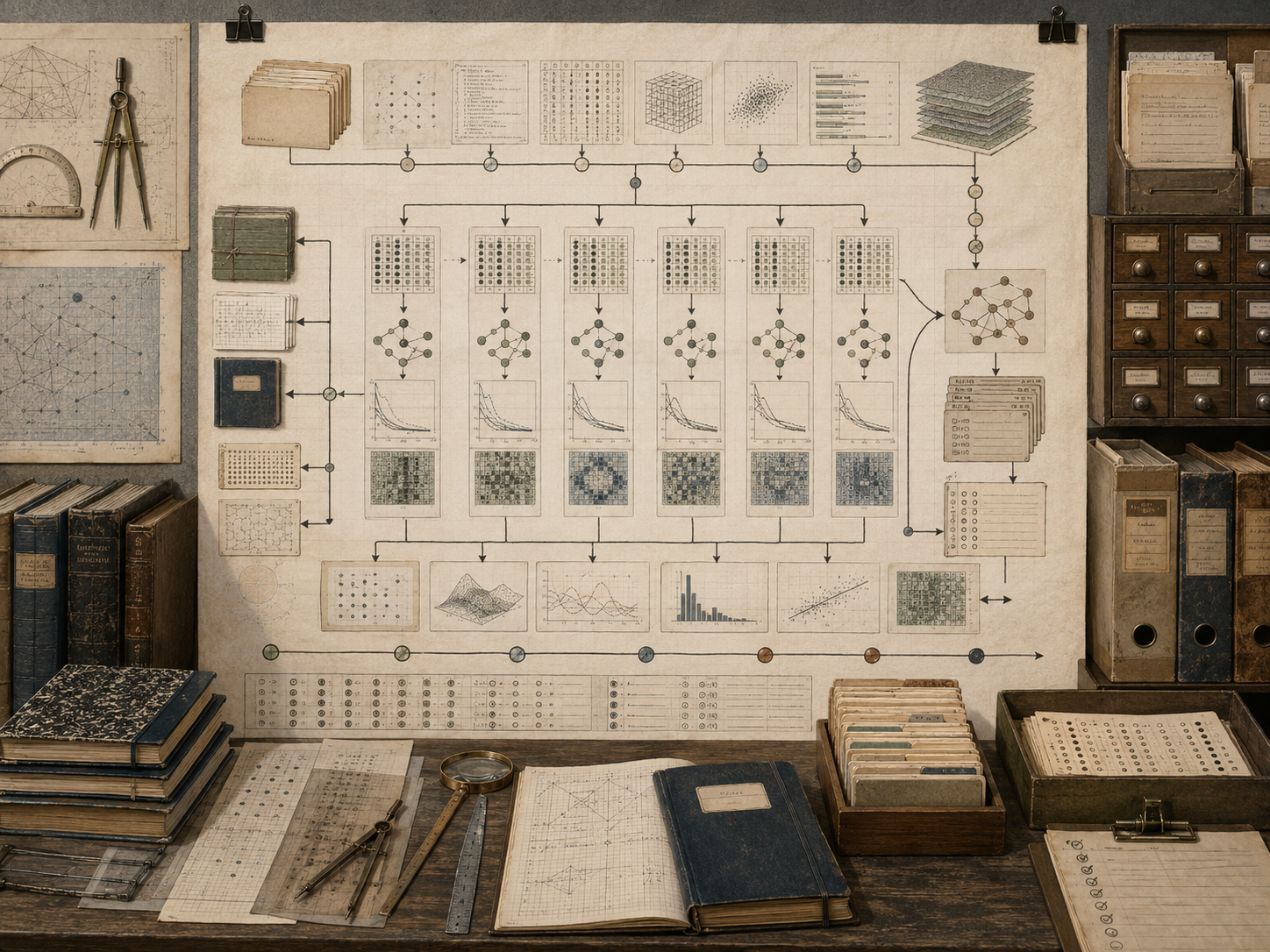
This article explains computational experiments, reproducible workflows, code organization, data provenance, parameter records, environment management, notebooks, scripts, version control, random seeds, workflow automation, output manifests, computational evidence, validation checks, sensitivity runs, metadata, dependency management, audit trails, governance, and representation risk. It emphasizes that a computational result is not fully meaningful unless the path that produced it can be inspected, rerun, challenged, and interpreted.
Why Computational Experiments Matter
Computational experiments matter because many modern claims are produced by code. A climate projection, model calibration, machine-learning evaluation, simulation run, policy forecast, optimization result, data visualization, or risk estimate depends on a chain of computational steps. If that chain is unclear, the result cannot be fully trusted.
A computational experiment is more than running code. It is a structured inquiry. It defines a question, selects data, sets parameters, applies algorithms, records outputs, tests assumptions, compares scenarios, preserves provenance, and interprets results. The experiment should be reproducible enough that another person, or the same person later, can understand how the result was produced.
| Computational problem | Reproducible workflow response | Example |
|---|---|---|
| Result depends on hidden code. | Preserve scripts, notebooks, and code versions. | Model output linked to Git commit. |
| Data changes over time. | Record source, version, extract date, and transformations. | Raw, cleaned, and analysis-ready datasets. |
| Parameters affect conclusions. | Store configuration files and run metadata. | JSON, YAML, CSV, or database parameter records. |
| Randomness affects outputs. | Document random seeds and repeated-seed diagnostics. | Monte Carlo, agent-based, and ML experiments. |
| Runtime environment affects behavior. | Record packages, compilers, operating system, and dependencies. | Lockfiles, containers, session info, environment files. |
| Outputs need audit trails. | Generate manifests linking results to inputs and procedure. | Output tables, figures, hashes, logs, and reports. |
Computational experiments turn code into evidence only when the workflow can be examined.
Computational Experiments Defined
A computational experiment is a structured procedure for using code to investigate a question. It may simulate a system, estimate a parameter, compare scenarios, test a model, evaluate an algorithm, process a dataset, optimize a design, or quantify uncertainty. Like a laboratory experiment, it requires design, control, records, outputs, and interpretation. Unlike a laboratory experiment, the material being manipulated is often data, code, parameters, models, and computational environments.
Computational experiments are common in scientific computing, data science, machine learning, systems modeling, public-policy modeling, finance, infrastructure planning, health analytics, climate analysis, and organizational research.
| Experiment element | Computational form | Review question |
|---|---|---|
| Question | Research, modeling, evaluation, or decision-support objective. | What is the experiment trying to learn? |
| Inputs | Data, parameters, assumptions, models, random seeds. | Are inputs documented and justified? |
| Procedure | Code, algorithms, scripts, notebooks, workflows. | Can the procedure be inspected and rerun? |
| Controls | Baseline scenario, benchmark, fixed seed, reference case. | What makes comparisons meaningful? |
| Outputs | Tables, figures, logs, metrics, model artifacts, reports. | Are outputs linked to exact runs? |
| Interpretation | Claims, limitations, uncertainty, decision relevance. | What can and cannot be concluded? |
A computational experiment is strongest when it treats code, data, and assumptions as part of the method, not as background machinery.
Reproducible Workflows Defined
A reproducible workflow is an organized set of computational steps that can be repeated to obtain the same or meaningfully comparable results. Reproducibility does not require that every machine produce identical bit-level output in every context. But it does require enough documentation, code, data, parameters, and environment information to make the result reviewable and rerunnable.
Reproducible workflows also support learning. When results change, the workflow should help identify why: different data, code, parameters, random seed, dependency version, runtime, hardware, or interpretation.
| Workflow layer | Purpose | Example artifact |
|---|---|---|
| Source data | Preserves original evidence. | Raw files, source links, extracts, database snapshots. |
| Transformation steps | Shows how data changed. | Cleaning scripts, SQL queries, preprocessing logs. |
| Analysis code | Defines the computational method. | Python, R, Julia, SQL, notebooks, scripts. |
| Configuration | Records parameters and assumptions. | Config files, scenario tables, seed records. |
| Environment | Captures runtime context. | Dependency lockfiles, container files, session info. |
| Outputs | Stores results and evidence. | Tables, figures, logs, reports, model objects. |
A reproducible workflow is not only about rerunning code. It is about preserving the reasoning path from question to result.
Code as Method
In computational work, code is part of the method. It defines how data are filtered, how missing values are handled, how parameters are applied, how models are fitted, how simulations run, how metrics are computed, and how outputs are produced. A written methods section is incomplete if the code itself is unavailable, undocumented, or inconsistent with the explanation.
Treating code as method requires readability, modularity, comments, tests, naming discipline, error handling, and clear separation between reusable procedures and one-off exploration. It also requires preserving the exact code used for a result.
| Code practice | Why it matters | Risk if absent |
|---|---|---|
| Readable structure | Allows others to understand the procedure. | Hidden assumptions and fragile logic. |
| Modular functions | Separates reusable logic from experiment setup. | Hard-to-test, duplicated code. |
| Explicit inputs | Makes dependencies visible. | Results depend on hidden state. |
| Assertions and checks | Catch invalid data or impossible states. | Silent errors propagate into outputs. |
| Tests | Confirm expected behavior. | Implementation errors go unnoticed. |
| Versioned scripts | Link results to exact method. | Outputs cannot be traced to code. |
A computational claim is only as clear as the code path that produced it.
Data Provenance and Transformation Records
Data provenance records where data came from, when it was accessed, how it was transformed, and how it moved through the workflow. This matters because data are not neutral raw material. They are collected, measured, cleaned, filtered, joined, aggregated, imputed, encoded, and interpreted through institutional and technical choices.
A reproducible workflow should preserve raw data when possible, separate raw data from processed data, document transformations, record exclusion criteria, identify missingness, and link outputs back to the inputs that generated them.
| Data record | Purpose | Example |
|---|---|---|
| Source record | Identifies origin of data. | Agency dataset, sensor file, survey export, database table. |
| Access date | Shows when data were retrieved. | Download date or extract timestamp. |
| Raw data archive | Preserves unmodified evidence. | Original CSV, JSON, SQL dump, or API response. |
| Transformation log | Documents cleaning and preprocessing. | Filtering, joins, imputation, normalization. |
| Data dictionary | Explains variables and units. | Column descriptions and measurement notes. |
| Lineage map | Links outputs to inputs. | Input-output manifest and dependency graph. |
Data provenance makes computational evidence traceable rather than detached from its origins.
Parameters, Seeds, and Configuration
Parameters shape computational results. A model may depend on time step, tolerance, grid size, learning rate, threshold, scenario setting, coefficient, prior distribution, random seed, sample size, or stopping rule. If these values are hidden in code, the workflow becomes difficult to review.
Configuration files separate assumptions from procedure. They allow experiments to be rerun with different settings while preserving the logic of the code. Seed records preserve stochastic reproducibility. Scenario tables make comparisons explicit.
| Configuration item | Meaning | Review concern |
|---|---|---|
| Parameter value | Numerical setting used in computation. | Is the value justified and recorded? |
| Scenario label | Named experimental condition. | Is the comparison meaningful? |
| Random seed | Initial value for pseudo-random sequence. | Can stochastic runs be reproduced? |
| Sample size | Number of simulated or sampled cases. | Is uncertainty adequately estimated? |
| Solver tolerance | Stopping threshold for approximation. | Does tolerance match the problem purpose? |
| Model version | Version of model or algorithm used. | Can outputs be linked to method? |
A result without parameter records is a result without a complete method.
Notebooks, Scripts, and Workflow Boundaries
Notebooks are useful for exploration, explanation, and mixed code-text analysis. Scripts are useful for repeatable execution, automation, testing, and deployment. Reproducible workflows often need both. A notebook can explain the reasoning, while scripts run the core computations in a controlled way.
Problems arise when notebooks contain hidden state, out-of-order execution, manual edits, missing dependencies, untracked outputs, or informal experiments mixed with final results. A strong workflow defines boundaries: exploration notebooks, production scripts, data-processing scripts, model-running scripts, output-generation scripts, and reporting notebooks.
| Artifact | Strength | Risk |
|---|---|---|
| Exploratory notebook | Supports discovery and explanation. | Hidden state or out-of-order execution. |
| Analysis script | Supports repeatable computation. | May be hard to read without documentation. |
| Pipeline script | Runs multiple steps consistently. | Can hide assumptions if not logged. |
| Report notebook | Connects results with interpretation. | May mix manual edits with generated outputs. |
| Test file | Checks expected behavior. | May be omitted for “research” code. |
| README | Explains how to run the workflow. | Can become stale if not maintained. |
A reproducible workflow should make clear which files explore, which files compute, which files validate, and which files communicate.
Version Control and Computational History
Version control records the history of code and related files. It allows analysts to see what changed, when it changed, and why. In computational experiments, version control is not just a software practice. It is part of evidence management.
A result should ideally be linked to a commit, tag, release, or workflow run. When code changes after a result is generated, the workflow should still preserve the version that produced the result. Branches can support experimentation, while releases can preserve stable versions used for publication, decision-making, or review.
| Version-control practice | Purpose | Evidence benefit |
|---|---|---|
| Commit history | Records changes over time. | Shows how method evolved. |
| Branching | Separates experiments from stable work. | Prevents exploratory changes from corrupting main workflow. |
| Tags or releases | Marks stable versions. | Links outputs to reproducible states. |
| Commit messages | Explain why changes were made. | Preserves reasoning behind revisions. |
| Issue tracking | Records bugs, questions, and decisions. | Supports audit trail and accountability. |
| Code review | Allows others to inspect changes. | Improves reliability and institutional trust. |
Version control makes computational work historically accountable.
Environments, Dependencies, and Runtime Context
Computational results can depend on software environments. Library versions, compilers, operating systems, hardware, random-number generators, numerical libraries, database engines, locale settings, and runtime options can change behavior. A workflow that runs today may fail or produce different outputs later if dependencies are not recorded.
Environment management records the computational context. Depending on the project, this may include requirements files, lockfiles, containers, virtual environments, package snapshots, session info, compiler versions, or workflow logs. The goal is not always perfect portability, but enough context to understand and reproduce the result.
| Environment element | Why it matters | Example artifact |
|---|---|---|
| Package versions | Libraries can change behavior. | requirements.txt, renv.lock, Manifest.toml. |
| Language version | Runtime semantics can change. | Python, R, Julia, Java, Go, Rust version. |
| Operating system | Paths, dependencies, and tools differ. | Linux, macOS, Windows environment record. |
| Compiler or BLAS library | Numerical performance and precision can differ. | Compiler version, linked math libraries. |
| Container | Packages runtime into reproducible image. | Dockerfile or container digest. |
| Session info | Records the environment used for a run. | Session report and system metadata. |
A computational result is produced not only by code, but by code running somewhere under specific conditions.
Outputs, Logs, and Result Manifests
Outputs should be organized as evidence. Tables, figures, model objects, reports, logs, metrics, and intermediate files should be linked to the inputs, code, parameters, and environment that produced them. Otherwise, outputs can become orphaned artifacts that are difficult to interpret.
A result manifest records the identity of a run. It can include timestamp, commit hash, data version, parameter file, random seed, environment, script name, output filenames, checksums, and status. Logs record what happened during execution, including warnings, errors, runtime, and diagnostics.
| Output artifact | Purpose | Review value |
|---|---|---|
| Generated table | Stores structured result. | Can be checked, compared, and reused. |
| Generated figure | Visualizes result. | Can be linked to source data and script. |
| Log file | Records execution events. | Shows warnings, errors, and runtime behavior. |
| Manifest | Links inputs, code, parameters, and outputs. | Creates audit trail. |
| Checksum or hash | Verifies file identity. | Detects changes or corruption. |
| Report | Communicates findings and limits. | Connects computation to interpretation. |
A reproducible workflow should make outputs accountable to the exact conditions that produced them.
Scenario Runs, Sensitivity, and Experiment Design
Computational experiments often compare scenarios. A baseline run may represent current assumptions. Alternative runs may change parameters, data, rules, models, or interventions. Sensitivity analysis explores how outputs change when assumptions shift. Stress tests examine extreme conditions. Ablation studies remove components to see what matters.
Experiment design matters because uncontrolled variation can make results hard to interpret. If many things change at once, it becomes difficult to know which change caused the outcome. A well-designed computational experiment records what varies, what stays fixed, and why.
| Experiment type | Purpose | Example |
|---|---|---|
| Baseline run | Establish reference behavior. | Default data, model, and parameters. |
| Scenario comparison | Compare structured assumptions. | Policy A versus policy B. |
| Parameter sweep | Test how outputs vary across values. | Vary threshold, learning rate, or time step. |
| Sensitivity analysis | Identify influential inputs. | One-at-a-time or global sensitivity measures. |
| Stress test | Explore failure or extreme cases. | High demand, missing data, rare event. |
| Ablation study | Remove a component to test its contribution. | Disable feature, module, or model component. |
A computational experiment is more persuasive when its comparisons are designed rather than accidental.
Validation, Testing, and Computational Evidence
Reproducibility is necessary, but it is not sufficient. A reproducible workflow can repeatedly produce the wrong result. Validation asks whether the model, algorithm, data, and workflow are fit for the intended purpose. Testing asks whether implementation behaves as expected. Evidence comes from a chain of checks: unit tests, benchmark problems, diagnostics, convergence tests, validation comparisons, sensitivity results, and interpretation limits.
A workflow should distinguish between implementation correctness, numerical reliability, model validity, data quality, and decision relevance. These are related but not identical.
| Evidence type | Question | Example |
|---|---|---|
| Unit test | Does a function behave as expected? | Known input produces known output. |
| Integration test | Do workflow components work together? | Pipeline runs from input to output. |
| Benchmark | Does method reproduce trusted reference? | Known analytic solution or standard dataset. |
| Diagnostic | Does the run show warning signs? | Residuals, convergence, missingness, outliers. |
| Validation comparison | Does output match evidence or theory? | Observed data, expert review, historical pattern. |
| Decision review | Is result appropriate for intended use? | Risk assessment and governance review. |
Computational evidence is a chain of support, not a single successful run.
Automation, Pipelines, and Repeatability
Automation helps make workflows repeatable. A pipeline can download or load data, validate inputs, transform data, run models, generate outputs, create reports, and write logs. Automation reduces manual steps that are easy to forget or perform inconsistently.
But automation also creates risk if it hides assumptions. A pipeline should be inspectable. It should fail loudly when inputs are invalid, preserve logs, record versions, and avoid silently overwriting important outputs. Repeatability is strongest when each step is explicit and each artifact has a place.
| Pipeline practice | Purpose | Risk controlled |
|---|---|---|
| Single command run | Executes workflow consistently. | Manual step omission. |
| Input validation | Checks data before computation. | Invalid or unexpected data entering model. |
| Step logging | Records what happened. | Untraceable failures or warnings. |
| Separate output folders | Preserves run results. | Overwriting or mixing outputs. |
| Dependency check | Confirms required tools are available. | Partial or inconsistent execution. |
| Exit status | Reports success or failure clearly. | Silent workflow errors. |
Automation should make a workflow easier to repeat without making it harder to understand.
Governance, Auditability, and Responsibility
Computational experiments can influence research claims, engineering decisions, public policy, funding, eligibility, ranking, risk scoring, monitoring, and institutional action. This means reproducibility is not only a technical virtue. It is a governance requirement.
Governance defines who can run, change, approve, review, publish, contest, or rely on computational workflows. Auditability requires preserving enough evidence to reconstruct what happened. Responsibility requires connecting outputs to human judgment rather than allowing computation to become unaccountable authority.
| Governance concern | Question | Documentation |
|---|---|---|
| Ownership | Who maintains the workflow? | Maintainer and responsibility record. |
| Approval | Who approves results for use? | Review checklist and sign-off record. |
| Change control | How are changes reviewed? | Pull requests, issues, release notes. |
| Audit trail | Can past results be reconstructed? | Inputs, code, parameters, outputs, logs. |
| Use boundaries | Where should results not be applied? | Scope, limitations, and decision-use statement. |
Governance makes reproducible workflows accountable to people, institutions, and consequences.
Representation Risk
Representation risk appears when reproducible outputs are mistaken for trustworthy outputs simply because they can be rerun. A workflow can be reproducible and still be biased, invalid, poorly scoped, or misleading. A clean pipeline can produce a flawed result. A polished notebook can hide weak assumptions. A complete archive can preserve error as easily as truth.
Another risk is that workflow artifacts can create false authority. A versioned repository, generated report, or automated pipeline can look rigorous even if the experiment design is weak. Reproducibility should support scrutiny, not replace judgment.
| Representation risk | How it appears | Review response |
|---|---|---|
| Reproducible equals valid | A rerunnable workflow is treated as correct. | Separate reproducibility from validation. |
| Pipeline authority | Automation makes outputs look objective. | Document assumptions and review decision use. |
| Notebook polish | Clean narrative hides exploratory uncertainty. | Preserve exploratory notes and final workflow boundary. |
| Hidden data transformations | Clean outputs hide filtering and exclusions. | Record data lineage and transformation logs. |
| Parameter invisibility | Results depend on settings not visible to reviewers. | Use explicit configuration and scenario records. |
| Archived error | Wrong workflows become stable and repeatable. | Use validation, testing, and review governance. |
Reproducibility should make computational evidence more contestable, not merely more formal.
Examples of Computational Experiments
The examples below show how computational experiments and reproducible workflows support scientific, technical, and institutional reasoning.
Simulation scenario comparison
A model is run under baseline, intervention, and stress-test conditions with preserved parameters and outputs.
Monte Carlo uncertainty analysis
Repeated seeded runs estimate probability ranges, confidence intervals, and threshold risks.
Machine-learning evaluation
Training, validation, and test results are linked to data splits, metrics, model versions, and code commits.
Numerical convergence study
A solver is run across grid sizes, time steps, or tolerances to test numerical stability.
Data-processing pipeline
Raw data are cleaned, transformed, validated, documented, and linked to analysis-ready files.
Sensitivity analysis
Parameters are varied systematically to identify which assumptions most affect results.
Policy model audit
Eligibility, prioritization, or risk-scoring outputs are tied to rules, inputs, versions, and review records.
Reproducible research package
Code, data, environment files, notebooks, outputs, README files, and manifests are archived together.
Across these examples, reproducibility turns computational results into evidence that can be examined rather than merely accepted.
Mathematics, Computation, and Modeling
A computational experiment can be represented as a function from inputs, parameters, code, and environment to outputs:
O = F(D, \theta, C, E)
\]
Interpretation: Outputs \(O\) depend on data \(D\), parameters \(\theta\), code \(C\), and environment \(E\).
A reproducible run can be represented as a record:
R = (D_v, C_v, \theta, s, E_v, O, L)
\]
Interpretation: A run record \(R\) links data version \(D_v\), code version \(C_v\), parameters \(\theta\), seed \(s\), environment version \(E_v\), outputs \(O\), and logs \(L\).
A scenario experiment can be represented as:
O_j = F(D, \theta_j, C, E)
\]
Interpretation: Scenario \(j\) changes a defined parameter set \(\theta_j\) while holding the rest of the workflow controlled.
A sensitivity comparison can be written as:
S_i = \frac{\Delta O}{\Delta \theta_i}
\]
Interpretation: Sensitivity measures how much an output changes when parameter \(\theta_i\) changes.
A reproducibility check can be represented as:
F(D_v, \theta, C_v, E_v) \rightarrow O’
\quad \text{and compare} \quad O’ \approx O
\]
Interpretation: A workflow is rerun under recorded conditions and compared with the original output.
An audit trail can be represented as:
D_{\text{raw}} \rightarrow D_{\text{clean}} \rightarrow D_{\text{analysis}} \rightarrow O \rightarrow I
\]
Interpretation: Raw data move through transformations into outputs and interpretation \(I\), with each step documented.
These formulas show why reproducibility is not separate from algorithmic reasoning. It is the structure that links inputs, procedures, outputs, and claims.
Python Workflow: Reproducible Experiment Audit
The Python workflow below creates a dependency-light reproducibility audit. It generates synthetic experimental data, runs baseline and scenario analyses, records parameters and seeds, writes output tables, creates a run manifest, computes file hashes, and produces a workflow review checklist.
# computational_experiments_reproducible_workflows_audit.py
# Dependency-light workflow for computational experiment design, provenance, reproducibility, and audit trails.

from __future__ import annotations

from dataclasses import asdict, dataclass
from pathlib import Path
from statistics import mean, pstdev
import csv
import hashlib
import json
import math
import platform
import random
import sys
from datetime import datetime, timezone

ARTICLE_ROOT = Path(__file__).resolve().parents[1]
DATA_DIR = ARTICLE_ROOT / "data"
TABLES = ARTICLE_ROOT / "outputs" / "tables"
JSON_DIR = ARTICLE_ROOT / "outputs" / "json"
LOGS = ARTICLE_ROOT / "outputs" / "logs"


@dataclass(frozen=True)
class ExperimentConfig:
    experiment_name: str
    scenario: str
    seed: int
    sample_size: int
    treatment_effect: float
    noise_scale: float
    threshold: float
    notes: str


def timestamp_utc() -> str:
    return datetime.now(timezone.utc).isoformat()


def write_csv(path: Path, rows: list[dict[str, object]]) -> None:
    path.parent.mkdir(parents=True, exist_ok=True)

    if not rows:
        path.write_text("", encoding="utf-8")
        return

    fieldnames = sorted({key for row in rows for key in row.keys()})

    with path.open("w", newline="", encoding="utf-8") as handle:
        writer = csv.DictWriter(handle, fieldnames=fieldnames, extrasaction="ignore")
        writer.writeheader()
        writer.writerows(rows)


def write_json(path: Path, payload: object) -> None:
    path.parent.mkdir(parents=True, exist_ok=True)
    path.write_text(json.dumps(payload, indent=2, sort_keys=True), encoding="utf-8")


def file_sha256(path: Path) -> str:
    digest = hashlib.sha256()
    with path.open("rb") as handle:
        for chunk in iter(lambda: handle.read(8192), b""):
            digest.update(chunk)
    return digest.hexdigest()


def generate_synthetic_data(config: ExperimentConfig) -> list[dict[str, object]]:
    rng = random.Random(config.seed)
    rows: list[dict[str, object]] = []

    for unit_id in range(1, config.sample_size + 1):
        baseline = rng.gauss(50.0, 10.0)
        treatment = 1 if rng.random() < 0.5 else 0
        noise = rng.gauss(0.0, config.noise_scale)
        outcome = baseline + treatment * config.treatment_effect + noise

        rows.append({
            "experiment_name": config.experiment_name,
            "scenario": config.scenario,
            "seed": config.seed,
            "unit_id": unit_id,
            "baseline": round(baseline, 6),
            "treatment": treatment,
            "outcome": round(outcome, 6),
            "threshold": config.threshold,
            "above_threshold": int(outcome >= config.threshold)
        })

    return rows


def analyze_experiment(rows: list[dict[str, object]], config: ExperimentConfig) -> dict[str, object]:
    treatment_outcomes = [float(row["outcome"]) for row in rows if int(row["treatment"]) == 1]
    control_outcomes = [float(row["outcome"]) for row in rows if int(row["treatment"]) == 0]
    all_outcomes = [float(row["outcome"]) for row in rows]
    threshold_hits = [int(row["above_threshold"]) for row in rows]

    treatment_mean = mean(treatment_outcomes)
    control_mean = mean(control_outcomes)
    estimated_effect = treatment_mean - control_mean

    return {
        "experiment_name": config.experiment_name,
        "scenario": config.scenario,
        "seed": config.seed,
        "sample_size": config.sample_size,
        "treatment_effect_parameter": config.treatment_effect,
        "noise_scale": config.noise_scale,
        "threshold": config.threshold,
        "mean_outcome": round(mean(all_outcomes), 6),
        "std_outcome": round(pstdev(all_outcomes), 6),
        "treatment_mean": round(treatment_mean, 6),
        "control_mean": round(control_mean, 6),
        "estimated_effect": round(estimated_effect, 6),
        "threshold_rate": round(sum(threshold_hits) / len(threshold_hits), 6),
        "interpretation": "Scenario output depends on preserved data, parameters, seed, code, and runtime context."
    }


def scenario_configs() -> list[ExperimentConfig]:
    return [
        ExperimentConfig(
            experiment_name="reproducible_scenario_experiment",
            scenario="baseline",
            seed=101,
            sample_size=1000,
            treatment_effect=2.0,
            noise_scale=6.0,
            threshold=60.0,
            notes="Baseline scenario with moderate effect and noise."
        ),
        ExperimentConfig(
            experiment_name="reproducible_scenario_experiment",
            scenario="higher_effect",
            seed=101,
            sample_size=1000,
            treatment_effect=5.0,
            noise_scale=6.0,
            threshold=60.0,
            notes="Scenario changes treatment effect while holding seed and sample size fixed."
        ),
        ExperimentConfig(
            experiment_name="reproducible_scenario_experiment",
            scenario="higher_noise",
            seed=101,
            sample_size=1000,
            treatment_effect=2.0,
            noise_scale=12.0,
            threshold=60.0,
            notes="Scenario changes uncertainty level while holding effect and seed fixed."
        ),
        ExperimentConfig(
            experiment_name="reproducible_scenario_experiment",
            scenario="threshold_stress",
            seed=101,
            sample_size=1000,
            treatment_effect=2.0,
            noise_scale=6.0,
            threshold=70.0,
            notes="Scenario changes decision threshold while holding data-generation settings fixed."
        ),
    ]


def sensitivity_runs() -> list[dict[str, object]]:
    rows: list[dict[str, object]] = []

    for effect in [0.0, 1.0, 2.0, 4.0, 8.0]:
        for seed in range(1, 11):
            config = ExperimentConfig(
                experiment_name="effect_sensitivity_experiment",
                scenario=f"effect_{effect}",
                seed=seed,
                sample_size=800,
                treatment_effect=effect,
                noise_scale=8.0,
                threshold=60.0,
                notes="Sensitivity run varying treatment effect across repeated seeds."
            )
            data = generate_synthetic_data(config)
            summary = analyze_experiment(data, config)
            rows.append(summary)

    aggregated: list[dict[str, object]] = []
    for effect in sorted(set(float(row["treatment_effect_parameter"]) for row in rows)):
        subset = [row for row in rows if float(row["treatment_effect_parameter"]) == effect]
        estimated_effects = [float(row["estimated_effect"]) for row in subset]
        threshold_rates = [float(row["threshold_rate"]) for row in subset]

        aggregated.append({
            "treatment_effect_parameter": effect,
            "runs": len(subset),
            "mean_estimated_effect": round(mean(estimated_effects), 6),
            "std_estimated_effect": round(pstdev(estimated_effects), 6),
            "mean_threshold_rate": round(mean(threshold_rates), 6),
            "std_threshold_rate": round(pstdev(threshold_rates), 6),
            "interpretation": "Repeated-seed sensitivity runs show how outputs change across parameter values."
        })

    return aggregated


def workflow_checklist() -> list[dict[str, object]]:
    return [
        {
            "check": "question_defined",
            "status": "complete",
            "question": "Is the computational experiment tied to an explicit question?"
        },
        {
            "check": "raw_data_preserved",
            "status": "complete",
            "question": "Are raw or generated inputs preserved separately from processed outputs?"
        },
        {
            "check": "parameters_recorded",
            "status": "complete",
            "question": "Are scenario parameters, thresholds, and sample sizes recorded?"
        },
        {
            "check": "random_seed_recorded",
            "status": "complete",
            "question": "Are stochastic seeds recorded for reproducibility?"
        },
        {
            "check": "environment_recorded",
            "status": "complete",
            "question": "Is runtime environment information captured?"
        },
        {
            "check": "outputs_linked_to_inputs",
            "status": "complete",
            "question": "Are output files linked to data, code, and parameters?"
        },
        {
            "check": "sensitivity_analysis_included",
            "status": "complete",
            "question": "Are key assumptions varied and compared?"
        },
        {
            "check": "validation_evidence_included",
            "status": "partial",
            "question": "Are results checked against theory, benchmarks, observed data, or expert expectations?"
        },
        {
            "check": "interpretation_limits_stated",
            "status": "complete",
            "question": "Are limitations and intended-use boundaries documented?"
        },
    ]


def collect_file_manifest(paths: list[Path]) -> list[dict[str, object]]:
    rows: list[dict[str, object]] = []

    for path in paths:
        if path.exists() and path.is_file():
            rows.append({
                "relative_path": str(path.relative_to(ARTICLE_ROOT)),
                "size_bytes": path.stat().st_size,
                "sha256": file_sha256(path)
            })

    return rows


def runtime_environment() -> dict[str, object]:
    return {
        "python_version": sys.version,
        "platform": platform.platform(),
        "processor": platform.processor(),
        "machine": platform.machine(),
        "timestamp_utc": timestamp_utc()
    }


def main() -> None:
    LOGS.mkdir(parents=True, exist_ok=True)
    run_log = LOGS / "reproducible_workflow_run.log"
    log_rows: list[str] = []

    def log(message: str) -> None:
        line = f"{timestamp_utc()} | {message}"
        log_rows.append(line)
        print(line)

    log("Starting reproducible workflow audit.")

    configs = scenario_configs()
    config_rows = [asdict(config) for config in configs]
    write_csv(DATA_DIR / "experiment_configurations.csv", config_rows)
    write_json(JSON_DIR / "experiment_configurations.json", config_rows)
    log("Wrote experiment configurations.")

    all_data_rows: list[dict[str, object]] = []
    scenario_summaries: list[dict[str, object]] = []

    for config in configs:
        data_rows = generate_synthetic_data(config)
        all_data_rows.extend(data_rows)
        summary = analyze_experiment(data_rows, config)
        scenario_summaries.append(summary)

    write_csv(DATA_DIR / "synthetic_experiment_data.csv", all_data_rows)
    write_csv(TABLES / "scenario_experiment_summaries.csv", scenario_summaries)
    write_json(JSON_DIR / "scenario_experiment_summaries.json", scenario_summaries)
    log("Generated scenario data and summaries.")

    sensitivity_summary = sensitivity_runs()
    write_csv(TABLES / "sensitivity_experiment_summary.csv", sensitivity_summary)
    write_json(JSON_DIR / "sensitivity_experiment_summary.json", sensitivity_summary)
    log("Generated sensitivity summaries.")

    checklist_rows = workflow_checklist()
    write_csv(TABLES / "reproducible_workflow_checklist.csv", checklist_rows)
    write_json(JSON_DIR / "reproducible_workflow_checklist.json", checklist_rows)
    log("Wrote workflow checklist.")

    environment = runtime_environment()
    write_json(JSON_DIR / "runtime_environment.json", environment)
    log("Captured runtime environment.")

    produced_paths = [
        DATA_DIR / "experiment_configurations.csv",
        DATA_DIR / "synthetic_experiment_data.csv",
        TABLES / "scenario_experiment_summaries.csv",
        TABLES / "sensitivity_experiment_summary.csv",
        TABLES / "reproducible_workflow_checklist.csv",
        JSON_DIR / "experiment_configurations.json",
        JSON_DIR / "scenario_experiment_summaries.json",
        JSON_DIR / "sensitivity_experiment_summary.json",
        JSON_DIR / "reproducible_workflow_checklist.json",
        JSON_DIR / "runtime_environment.json",
    ]

    manifest_rows = collect_file_manifest(produced_paths)
    write_csv(TABLES / "output_manifest.csv", manifest_rows)
    write_json(JSON_DIR / "output_manifest.json", manifest_rows)
    log("Wrote output manifest.")

    review_attention = sum(1 for row in checklist_rows if row["status"] in {"partial", "needs_review"})

    audit_summary = {
        "experiment_name": "computational_experiments_and_reproducible_workflows",
        "scenario_count": len(configs),
        "synthetic_data_rows": len(all_data_rows),
        "sensitivity_rows": len(sensitivity_summary),
        "manifest_files": len(manifest_rows),
        "review_items_needing_attention": review_attention,
        "timestamp_utc": timestamp_utc(),
        "interpretation": "A computational experiment becomes auditable when code, data, parameters, environment, outputs, logs, and interpretation limits are preserved together."
    }

    write_csv(TABLES / "reproducible_experiment_audit_summary.csv", [audit_summary])
    write_json(JSON_DIR / "reproducible_experiment_audit_summary.json", audit_summary)
    log("Wrote audit summary.")

    run_log.write_text("\n".join(log_rows) + "\n", encoding="utf-8")
    log("Computational experiments and reproducible workflows audit complete.")


if __name__ == "__main__":
    main()
This workflow treats reproducibility as a concrete design problem: record inputs, preserve parameters, capture environment, generate outputs, write manifests, and document review status.
R Workflow: Workflow Summary and Diagnostics
The R workflow reads the Python-generated experiment outputs and creates summary diagnostics using base R. It compares scenario effects, sensitivity results, workflow checklist status, and output-manifest records.
# computational_experiments_reproducible_workflows_summary.R
# Base R workflow for summarizing reproducible computational experiment outputs.

args <- commandArgs(trailingOnly = FALSE)
file_arg <- grep("^--file=", args, value = TRUE)

if (length(file_arg) > 0) {
  script_path <- normalizePath(sub("^--file=", "", file_arg[1]), mustWork = TRUE)
  article_root <- normalizePath(file.path(dirname(script_path), ".."), mustWork = TRUE)
} else {
  article_root <- getwd()
}

setwd(article_root)

tables_dir <- file.path(article_root, "outputs", "tables")
figures_dir <- file.path(article_root, "outputs", "figures")

if (!dir.exists(tables_dir)) {
  dir.create(tables_dir, recursive = TRUE)
}

if (!dir.exists(figures_dir)) {
  dir.create(figures_dir, recursive = TRUE)
}

scenario_path <- file.path(tables_dir, "scenario_experiment_summaries.csv")

if (!file.exists(scenario_path)) {
  stop(paste("Missing", scenario_path, "Run the Python workflow first."))
}

scenario_data <- read.csv(scenario_path, stringsAsFactors = FALSE)

png(
  file.path(figures_dir, "scenario_estimated_effects.png"),
  width = 1300,
  height = 850
)

barplot(
  scenario_data$estimated_effect,
  names.arg = scenario_data$scenario,
  las = 2,
  ylab = "Estimated effect",
  main = "Scenario Estimated Effects"
)

grid()
dev.off()

png(
  file.path(figures_dir, "scenario_threshold_rates.png"),
  width = 1300,
  height = 850
)

barplot(
  scenario_data$threshold_rate,
  names.arg = scenario_data$scenario,
  las = 2,
  ylab = "Threshold rate",
  main = "Scenario Threshold Rates"
)

grid()
dev.off()

sensitivity_path <- file.path(tables_dir, "sensitivity_experiment_summary.csv")

if (file.exists(sensitivity_path)) {
  sensitivity_data <- read.csv(sensitivity_path, stringsAsFactors = FALSE)

  png(
    file.path(figures_dir, "sensitivity_effect_response.png"),
    width = 1300,
    height = 850
  )

  plot(
    sensitivity_data$treatment_effect_parameter,
    sensitivity_data$mean_estimated_effect,
    type = "b",
    pch = 19,
    xlab = "Treatment effect parameter",
    ylab = "Mean estimated effect",
    main = "Sensitivity Response Across Effect Parameters"
  )

  grid()
  dev.off()
}

checklist_path <- file.path(tables_dir, "reproducible_workflow_checklist.csv")

if (file.exists(checklist_path)) {
  checklist_data <- read.csv(checklist_path, stringsAsFactors = FALSE)
  status_counts <- table(checklist_data$status)

  png(
    file.path(figures_dir, "reproducible_workflow_checklist_status.png"),
    width = 1000,
    height = 750
  )

  barplot(
    status_counts,
    ylim = c(0, max(status_counts) + 1),
    ylab = "Count",
    main = "Reproducible Workflow Checklist Status"
  )

  grid()
  dev.off()
}

manifest_path <- file.path(tables_dir, "output_manifest.csv")

if (file.exists(manifest_path)) {
  manifest_data <- read.csv(manifest_path, stringsAsFactors = FALSE)

  manifest_summary <- data.frame(
    manifest_files = nrow(manifest_data),
    total_manifest_bytes = sum(manifest_data$size_bytes),
    largest_file = manifest_data$relative_path[which.max(manifest_data$size_bytes)]
  )

  write.csv(
    manifest_summary,
    file.path(tables_dir, "r_output_manifest_summary.csv"),
    row.names = FALSE
  )
}

summary_path <- file.path(tables_dir, "reproducible_experiment_audit_summary.csv")
summary_data <- read.csv(summary_path, stringsAsFactors = FALSE)

r_summary <- data.frame(
  workflow_summary_rows = nrow(summary_data),
  scenario_count = summary_data$scenario_count[1],
  synthetic_data_rows = summary_data$synthetic_data_rows[1],
  manifest_files = summary_data$manifest_files[1],
  review_items_needing_attention = summary_data$review_items_needing_attention[1]
)

write.csv(
  r_summary,
  file.path(tables_dir, "r_reproducible_workflow_summary.csv"),
  row.names = FALSE
)

print(r_summary)
This workflow helps summarize scenario comparisons, sensitivity behavior, output-manifest coverage, and review status so computational experiments remain interpretable and reproducible.
GitHub Repository
The companion repository for this article provides reproducible code, synthetic datasets, workflow documentation, generated outputs, experiment configurations, run manifests, provenance records, parameter files, output hashes, environment records, validation scaffolds, review checklists, governance artifacts, and Canvas-ready materials that extend the article into executable examples.
Complete Code Repository
Companion article folder with Python, R, Julia, SQL, Haskell, C, C++, Fortran, Rust, Go, Java, TypeScript, Prolog, Racket, notebooks, documentation, synthetic teaching data, generated outputs, schemas, and Canvas-ready workflow artifacts for computational experiments, reproducible workflows, code organization, data provenance, parameter records, random seeds, notebooks, scripts, version control, dependency management, runtime environments, output manifests, logs, validation checks, sensitivity runs, audit trails, governance, traceability, and representation risk.
A Practical Method for Reviewing Reproducible Workflows
A practical review of reproducible workflows begins by identifying the claim being made. What output, figure, model, estimate, or decision does the workflow support? Then the reviewer traces the claim backward through outputs, parameters, code, data, environment, and assumptions.
| Step | Question | Output |
|---|---|---|
| 1. Identify the claim. | What result or conclusion depends on the workflow? | Claim and output statement. |
| 2. Locate the output. | Which generated files support the claim? | Output list and manifest entry. |
| 3. Trace the code path. | Which scripts, notebooks, functions, or commands produced the output? | Code-path record. |
| 4. Trace the data path. | Which raw, cleaned, and analysis-ready data were used? | Data lineage map. |
| 5. Review parameters. | Which assumptions, thresholds, seeds, and scenario settings matter? | Configuration record. |
| 6. Review environment. | Which language versions, packages, and system conditions were used? | Environment file or session report. |
| 7. Rerun the workflow. | Can the result be reproduced or meaningfully regenerated? | Rerun report. |
| 8. Check diagnostics. | Are tests, validation checks, warnings, and logs available? | Diagnostic and validation summary. |
| 9. Examine sensitivity. | Does the conclusion depend heavily on fragile assumptions? | Sensitivity report. |
| 10. State limits. | What should not be inferred from the result? | Interpretation and governance note. |
The aim is not to make every workflow elaborate. The aim is to make the evidence chain visible enough for the stakes of the claim.
Common Pitfalls
A common pitfall is treating a notebook as a final reproducible workflow when it is only an exploratory record. Notebooks can be excellent for explanation, but they can also contain hidden state, manual edits, out-of-order cells, stale outputs, and untracked assumptions. Another pitfall is preserving code while losing the data, parameters, environment, or random seeds that made the output possible.
Common pitfalls include:
- notebook hidden state: outputs depend on cells run out of order or variables created earlier;
- manual data edits: spreadsheet or file changes occur outside versioned code;
- parameter hiding: thresholds, tolerances, and assumptions are embedded inside scripts;
- seed omission: stochastic workflows cannot be reproduced or compared;
- environment drift: package or runtime changes alter results later;
- orphaned outputs: tables and figures cannot be linked to inputs and code;
- overwriting results: new runs replace old evidence without preserving run identity;
- validation gap: workflows rerun successfully but are never checked against evidence;
- automation opacity: pipelines run smoothly while hiding assumptions;
- reproducibility overclaim: repeatability is mistaken for correctness, validity, or fairness.
The remedy is workflow discipline: explicit inputs, versioned code, preserved parameters, documented environments, output manifests, logs, tests, validation evidence, and clear interpretation boundaries.
Why Reproducibility Is Algorithmic Reasoning
Computational experiments and reproducible workflows show that algorithmic reasoning does not end when a procedure runs. It also depends on whether the procedure can be inspected, repeated, challenged, and interpreted. A computational result is not simply produced by an algorithm. It is produced by a workflow: data, code, parameters, environment, runtime, outputs, logs, assumptions, and human judgment.
This makes reproducibility foundational to scientific computing, simulation, machine learning, public policy, institutional analytics, finance, infrastructure modeling, environmental modeling, and responsible automation. Without reproducibility, computational claims become difficult to trust. Without validation, reproducible claims can still be wrong. Without governance, reproducible workflows can still be misused.
The strongest computational experiments preserve their evidence chain. They make clear what question was asked, what data were used, what code ran, what parameters mattered, what environment executed, what outputs were generated, what checks were performed, and what conclusions remain limited.
The next article turns to model validation, testing, and computational evidence: how computational models are checked against theory, data, benchmarks, assumptions, diagnostics, and intended use.
Related Articles
- Agent-Based Algorithms and Emergent Behavior
- Model Validation, Testing, and Computational Evidence
- Monte Carlo Methods and Computational Uncertainty
- Algorithms in Scientific Computing
- Numerical Methods and Algorithmic Approximation
- Sensitivity Analysis for Algorithms and Models
- Uncertainty Quantification in Computational Workflows
- Algorithmic Accountability and Audit Trails
Further Reading
- Donoho, D.L. (2010) ‘An invitation to reproducible computational research’, Biostatistics, 11(3), pp. 385–388.
- Gentleman, R. and Lang, D.T. (2007) ‘Statistical analyses and reproducible research’, Journal of Computational and Graphical Statistics, 16(1), pp. 1–23.
- Goodman, S.N., Fanelli, D. and Ioannidis, J.P.A. (2016) ‘What does research reproducibility mean?’, Science Translational Medicine, 8(341), 341ps12.
- Kluyver, T. et al. (2016) ‘Jupyter Notebooks — a publishing format for reproducible computational workflows’, in Positioning and Power in Academic Publishing: Players, Agents and Agendas. Amsterdam: IOS Press, pp. 87–90.
- Peng, R.D. (2011) ‘Reproducible research in computational science’, Science, 334(6060), pp. 1226–1227.
- Piccolo, S.R. and Frampton, M.B. (2016) ‘Tools and techniques for computational reproducibility’, PLOS Computational Biology, 12(3), e1004668.
- Sandve, G.K., Nekrutenko, A., Taylor, J. and Hovig, E. (2013) ‘Ten simple rules for reproducible computational research’, PLOS Computational Biology, 9(10), e1003285.
- Stodden, V., Leisch, F. and Peng, R.D. (eds.) (2014) Implementing Reproducible Research. Boca Raton: CRC Press.
- Wilson, G. et al. (2014) ‘Best practices for scientific computing’, PLOS Biology, 12(1), e1001745.
- Wilson, G. et al. (2017) ‘Good enough practices in scientific computing’, PLOS Computational Biology, 13(6), e1005510.
References
- Donoho, D.L. (2010) ‘An invitation to reproducible computational research’, Biostatistics, 11(3), pp. 385–388.
- Gentleman, R. and Lang, D.T. (2007) ‘Statistical analyses and reproducible research’, Journal of Computational and Graphical Statistics, 16(1), pp. 1–23.
- Goodman, S.N., Fanelli, D. and Ioannidis, J.P.A. (2016) ‘What does research reproducibility mean?’, Science Translational Medicine, 8(341), 341ps12.
- Kluyver, T. et al. (2016) ‘Jupyter Notebooks — a publishing format for reproducible computational workflows’, in Positioning and Power in Academic Publishing: Players, Agents and Agendas. Amsterdam: IOS Press, pp. 87–90.
- Peng, R.D. (2011) ‘Reproducible research in computational science’, Science, 334(6060), pp. 1226–1227.
- Piccolo, S.R. and Frampton, M.B. (2016) ‘Tools and techniques for computational reproducibility’, PLOS Computational Biology, 12(3), e1004668.
- Sandve, G.K., Nekrutenko, A., Taylor, J. and Hovig, E. (2013) ‘Ten simple rules for reproducible computational research’, PLOS Computational Biology, 9(10), e1003285.
- Stodden, V., Leisch, F. and Peng, R.D. (eds.) (2014) Implementing Reproducible Research. Boca Raton: CRC Press.
- Wilson, G. et al. (2014) ‘Best practices for scientific computing’, PLOS Biology, 12(1), e1001745.
- Wilson, G. et al. (2017) ‘Good enough practices in scientific computing’, PLOS Computational Biology, 13(6), e1005510.