
Last Updated June 12, 2026
Scientific computing for modeling workflows connects mathematical models to reliable code, data pipelines, numerical libraries, environments, tests, documentation, and reproducible outputs. It treats computation not as an afterthought, but as part of the model’s formal reasoning process.
Modern mathematical modeling rarely ends with equations alone. Models are implemented in code, run on data, evaluated through numerical methods, summarized through outputs, and communicated through reports, notebooks, dashboards, figures, repositories, and decision-support artifacts. Scientific computing provides the workflow discipline that keeps this process organized, testable, and reproducible.
A modeling workflow is not just a folder of scripts. It is an accountable structure connecting question, data, assumptions, computation, validation, uncertainty, outputs, and interpretation. Without workflow discipline, even a strong mathematical model can become fragile, opaque, difficult to rerun, and hard to trust.
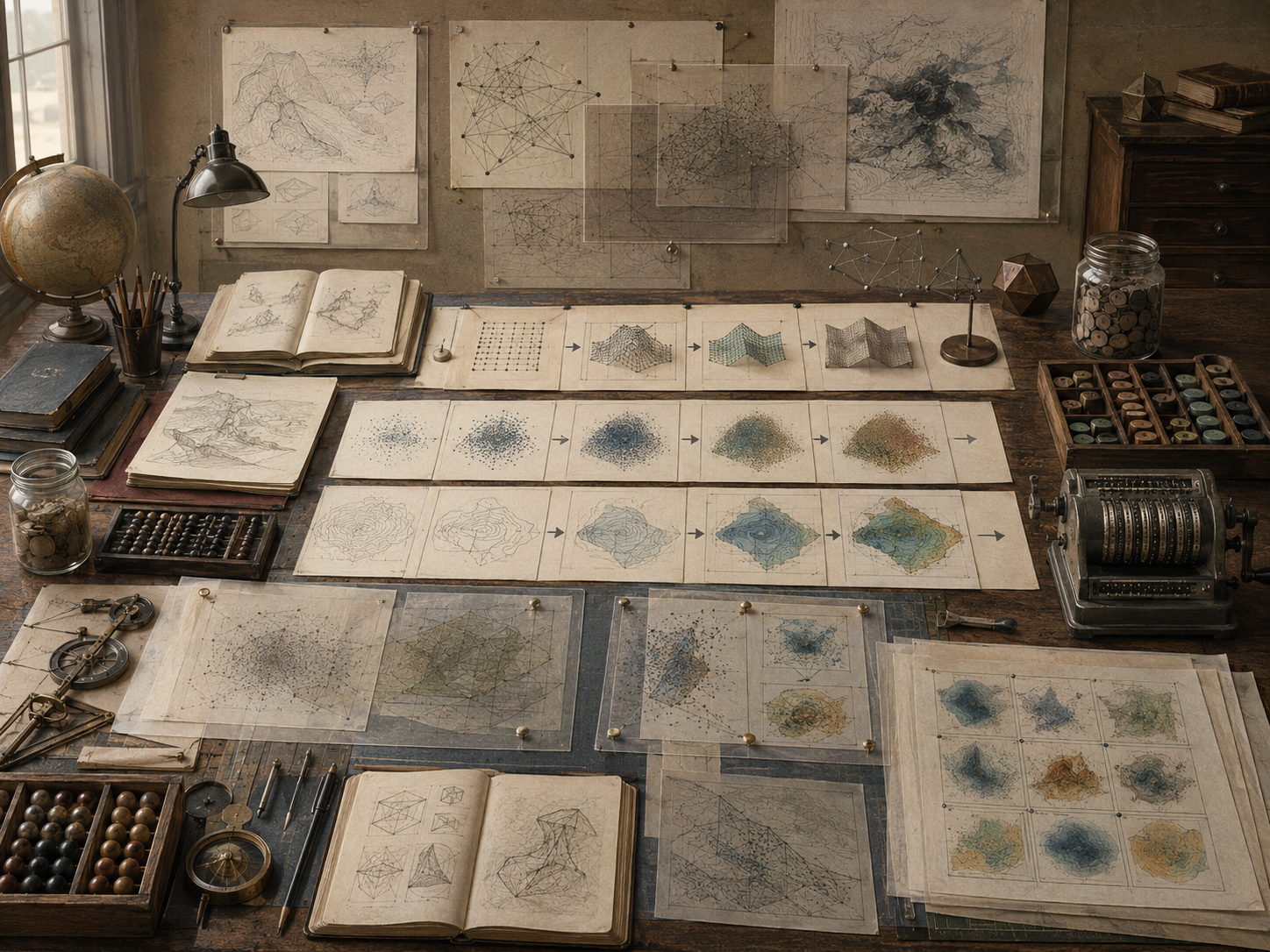
Responsible scientific computing requires structure. It asks how data enter the workflow, how code is organized, how parameters are configured, how environments are captured, how numerical methods are tested, how outputs are generated, how errors are logged, how uncertainty is preserved, and how another analyst could reproduce the work.
Why Scientific Computing Matters for Modeling
Scientific computing matters because mathematical models increasingly live inside computational systems. A model may be specified as equations, but its actual behavior is often determined through code, data, numerical solvers, random seeds, file paths, packages, execution order, hardware limits, and output scripts.
This makes workflow design a modeling issue. If a workflow cannot be rerun, inspected, tested, or explained, the model’s results become difficult to trust. Scientific computing supplies the structure that connects mathematical reasoning to computational evidence.
| Modeling need | Scientific computing contribution | Example artifact |
|---|---|---|
| Reproducibility | Makes outputs rerunnable from known inputs and code. | Run script, Makefile, environment file. |
| Transparency | Shows how data, parameters, and code produce results. | Workflow diagram, README, run manifest. |
| Validation | Supports tests, diagnostics, and comparison checks. | Unit tests, validation tables, residual checks. |
| Uncertainty | Preserves sampled runs, intervals, and sensitivity outputs. | Monte Carlo outputs, quantile tables, seed logs. |
| Collaboration | Allows multiple people to inspect and improve the model. | Version control, issues, code review. |
| Governance | Documents assumptions, versions, decisions, and use limits. | Audit card, review queue, model card. |
A good workflow does not guarantee a good model. But a poor workflow can weaken even a strong model by making it hard to verify, validate, update, or communicate responsibly.
What Scientific Computing Is
Scientific computing is the disciplined use of computation to support scientific, mathematical, engineering, and analytical reasoning. It includes numerical methods, algorithms, data structures, software environments, high-performance computing, simulation, visualization, testing, and reproducible workflows.
For mathematical modeling, scientific computing is the bridge between formal representation and executable analysis. It turns equations, assumptions, data, scenarios, and uncertainty into repeatable computational procedures.
| Scientific computing layer | Modeling role | Review question |
|---|---|---|
| Algorithm | Defines how the model is computed. | Is the algorithm appropriate for the model? |
| Code | Implements model logic. | Does the code match the specification? |
| Data pipeline | Transforms raw inputs into model-ready data. | Are transformations documented and tested? |
| Environment | Defines software dependencies and versions. | Can the workflow run elsewhere? |
| Execution protocol | Specifies commands and order of operations. | Can another analyst reproduce the run? |
| Output layer | Generates tables, figures, reports, and diagnostics. | Are outputs traceable to inputs and code? |
| Review layer | Checks correctness, validity, and limits. | Are assumptions and results auditable? |
Scientific computing is not just programming. It is structured computational reasoning. Its purpose is to make model-based analysis reliable enough to inspect, challenge, reproduce, and improve.
Workflow Thinking in Mathematical Modeling
Workflow thinking asks how modeling work moves from question to output. It identifies the steps, files, code, data, parameters, diagnostics, and decisions that connect a model’s purpose to its results.
A workflow may include raw data, cleaning scripts, parameter files, numerical solvers, simulation runs, validation checks, generated figures, summary tables, notebooks, reports, and repository documentation. Each step should be traceable.
| Workflow stage | Purpose | Failure if neglected |
|---|---|---|
| Question framing | Defines what the model is for. | Computation answers the wrong question. |
| Data intake | Collects and records inputs. | Data provenance is lost. |
| Data transformation | Prepares inputs for modeling. | Hidden preprocessing changes results. |
| Model execution | Runs equations, simulation, or solver. | Run settings are undocumented. |
| Diagnostics | Checks model and computation quality. | Errors appear as findings. |
| Output generation | Creates tables, figures, and reports. | Outputs cannot be traced back. |
| Review and communication | Interprets results with limits. | Outputs are overclaimed. |
Workflow thinking helps prevent modeling work from becoming a pile of disconnected scripts. It makes the modeling process legible as a sequence of accountable transformations.
Code as Part of the Model
In computational modeling, code is not merely a delivery mechanism. It is part of the model’s operational structure. Code determines how variables are represented, how equations are evaluated, how constraints are enforced, how random draws are generated, and how outputs are summarized.
This means code quality affects model quality. A mathematical specification can be strong while the implementation is fragile, inconsistent, or wrong. Scientific computing requires practices that make code readable, testable, modular, and reviewable.
| Code practice | Modeling value | Example |
|---|---|---|
| Modular functions | Separates model components clearly. | Separate derivative, simulation, summary, and validation functions. |
| Type or schema checks | Prevents invalid inputs from entering silently. | Validate parameter ranges and required columns. |
| Unit tests | Check small pieces of model logic. | Known-case test for update rule. |
| Assertions | Catch impossible states during execution. | Stock cannot be negative without explicit rule. |
| Readable naming | Preserves conceptual meaning. | `growth_rate` instead of `g2`. |
| Documentation | Connects code to model assumptions. | README, docstrings, method notes. |
Code should not hide the model. It should expose the model’s structure, assumptions, and computational choices clearly enough that another analyst can understand what the code is doing and why.
Data Pipelines, Provenance, and Transformation
Model outputs depend on input data. Scientific computing therefore requires careful data provenance and transformation tracking. Analysts should know where data came from, how it was cleaned, how missing values were handled, how units were converted, and how model-ready variables were produced.
Data transformation is often where hidden modeling assumptions enter. A filter, aggregation rule, imputation method, unit conversion, join, or normalization step can materially change model behavior.
| Pipeline element | Review question | Governance artifact |
|---|---|---|
| Source data | Where did the data come from? | Data provenance note. |
| Schema | What columns, types, and units are expected? | Input schema or codebook. |
| Cleaning rule | How are missing, invalid, or duplicate values handled? | Cleaning log. |
| Transformation | How are raw values converted into model inputs? | Transformation script. |
| Aggregation | What level of scale or grouping is used? | Aggregation note. |
| Validation check | Do transformed inputs make sense? | Range checks, unit checks, summary tables. |
A data pipeline should be reproducible from raw or documented source inputs to model-ready outputs. Otherwise, the model result may depend on an undocumented data-processing history that cannot be audited.
Configuration, Parameters, and Scenario Control
Scientific computing separates code from configuration. Code defines procedures; configuration defines run-specific values such as parameters, file paths, scenario labels, thresholds, seeds, time horizons, tolerances, and output settings.
This separation helps prevent accidental changes, supports scenario comparison, and makes runs easier to reproduce. If parameters are buried inside scripts, it becomes harder to know which values generated which outputs.
| Configuration item | Modeling role | Example |
|---|---|---|
| Parameter values | Set model behavior. | Growth rate, extraction rate, carrying capacity. |
| Scenario definitions | Compare alternative assumptions. | Baseline, stress, policy intervention. |
| Random seeds | Preserve stochastic reproducibility. | Seed per simulation run. |
| Numerical settings | Control approximation behavior. | Step size, tolerance, iteration limit. |
| Input paths | Connect workflow to data. | Raw and processed data files. |
| Output paths | Store generated artifacts. | Tables, figures, JSON, logs. |
| Review thresholds | Define diagnostic criteria. | Failure threshold, residual tolerance, risk trigger. |
Configuration files make modeling workflows easier to inspect. They show what was varied, what was held constant, and how the run was controlled.
Software Environments, Dependencies, and Reproducibility
Computational results can depend on software environments. Package versions, programming-language versions, operating systems, hardware, numerical libraries, and random-number generators may affect outputs.
Scientific computing therefore records dependencies. This may involve requirements files, lockfiles, environment manifests, containers, package metadata, or executable workflow descriptions.
| Environment artifact | Purpose | Example |
|---|---|---|
| Requirements file | Lists required packages. | `requirements.txt`, `renv.lock`, `Project.toml`. |
| Lockfile | Captures exact dependency versions. | Package lock metadata. |
| Container | Packages environment into portable runtime. | Docker or Apptainer image. |
| Runtime log | Records software and platform context. | Python version, OS, package versions. |
| Seed log | Records stochastic reproducibility settings. | Seed, generator, replication count. |
| Build script | Recreates or runs workflow. | Makefile, shell script, CI workflow. |
Not every project needs a full container, but every serious modeling workflow should document the computational environment enough that results can be rerun or meaningfully reviewed.
Testing, Verification, and Validation Workflows
Scientific computing distinguishes between code testing, numerical verification, data validation, and model validation. These review layers overlap, but they ask different questions.
| Review layer | Question | Example diagnostic |
|---|---|---|
| Code test | Does the function behave as expected? | Unit test for update rule. |
| Data validation | Are inputs valid and complete? | Schema, range, and missingness checks. |
| Numerical verification | Does the approximation behave correctly? | Convergence and stability diagnostics. |
| Model validation | Is the model credible for its purpose? | Observed comparison, expert review, pattern checks. |
| Output validation | Do outputs support the stated claims? | Uncertainty and sensitivity review. |
| Decision-use review | Can results responsibly inform action? | Use-limit statement and governance note. |
A model can pass code tests and still be invalid for the real-world purpose. Conversely, a conceptually appropriate model can be weakened by implementation errors. Scientific computing workflows should preserve both technical tests and substantive validation evidence.
Outputs, Logs, Metadata, and Run Manifests
Model outputs should be traceable. A table, figure, or report should be linked to the code, data, parameters, seed, environment, and timestamp that produced it. This is the role of logs, metadata, and run manifests.
A run manifest records what happened during execution. It helps another analyst identify which input files were used, which parameters were active, which commands were run, which outputs were created, and whether checks passed.
| Run artifact | Purpose | Example field |
|---|---|---|
| Run manifest | Records the full execution context. | run_id, timestamp, command, seed. |
| Output index | Lists generated files. | tables, figures, JSON outputs. |
| Diagnostic log | Records tests and warnings. | convergence status, validation flags. |
| Metadata file | Describes model and workflow context. | article, version, scenario, purpose. |
| Audit card | Summarizes governance review. | assumptions, checks, limitations. |
| Change log | Tracks model updates over time. | commit hash, update note, reviewer. |
Outputs without provenance can be misleading. Scientific computing makes outputs accountable by preserving the path from input to result.
Automation, Command-Line Interfaces, and Repeatable Runs
Repeatable modeling workflows should be executable through clear commands. Automation reduces manual error and makes workflows easier to rerun, test, and share.
Command-line interfaces, Makefiles, shell scripts, task runners, and continuous-integration workflows can all help. The goal is not complexity. The goal is to make the intended run procedure explicit.
| Automation pattern | Use | Benefit |
|---|---|---|
| Command-line script | Runs a workflow with arguments. | Makes inputs and outputs explicit. |
| Makefile | Defines common targets. | Standardizes execution. |
| Smoke test | Checks workflow runs end to end. | Catches breakage quickly. |
| Unit test suite | Tests model components. | Improves implementation reliability. |
| Batch runner | Runs scenarios or ensembles. | Supports systematic experimentation. |
| Continuous integration | Runs checks on code changes. | Supports collaborative quality control. |
A repeatable run is a scientific asset. It makes modeling less dependent on memory, manual clicking, local habits, or undocumented steps.
Collaboration, Version Control, and Review
Scientific computing supports collaboration by making model changes traceable. Version control records how code, data definitions, documentation, and outputs evolve. Code review and issue tracking allow assumptions, errors, and improvements to be discussed.
For modeling, version control is not only software practice. It is part of model governance. It helps analysts know which model version produced which result and why changes were made.
| Collaboration practice | Modeling value | Example |
|---|---|---|
| Commit history | Tracks changes over time. | Parameter update, solver change, data revision. |
| Branches | Separate experimental work from stable workflows. | Testing alternative model form. |
| Pull requests | Enable review before merging changes. | Reviewer checks assumptions and tests. |
| Issues | Track questions, bugs, and improvements. | Unresolved validation concern. |
| Release tags | Mark stable model versions. | Version used for a report or decision. |
| Review notes | Document human judgment. | Assumption approval or use-limit note. |
Collaboration practices help prevent model drift. They make it easier to distinguish draft experiments from validated workflows and exploratory outputs from decision-support artifacts.
Mathematical Lens: A Workflow as a Reproducible Mapping
A scientific computing workflow can be understood as a reproducible mapping from inputs and configuration to outputs and diagnostics.
Y = W(D,\theta,C,E)
\]
Interpretation: Workflow \(W\) produces output \(Y\) from data \(D\), parameters \(\theta\), configuration \(C\), and computing environment \(E\).
Diagnostics are also outputs:
Q = V(W,D,\theta,C,E)
\]
Interpretation: Validation and verification process \(V\) produces diagnostic evidence \(Q\) about the workflow and model result.
Reproducibility requires that another analyst can rerun the mapping:
W(D,\theta,C,E) \longrightarrow (Y,Q,M)
\]
Interpretation: A reproducible workflow generates outputs \(Y\), diagnostics \(Q\), and metadata \(M\) from documented inputs and environment.
This lens shows why scientific computing is part of modeling. The workflow determines what is actually computed, what is preserved, and what evidence is available for review.
Example: Reproducible Resource Model Workflow
Consider a resource dynamics model. The mathematical model may describe stock growth, extraction, and shocks. A scientific computing workflow turns that model into a structured process.
| Workflow component | Resource model example | Review artifact |
|---|---|---|
| Input data | Initial stock estimates and extraction scenarios. | Input schema and data provenance note. |
| Parameters | Growth rate, carrying capacity, shock probability. | Parameter configuration file. |
| Model code | Stock update function and simulation loop. | Code module with tests. |
| Uncertainty layer | Monte Carlo sampling of uncertain parameters. | Seed log and replication table. |
| Diagnostics | Convergence, sensitivity, threshold risk. | Diagnostic tables and review queue. |
| Outputs | Final stock distribution, risk probability, figures. | Generated outputs and audit card. |
| Communication | Decision-support summary and use limits. | Report section or model card. |
The workflow makes the model inspectable. Another analyst can see where inputs came from, how parameters were set, how the model was run, how outputs were created, and what limitations remain.
Workflow Governance and Decision Support
Scientific computing workflows often support decisions. When model outputs influence policy, engineering, finance, health, sustainability, infrastructure, or organizational strategy, workflow governance becomes essential.
Governance asks whether the workflow is appropriate for the decision, whether outputs are traceable, whether assumptions are documented, whether validation evidence exists, and whether uncertainty is communicated responsibly.
| Governance question | Why it matters | Evidence |
|---|---|---|
| What version produced the result? | Prevents confusion across model updates. | Commit hash, release tag, run manifest. |
| What assumptions were active? | Clarifies conditional nature of outputs. | Configuration file and assumption register. |
| What checks passed? | Shows technical reliability evidence. | Test report and diagnostic log. |
| What uncertainty remains? | Prevents false precision. | Intervals, sensitivity, uncertainty notes. |
| What is the intended use? | Prevents decision overreach. | Use statement and limitations section. |
| Who reviewed the workflow? | Supports accountability. | Review record or governance queue. |
Workflow governance does not slow modeling down unnecessarily. It makes model results usable in contexts where trust, accountability, and revision matter.
Ethical Stakes of Scientific Computing
Scientific computing carries ethical stakes because computational workflows can make assumptions look objective, outputs look final, and decisions look technically determined. A polished workflow can still encode hidden data choices, weak validation, fragile dependencies, or unexamined uncertainty.
| Workflow choice | Ethical risk | Responsible practice |
|---|---|---|
| Data processing | Cleaning rules hide exclusions or bias. | Document transformations and missingness. |
| Package dependency | Results change across environments. | Record versions and environment details. |
| Hidden parameters | Assumptions cannot be reviewed. | Use configuration files and parameter registers. |
| Notebook-only workflow | Execution order may be unclear. | Provide scripts, tests, and run instructions. |
| Unlogged runs | Outputs cannot be reproduced. | Write run manifests and output indexes. |
| Opaque automation | Users trust workflow without understanding it. | Document commands, checks, and use limits. |
| Overconfident outputs | Decision-makers underestimate uncertainty. | Report uncertainty, sensitivity, and limitations. |
Responsible scientific computing treats reproducibility, documentation, and review as ethical practices. They protect against hidden assumptions, technical opacity, and unsupported authority.
Python Workflow: Modeling Workflow Register and Run Manifest
The Python workflow below creates a modeling workflow register, runs a small resource-model scenario, exports outputs, writes a run manifest, and generates an audit card. It is dependency-light and designed for reproducible execution.
# scientific_computing_modeling_workflow.py
# Dependency-light workflow register and run manifest example.

from __future__ import annotations

from dataclasses import asdict, dataclass
from datetime import datetime, timezone
from pathlib import Path
import csv
import hashlib
import json
import platform
import random
import sys


ARTICLE_ROOT = Path(__file__).resolve().parents[1]
OUTPUTS = ARTICLE_ROOT / "outputs"
TABLES = OUTPUTS / "tables"
JSON_DIR = OUTPUTS / "json"
LOGS = OUTPUTS / "logs"


@dataclass(frozen=True)
class WorkflowRecord:
    key: str
    workflow_stage: str
    computational_object: str
    modeling_role: str
    review_question: str
    status: str


@dataclass(frozen=True)
class ResourceScenario:
    scenario: str
    initial_stock: float
    growth_rate: float
    carrying_capacity: float
    extraction: float
    shock_probability: float
    shock_fraction: float
    steps: int
    seed: int


def workflow_register() -> list[WorkflowRecord]:
    return [
        WorkflowRecord(
            key="input_schema",
            workflow_stage="data_intake",
            computational_object="resource_scenario_fields",
            modeling_role="Defines required model inputs and units.",
            review_question="Are all required fields documented and validated?",
            status="review",
        ),
        WorkflowRecord(
            key="configuration",
            workflow_stage="parameter_control",
            computational_object="scenario configuration",
            modeling_role="Separates run-specific values from code.",
            review_question="Can outputs be traced to active parameters?",
            status="active",
        ),
        WorkflowRecord(
            key="simulation_engine",
            workflow_stage="model_execution",
            computational_object="resource update loop",
            modeling_role="Implements the model's state transition rule.",
            review_question="Does code match the mathematical specification?",
            status="review",
        ),
        WorkflowRecord(
            key="run_manifest",
            workflow_stage="reproducibility",
            computational_object="manifest json",
            modeling_role="Records command, environment, seed, and outputs.",
            review_question="Can another analyst rerun the workflow?",
            status="active",
        ),
        WorkflowRecord(
            key="audit_card",
            workflow_stage="governance",
            computational_object="workflow audit card",
            modeling_role="Summarizes checks, outputs, and limitations.",
            review_question="Are assumptions and use limits visible?",
            status="review",
        ),
    ]


def scenario_set() -> list[ResourceScenario]:
    return [
        ResourceScenario("baseline", 70.0, 0.18, 100.0, 6.0, 0.05, 0.10, 50, 20260612),
        ResourceScenario("stress", 70.0, 0.15, 100.0, 9.0, 0.12, 0.20, 50, 20260613),
    ]


def simulate(scenario: ResourceScenario) -> list[dict[str, object]]:
    rng = random.Random(scenario.seed)
    stock = scenario.initial_stock
    rows: list[dict[str, object]] = []

    for step in range(scenario.steps + 1):
        rows.append({
            "scenario": scenario.scenario,
            "step": step,
            "resource_stock": round(stock, 8),
            "seed": scenario.seed,
        })

        if step == scenario.steps:
            break

        growth = scenario.growth_rate * stock * (1.0 - stock / scenario.carrying_capacity)
        shock = stock * scenario.shock_fraction if rng.random() < scenario.shock_probability else 0.0
        stock = max(0.0, stock + growth - scenario.extraction - shock)

    return rows


def workflow_risk_score(record: WorkflowRecord) -> float:
    score = {"active": 1.0, "review": 5.0, "revise": 8.0, "archive": 2.0}.get(
        record.status.lower(),
        4.0,
    )
    text = f"{record.workflow_stage} {record.computational_object} {record.review_question}".lower()
    for term in ["schema", "manifest", "configuration", "execution", "audit", "reproduce", "validation"]:
        if term in text:
            score += 1.0
    return round(score, 3)


def hash_file(path: Path) -> str:
    if not path.exists():
        return "missing"
    digest = hashlib.sha256()
    with path.open("rb") as handle:
        for block in iter(lambda: handle.read(65536), b""):
            digest.update(block)
    return digest.hexdigest()


def write_csv(path: Path, rows: list[dict[str, object]]) -> None:
    path.parent.mkdir(parents=True, exist_ok=True)
    if not rows:
        raise ValueError(f"No rows supplied for {path}")
    with path.open("w", newline="", encoding="utf-8") as handle:
        writer = csv.DictWriter(handle, fieldnames=list(rows[0].keys()))
        writer.writeheader()
        writer.writerows(rows)


def write_json(path: Path, payload: object) -> None:
    path.parent.mkdir(parents=True, exist_ok=True)
    with path.open("w", encoding="utf-8") as handle:
        json.dump(payload, handle, indent=2, sort_keys=True)


def summarize_trajectories(rows: list[dict[str, object]]) -> list[dict[str, object]]:
    grouped: dict[str, list[dict[str, object]]] = {}
    for row in rows:
        grouped.setdefault(str(row["scenario"]), []).append(row)

    output = []
    for scenario, values in sorted(grouped.items()):
        final = max(values, key=lambda item: int(item["step"]))
        minimum = min(float(item["resource_stock"]) for item in values)
        output.append({
            "scenario": scenario,
            "final_stock": float(final["resource_stock"]),
            "minimum_stock": round(minimum, 8),
            "steps": len(values) - 1,
            "seed": final["seed"],
        })

    return output


def main() -> None:
    records = workflow_register()
    scenarios = scenario_set()

    rows = []
    for scenario in scenarios:
        rows.extend(simulate(scenario))

    summary = summarize_trajectories(rows)
    register_rows = [
        {**asdict(record), "workflow_risk_score": workflow_risk_score(record)}
        for record in records
    ]

    trajectory_path = TABLES / "resource_model_trajectories.csv"
    summary_path = TABLES / "resource_model_summary.csv"
    register_path = TABLES / "scientific_computing_workflow_register.csv"
    manifest_path = JSON_DIR / "run_manifest.json"
    audit_path = JSON_DIR / "workflow_audit_card.json"

    write_csv(trajectory_path, rows)
    write_csv(summary_path, summary)
    write_csv(register_path, register_rows)

    manifest = {
        "article": "Scientific Computing for Modeling Workflows",
        "run_timestamp_utc": datetime.now(timezone.utc).isoformat(),
        "python_version": sys.version,
        "platform": platform.platform(),
        "scenarios": [asdict(scenario) for scenario in scenarios],
        "outputs": {
            "trajectories": str(trajectory_path),
            "summary": str(summary_path),
            "workflow_register": str(register_path),
        },
        "output_hashes": {
            "trajectories_sha256": hash_file(trajectory_path),
            "summary_sha256": hash_file(summary_path),
            "workflow_register_sha256": hash_file(register_path),
        },
    }

    write_json(manifest_path, manifest)

    write_json(audit_path, {
        "article": "Scientific Computing for Modeling Workflows",
        "workflow_register": register_rows,
        "summary": summary,
        "run_manifest": str(manifest_path),
        "audit_checks": [
            "inputs and configuration are documented",
            "model execution is reproducible",
            "outputs are indexed and hashed",
            "run environment is recorded",
            "workflow governance artifacts are generated",
        ],
    })

    LOGS.mkdir(parents=True, exist_ok=True)
    (LOGS / "workflow_run.log").write_text(
        "Scientific computing workflow completed successfully.\n",
        encoding="utf-8",
    )

    print("Scientific computing modeling workflow complete.")
    print(f"Wrote outputs to {OUTPUTS}")


if __name__ == "__main__":
    main()
This workflow treats scientific computing as model governance. It creates outputs, logs, hashes, a run manifest, and an audit card so that model results are easier to rerun and inspect.
R Workflow: Workflow Review and Reproducibility Diagnostics
The R workflow below reviews generated outputs, classifies workflow records by priority, and creates a base R plot of resource trajectories.
# scientific_computing_modeling_workflow_review.R
# Base R workflow review and reproducibility diagnostics.

args <- commandArgs(trailingOnly = FALSE)
file_arg <- grep("^--file=", args, value = TRUE)

if (length(file_arg) > 0) {
  script_path <- normalizePath(sub("^--file=", "", file_arg[1]), mustWork = TRUE)
  article_root <- normalizePath(file.path(dirname(script_path), ".."), mustWork = TRUE)
} else {
  article_root <- getwd()
}

tables_dir <- file.path(article_root, "outputs", "tables")
figures_dir <- file.path(article_root, "outputs", "figures")
dir.create(tables_dir, recursive = TRUE, showWarnings = FALSE)
dir.create(figures_dir, recursive = TRUE, showWarnings = FALSE)

trajectory_path <- file.path(tables_dir, "resource_model_trajectories.csv")
summary_path <- file.path(tables_dir, "resource_model_summary.csv")
register_path <- file.path(tables_dir, "scientific_computing_workflow_register.csv")

if (!file.exists(trajectory_path) || !file.exists(summary_path) || !file.exists(register_path)) {
  stop("Missing workflow outputs. Run the Python workflow first.")
}

trajectories <- read.csv(trajectory_path, stringsAsFactors = FALSE)
summary_data <- read.csv(summary_path, stringsAsFactors = FALSE)
register <- read.csv(register_path, stringsAsFactors = FALSE)

trajectories$step <- as.integer(trajectories$step)
trajectories$resource_stock <- as.numeric(trajectories$resource_stock)

register$priority <- ifelse(
  register$workflow_risk_score >= 8,
  "high",
  ifelse(register$workflow_risk_score >= 6, "medium", "low")
)

summary_data$review_class <- ifelse(
  summary_data$minimum_stock < 10,
  "threshold risk review",
  "routine workflow review"
)

write.csv(
  register,
  file.path(tables_dir, "r_workflow_review_queue.csv"),
  row.names = FALSE
)

write.csv(
  summary_data,
  file.path(tables_dir, "r_resource_model_review_summary.csv"),
  row.names = FALSE
)

png(file.path(figures_dir, "r_resource_model_trajectories.png"), width = 1100, height = 720)

scenarios <- unique(trajectories$scenario)

if (nrow(trajectories) > 0 && all(is.finite(trajectories$resource_stock))) {
  plot(
    range(trajectories$step),
    range(trajectories$resource_stock),
    type = "n",
    xlab = "Step",
    ylab = "Resource stock",
    main = "Workflow-Generated Resource Model Trajectories"
  )

  for (scenario in scenarios) {
    subset_data <- trajectories[trajectories$scenario == scenario, ]
    lines(subset_data$step, subset_data$resource_stock)
  }

  legend("topright", legend = scenarios, lty = 1, bty = "n")
  grid()
} else {
  plot.new()
  title(main = "Workflow-Generated Resource Model Trajectories")
  text(0.5, 0.5, "No finite trajectory values available.")
}

dev.off()

print(summary_data)
print(register)
The R layer supports workflow review by separating generated trajectories, summary diagnostics, and workflow-register priorities. It helps confirm that outputs are available, structured, and reviewable.
Haskell Workflow: Typed Workflow Records
Haskell is useful here because workflow components should remain distinct. A data pipeline is not a validation diagnostic. A run manifest is not a model output. A configuration file is not the same as code.
{-# OPTIONS_GHC -Wall #-}

module Main where

data WorkflowStage
  = DataIntake
  | ParameterControl
  | ModelExecution
  | OutputGeneration
  | Reproducibility
  | Validation
  | Governance
  deriving (Eq, Show)

data ReviewStatus
  = Active
  | RequiresReview
  | RequiresValidation
  | RequiresReproducibilityCheck
  | Revise
  deriving (Eq, Show)

data WorkflowRecord = WorkflowRecord
  { key :: String
  , stage :: WorkflowStage
  , computationalObject :: String
  , modelingRole :: String
  , reviewFocus :: String
  , status :: ReviewStatus
  } deriving (Eq, Show)

workflowRegister :: [WorkflowRecord]
workflowRegister =
  [ WorkflowRecord
      "input_schema"
      DataIntake
      "resource_scenario_fields"
      "Defines required model inputs and units."
      "Input validity."
      RequiresReview
  , WorkflowRecord
      "configuration"
      ParameterControl
      "scenario configuration"
      "Separates run-specific values from code."
      "Parameter traceability."
      Active
  , WorkflowRecord
      "simulation_engine"
      ModelExecution
      "resource update loop"
      "Implements the model's state transition rule."
      "Code-model alignment."
      RequiresValidation
  , WorkflowRecord
      "run_manifest"
      Reproducibility
      "manifest json"
      "Records command, environment, seed, and outputs."
      "Rerun capability."
      RequiresReproducibilityCheck
  , WorkflowRecord
      "audit_card"
      Governance
      "workflow audit card"
      "Summarizes checks, outputs, and limitations."
      "Decision-support governance."
      RequiresReview
  ]

needsReview :: WorkflowRecord -> Bool
needsReview item =
  case status item of
    Active -> False
    _ -> True

main :: IO ()
main = do
  putStrLn "Typed scientific computing workflow records:"
  mapM_ print workflowRegister

  putStrLn "\nWorkflow records requiring review:"
  mapM_ print (filter needsReview workflowRegister)
This typed layer supports workflow governance by keeping data intake, parameter control, model execution, reproducibility, validation, and governance records conceptually separate.
GitHub Repository
The companion repository for this article is designed as a reproducible mathematical-modeling workspace. It contains article-specific code, data, documentation, notebooks, schemas, and generated outputs for scientific computing workflow registers, resource-model runs, run manifests, output hashes, reproducibility diagnostics, typed Haskell workflow records, validation planning, and responsible decision-support workflows.
Complete Code Repository
Companion article folder with Python, R, Julia, SQL, Haskell, Rust, Go, C++, Fortran, and C examples for professional mathematical modeling, scientific computing, workflow design, data pipelines, configuration management, reproducibility, run manifests, output governance, typed workflow records, validation planning, and responsible decision-support workflows.
A Practical Method for Scientific Computing Workflow Design
Scientific computing workflow design should begin with reproducibility and review. The workflow should make it clear how to move from inputs to outputs, how to check the result, and how to understand the model’s limitations.
| Step | Task | Question | Artifact |
|---|---|---|---|
| 1 | Define modeling purpose | What question does the workflow answer? | Purpose statement. |
| 2 | Map workflow stages | How does the work move from data to output? | Workflow map. |
| 3 | Separate code and configuration | Which values should be controlled outside code? | Configuration file. |
| 4 | Validate inputs | Are data and parameters complete and plausible? | Schema and validation checks. |
| 5 | Implement model modules | Are model components readable and testable? | Code modules and tests. |
| 6 | Automate execution | Can the workflow be rerun with one clear command? | CLI, Makefile, or script. |
| 7 | Generate diagnostics | What evidence supports the output? | Test report and diagnostic tables. |
| 8 | Record metadata | What was run, when, with which settings? | Run manifest. |
| 9 | Preserve outputs | Are tables, figures, and logs traceable? | Output index and hashes. |
| 10 | Communicate limits | What should the workflow not be used for? | Use-limit statement and audit card. |
This method makes computation part of responsible modeling practice. It helps ensure that results are not only produced, but also inspectable, reproducible, and interpretable.
Common Pitfalls
Scientific computing workflows can fail quietly. The code may run, the plot may render, and the report may look polished while the workflow remains fragile or unreproducible.
- Notebook-only modeling: relying on interactive execution without a reproducible run path.
- Hidden configuration: burying parameters, seeds, thresholds, and paths inside scripts.
- Untracked data transformations: changing data without preserving provenance or cleaning rules.
- Environment drift: allowing package versions or software environments to change unnoticed.
- No tests: treating successful execution as proof of correctness.
- No run manifest: generating outputs without recording how they were produced.
- Manual output editing: altering results outside the reproducible workflow.
- Weak documentation: leaving another analyst unable to rerun or review the model.
- Output overconfidence: presenting model results without uncertainty, diagnostics, or use limits.
- Workflow sprawl: allowing scripts, data, and outputs to become disorganized over time.
These pitfalls can be reduced through structured folders, configuration files, version control, tests, run logs, output manifests, environment records, and clear documentation.
Conclusion: Scientific Computing Makes Modeling Accountable
Scientific computing for modeling workflows turns mathematical models into reproducible computational practice. It connects data, code, parameters, numerical methods, simulations, validation checks, outputs, metadata, and communication into a coherent structure.
This structure matters because modeling results are not produced by equations alone. They are produced by workflows. Code, data transformations, package versions, random seeds, solver settings, run order, and output scripts all shape what the model says.
Responsible scientific computing makes those choices visible. It supports reproducibility, testing, validation, collaboration, uncertainty communication, and governance. It helps analysts move from local scripts to reliable modeling systems.
Used well, scientific computing makes mathematical models easier to run, inspect, validate, reproduce, extend, audit, and communicate. It does not replace mathematical judgment. It gives that judgment a workflow strong enough to support serious research, engineering, policy, education, sustainability, and complex systems practice.
Related Articles
- What Is Mathematical Modeling?
- Simulation and Computational Modeling
- Numerical Methods for Mathematical Models
- Monte Carlo Simulation and Uncertainty Propagation
- Model Repositories, Data, and Reproducible Research
- Calibration, Estimation, and Parameter Fitting
- Validation and Model Assessment
- Sensitivity Analysis and Robustness
- Uncertainty in Mathematical Models
- Model Interpretation and Decision-Making
Further Reading
- Wilson, G. et al. (2014) ‘Best practices for scientific computing’, PLoS Biology, 12(1), e1001745.
- Wilson, G. et al. (2017) ‘Good enough practices in scientific computing’, PLoS Computational Biology, 13(6), e1005510.
- Noble, W.S. (2009) ‘A quick guide to organizing computational biology projects’, PLoS Computational Biology, 5(7), e1000424.
- Sandve, G.K. et al. (2013) ‘Ten simple rules for reproducible computational research’, PLoS Computational Biology, 9(10), e1003285.
- Stodden, V., Leisch, F. and Peng, R.D. (eds) (2014) Implementing Reproducible Research. Boca Raton, FL: CRC Press.
- National Academies of Sciences, Engineering, and Medicine (2019) Reproducibility and Replicability in Science. Washington, DC: National Academies Press.
- Heath, M.T. (2018) Scientific Computing: An Introductory Survey. Revised 2nd edn. Philadelphia, PA: SIAM.
- Press, W.H., Teukolsky, S.A., Vetterling, W.T. and Flannery, B.P. (2007) Numerical Recipes: The Art of Scientific Computing. 3rd edn. Cambridge: Cambridge University Press.
- Oberkampf, W.L. and Roy, C.J. (2010) Verification and Validation in Scientific Computing. Cambridge: Cambridge University Press.
- Peng, R.D. (2011) ‘Reproducible research in computational science’, Science, 334(6060), pp. 1226–1227.
References
- Heath, M.T. (2018) Scientific Computing: An Introductory Survey. Revised 2nd edn. Philadelphia, PA: SIAM.
- National Academies of Sciences, Engineering, and Medicine (2019) Reproducibility and Replicability in Science. Washington, DC: National Academies Press.
- Noble, W.S. (2009) ‘A quick guide to organizing computational biology projects’, PLoS Computational Biology, 5(7), e1000424.
- Oberkampf, W.L. and Roy, C.J. (2010) Verification and Validation in Scientific Computing. Cambridge: Cambridge University Press.
- Peng, R.D. (2011) ‘Reproducible research in computational science’, Science, 334(6060), pp. 1226–1227.
- Press, W.H., Teukolsky, S.A., Vetterling, W.T. and Flannery, B.P. (2007) Numerical Recipes: The Art of Scientific Computing. 3rd edn. Cambridge: Cambridge University Press.
- Sandve, G.K. et al. (2013) ‘Ten simple rules for reproducible computational research’, PLoS Computational Biology, 9(10), e1003285.
- Stodden, V., Leisch, F. and Peng, R.D. (eds) (2014) Implementing Reproducible Research. Boca Raton, FL: CRC Press.
- Wilson, G. et al. (2014) ‘Best practices for scientific computing’, PLoS Biology, 12(1), e1001745.
- Wilson, G. et al. (2017) ‘Good enough practices in scientific computing’, PLoS Computational Biology, 13(6), e1005510.