
Last Updated June 15, 2026
Ordinary differential equation solver workflows turn dynamic equations into reproducible simulations. They connect mathematical models, numerical methods, software choices, time-step settings, tolerances, diagnostics, outputs, and interpretation into a structured computational process.
In systems modeling, ODE solvers are used when state variables change continuously over time: populations grow, resources deplete, infections move between compartments, climate feedbacks accumulate, infrastructure loads evolve, and economic systems adjust. Solver workflows matter because the result is not produced by the equation alone. It is produced by the equation, the initial conditions, parameters, solver method, step-size controls, tolerances, stiffness handling, and review process.
This article introduces ordinary differential equation solver workflows for systems modeling, including initial value problems, solver selection, fixed-step and adaptive methods, tolerances, stiffness, validation, diagnostics, reproducibility, model governance, and responsible interpretation.
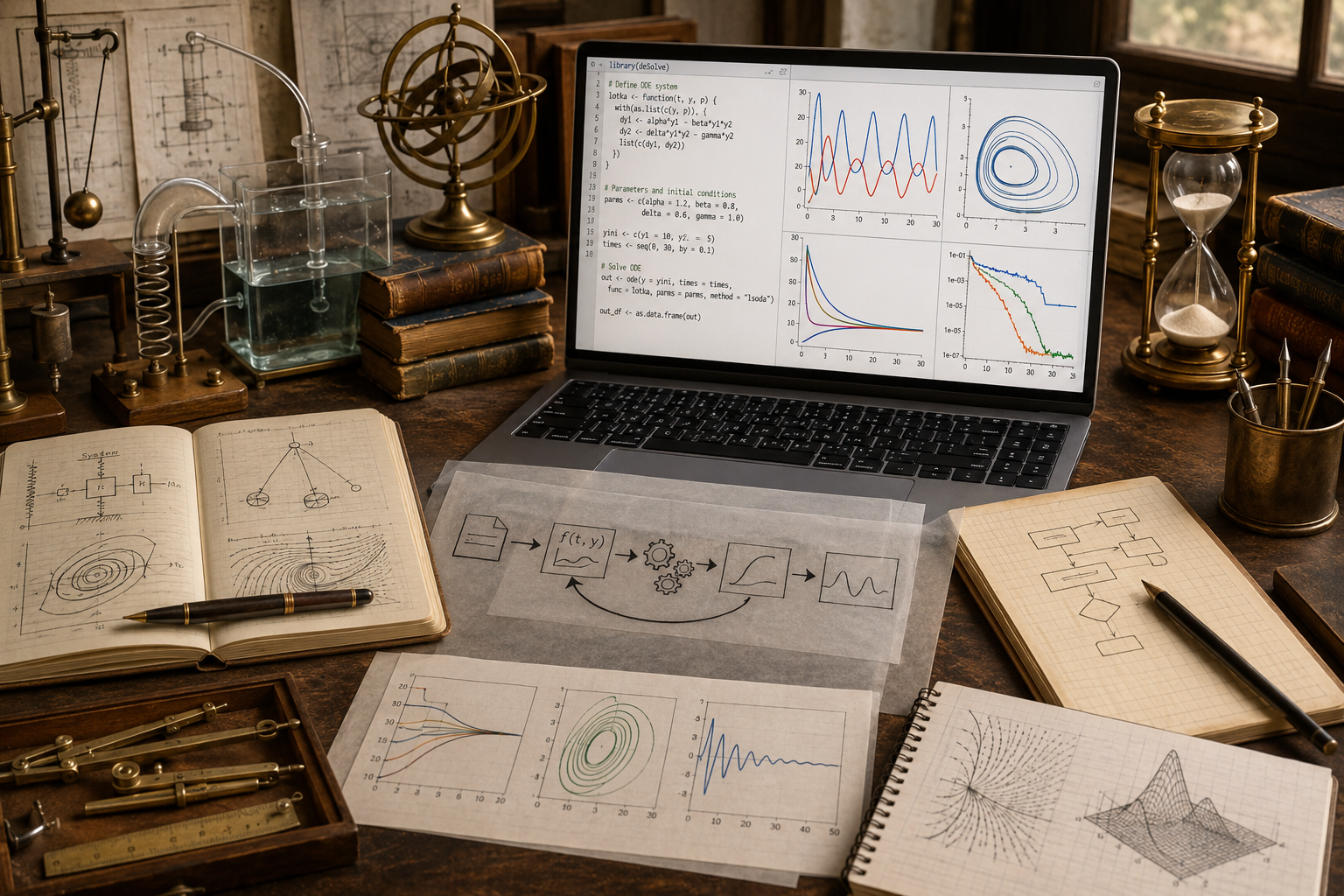
An ordinary differential equation describes how one or more state variables change over time. A solver workflow turns that description into a computational process: define the system, choose the solver, set initial conditions, configure tolerances, run simulations, compare outputs, inspect diagnostics, and preserve enough metadata for another person to understand or reproduce the result.
This workflow view is especially important for systems modeling. A solver is not just a mathematical tool. It is a modeling decision. The same differential equation can produce different practical outcomes depending on solver choice, step-size controls, stiffness handling, error tolerances, and review discipline.
Why ODE Solver Workflows Matter
ODE solver workflows matter because dynamic models rarely stop at the equation. A modeler usually wants a trajectory, scenario comparison, forecast, sensitivity analysis, phase portrait, policy experiment, or diagnostic report. A solver workflow organizes the steps needed to move from formal structure to interpretable output.
\frac{dy}{dt}=f(t,y,\theta)
\]
Interpretation: A state variable changes according to time, its current value, and parameter vector \(\theta\).
The solver workflow asks how this rate equation will be represented computationally, how error will be controlled, and how outputs will be reviewed.
| Workflow question | Modeling role | Why it matters |
|---|---|---|
| What equation is being solved? | Defines system dynamics. | Prevents ambiguity about the modeled mechanism. |
| What initial conditions are used? | Defines the starting state. | Controls the trajectory from the first step onward. |
| Which solver is used? | Defines numerical method. | Affects accuracy, stability, efficiency, and interpretability. |
| What tolerances or step sizes are used? | Defines error-control settings. | Shapes numerical reliability and computational cost. |
| What diagnostics are preserved? | Supports review. | Helps distinguish model behavior from numerical artifact. |
A solver workflow is the computational record of how continuous change was translated into numerical evidence.
Initial Value Problems
Most ODE solver workflows begin with an initial value problem. The model defines a rate equation and a starting state.
\frac{dy}{dt}=f(t,y),\qquad y(t_0)=y_0
\]
Interpretation: The system begins from a known or assumed state and evolves according to the rate function.
For systems with several state variables, the scalar state becomes a vector.
\frac{d\mathbf{y}}{dt}=\mathbf{f}(t,\mathbf{y},\theta),\qquad \mathbf{y}(t_0)=\mathbf{y}_0
\]
Interpretation: A system of state variables evolves according to coupled rate equations and parameters.
| Component | Formal role | Systems interpretation |
|---|---|---|
| \(\mathbf{y}\) | State vector. | Populations, compartments, stocks, temperatures, resources, loads, or concentrations. |
| \(\mathbf{f}\) | Rate function. | Growth, decay, feedback, transition, forcing, inflow, outflow, or adjustment. |
| \(\theta\) | Parameters. | Rates, coefficients, capacities, thresholds, elasticities, or policy settings. |
| \(\mathbf{y}_0\) | Initial condition. | The starting configuration of the system. |
| \([t_0,t_f]\) | Time interval. | Simulation horizon or scenario window. |
Before choosing a solver, the modeler should clarify the state variables, equations, parameters, units, initial conditions, and time horizon.
From Equation to Workflow
An ODE solver workflow is the sequence of decisions and artifacts that connect a mathematical model to a computational result.
Core Solver Workflow Sequence
Define the System
Specify state variables, rate equations, parameters, units, and assumptions.
Set Initial Conditions
Record the starting state and its source or rationale.
Select Solver
Choose fixed-step, adaptive, explicit, implicit, stiff, or nonstiff methods.
Configure Controls
Set step sizes, tolerances, event rules, output times, and stopping criteria.
Review and Interpretation Sequence
Run Diagnostics
Check error, stability, stiffness, warnings, solver status, and conservation behavior.
Compare Results
Use analytic benchmarks, refined simulations, or alternative solvers when possible.
Preserve Outputs
Save trajectories, parameters, solver settings, diagnostics, and metadata together.
Interpret Responsibly
Separate mathematical behavior, numerical behavior, and real-world claims.
A solver workflow is successful when another reviewer can understand what was solved, how it was solved, what assumptions were made, and what limits remain.
Fixed-Step and Adaptive Solvers
Some solvers use fixed step sizes. Others adjust step size automatically based on error estimates. Both approaches can be useful, but they serve different modeling needs.
t_{n+1}=t_n+h
\]
Fixed-step interpretation: The solver advances by the same time increment throughout the simulation.
t_{n+1}=t_n+h_n
\]
Adaptive interpretation: The solver changes step size according to local error behavior or system difficulty.
| Solver style | Strength | Risk | Good use case |
|---|---|---|---|
| Fixed-step Euler. | Transparent and easy to audit. | Low accuracy and possible instability. | Teaching, simple demonstrations, first-pass checks. |
| Fixed-step RK4. | Accurate for many smooth problems. | Can still fail for stiffness or poor step size. | Controlled simulations and method comparison. |
| Adaptive nonstiff solver. | Adjusts step size for accuracy. | Settings may hide numerical decisions. | Smooth systems with varying dynamics. |
| Adaptive stiff solver. | Handles fast and slow scales more robustly. | More complex diagnostics and interpretation. | Chemical kinetics, stiff ecology, feedback systems, multi-scale models. |
Fixed-step methods make numerical structure visible. Adaptive solvers often perform better, but they require careful documentation of tolerances, method choice, and solver status.
Solver Selection
Solver selection is a modeling decision. The right solver depends on system smoothness, stiffness, required accuracy, computational cost, interpretability, and the purpose of the analysis.
| System feature | Solver concern | Workflow response |
|---|---|---|
| Smooth nonstiff dynamics. | Accuracy and efficiency. | Use RK4 or adaptive nonstiff solvers. |
| Rapid transients. | Step size must shrink during fast changes. | Use adaptive methods and inspect step history. |
| Stiff dynamics. | Explicit solvers may require impractically small steps. | Use stiff solvers and review stability behavior. |
| Events or thresholds. | State changes may trigger discontinuities. | Use event handling and document threshold logic. |
| Long horizons. | Error and uncertainty accumulate. | Compare solvers and run sensitivity analysis. |
| Policy interpretation. | Outputs may influence decisions. | Preserve full assumptions, diagnostics, and uncertainty notes. |
No solver choice should be treated as neutral. A solver workflow should explain why the method was appropriate for the system and purpose.
Tolerances and Error Control
Adaptive solvers often use error tolerances to decide whether a step is acceptable. Absolute tolerance controls error near zero. Relative tolerance controls error relative to the size of the state.
\text{error} \leq \text{atol}+\text{rtol}\,|y|
\]
Interpretation: Adaptive solvers often accept a step when estimated error is below an absolute-plus-relative threshold.
| Setting | Meaning | Modeling implication |
|---|---|---|
| Absolute tolerance. | Error allowed independent of state size. | Important when variables approach zero. |
| Relative tolerance. | Error allowed relative to state magnitude. | Important when variables vary across scales. |
| Maximum step. | Largest allowed solver step. | Prevents skipping important transitions. |
| Minimum step. | Smallest solver step before failure or warning. | Can reveal stiffness or numerical difficulty. |
| Output times. | Times at which results are recorded. | Output spacing is not always solver step spacing. |
Tolerances should be documented. A result without tolerance settings is difficult to audit.
Stiffness and Computational Difficulty
Stiffness occurs when a system contains fast and slow dynamics together. An explicit solver may need extremely small steps to remain stable, even if the solution appears smooth at the scale of interest.
Stiffness is common in chemical kinetics, ecological systems, climate models, epidemiological models with fast transitions, control systems, and coupled feedback models.
| Symptom | Possible cause | Workflow response |
|---|---|---|
| Solver takes very small steps. | Fast transient or stiffness. | Inspect step history and consider stiff solver. |
| Explicit method becomes unstable. | Step size outside stability region. | Reduce step size or switch method. |
| Simulation runs slowly. | Solver struggling with scale separation. | Check stiffness, scaling, and tolerances. |
| Warnings or failed integration. | Discontinuity, singularity, poor tolerances, or stiffness. | Review model structure and solver status. |
Stiffness is not only a numerical detail. It can reveal important structure in the system: fast adjustment, hidden constraints, sharp thresholds, or coupled processes operating at different time scales.
Diagnostics and Benchmarking
ODE solver workflows should include diagnostic checks. A successful run does not automatically mean the output is trustworthy.
Diagnostic Categories
Solver Status
Did the solver finish successfully, issue warnings, or fail?
Error Behavior
Are errors controlled under the chosen tolerances or benchmark comparisons?
Step History
Did the solver take unexpectedly small, large, or irregular steps?
Invariant Checks
Are conserved quantities, positivity constraints, or bounds respected?
Benchmarking can compare solver output to exact solutions, known test problems, refined step sizes, alternative solvers, or conservation laws.
| Benchmark type | Purpose | Limit |
|---|---|---|
| Analytic solution. | Checks numerical accuracy directly. | Often unavailable for complex systems. |
| Step refinement. | Tests whether output stabilizes as steps shrink. | Can be expensive. |
| Alternative solver. | Checks method dependence. | Agreement does not prove empirical validity. |
| Conservation law. | Checks physical or structural consistency. | Not all models conserve a simple quantity. |
| Qualitative behavior. | Checks expected direction, bounds, or equilibria. | Can be subjective without formal criteria. |
Diagnostics help separate solver behavior, model behavior, and interpretive claims.
Systems Modeling Interpretation
In systems modeling, ODE solver outputs often become scenarios, dashboards, diagrams, reports, or policy evidence. That makes solver interpretation important. A trajectory should be read as the result of a complete workflow, not simply as the truth of an equation.
For example, an epidemiological curve depends on transmission equations, initial compartments, parameter values, solver choice, time horizon, intervention assumptions, and uncertainty treatment. A resource depletion curve depends on extraction rates, regeneration assumptions, boundary conditions, solver controls, and scenario framing. Solver workflows make these layers explicit.
The interpretive standard is not “the solver produced a graph.” The standard is “the workflow records enough information to understand, reproduce, question, and responsibly interpret the graph.”
Mathematical Deepening
This section adds a more formal layer for mathematically advanced readers. ODE solver workflows connect numerical integration, consistency, stability, convergence, local error estimation, adaptive step-size control, stiffness detection, method order, solver diagnostics, and reproducible computational governance.
Workflow Building Blocks
State Vector
The variables being advanced through time.
Rate Function
The coupled equations that define instantaneous change.
Solver Method
The numerical algorithm used to approximate the trajectory.
Control Settings
Step size, tolerances, events, and output times.
Solver Properties
Consistency
The method approximates the intended differential equation as steps shrink.
Stability
Numerical errors remain controlled during repeated updates.
Convergence
The numerical solution approaches the exact solution under refinement.
Efficiency
The method achieves adequate accuracy at acceptable computational cost.
Solver Governance
Equation Record
Document states, rates, parameters, and units.
Solver Record
Document algorithm, tolerances, step-size settings, and software version.
Diagnostic Record
Preserve warnings, convergence checks, benchmark errors, and solver status.
Interpretation Record
Separate numerical claims, model claims, and real-world claims.
Examples from Systems Modeling
ODE solver workflows appear wherever dynamic systems are represented through state variables and rates.
Population Dynamics
Solvers approximate growth, carrying capacity, mortality, migration, and feedback over time.
Epidemiological Compartments
ODE workflows simulate susceptible, infected, recovered, exposed, vaccinated, or hospitalized compartments.
Climate Feedback
Temperature, forcing, carbon stocks, and feedback terms can be advanced through coupled ODE systems.
Resource Depletion
Extraction, regeneration, scarcity, demand, and policy response can be simulated through state-rate equations.
Infrastructure Stress
Load, degradation, repair, recovery, and cascading stress can be explored through dynamic models.
Economic Adjustment
Capital accumulation, debt, demand response, price adjustment, and feedback can be modeled as continuous-time processes.
Across these examples, the solver workflow determines how mathematical dynamics become computational trajectories.
Computation and Reproducible Workflows
Computational ODE workflows should preserve more than output curves. They should preserve the model equations, parameter table, initial conditions, solver method, tolerances, step-size settings, output times, diagnostics, benchmark comparisons, generated tables, and interpretive warnings.
A reproducible solver workflow makes it possible to rerun the model, compare solvers, refine tolerances, test sensitivity, audit assumptions, and distinguish numerical artifacts from modeled behavior.
Python Workflow: Solver Audit
The Python workflow below compares an Euler-style fixed-step calculation with a SciPy ODE solver when SciPy is available. It preserves settings, output, and diagnostics.
from __future__ import annotations

from dataclasses import dataclass, asdict
from pathlib import Path
import csv
import json
import math


@dataclass(frozen=True)
class SolverRecord:
    step: int
    time: float
    fixed_step_value: float
    exact_value: float
    absolute_error: float
    solver_method: str
    step_size: float
    warning: str


def rate_function(t: float, y: float, decay_rate: float) -> float:
    return -decay_rate * y


def exact_solution(t: float, y0: float, decay_rate: float) -> float:
    return y0 * math.exp(-decay_rate * t)


def rk4_step(t: float, y: float, h: float, decay_rate: float) -> float:
    k1 = rate_function(t, y, decay_rate)
    k2 = rate_function(t + h / 2, y + h * k1 / 2, decay_rate)
    k3 = rate_function(t + h / 2, y + h * k2 / 2, decay_rate)
    k4 = rate_function(t + h, y + h * k3, decay_rate)
    return y + (h / 6) * (k1 + 2 * k2 + 2 * k3 + k4)


def fixed_step_rk4_audit(
    y0: float,
    decay_rate: float,
    step_size: float,
    stop_time: float
) -> list[SolverRecord]:
    steps = int(round(stop_time / step_size))
    y = y0
    records: list[SolverRecord] = []

    for step in range(steps + 1):
        t = step * step_size
        exact = exact_solution(t, y0, decay_rate)

        records.append(
            SolverRecord(
                step=step,
                time=t,
                fixed_step_value=y,
                exact_value=exact,
                absolute_error=abs(y - exact),
                solver_method="fixed_step_rk4",
                step_size=step_size,
                warning="ODE solver outputs depend on equation, initial condition, method, tolerances, step size, stiffness, and diagnostics."
            )
        )

        y = rk4_step(t, y, step_size, decay_rate)

    return records


records = fixed_step_rk4_audit(
    y0=100.0,
    decay_rate=0.35,
    step_size=0.5,
    stop_time=20.0
)

output_dir = Path("outputs")
(output_dir / "tables").mkdir(parents=True, exist_ok=True)
(output_dir / "json").mkdir(parents=True, exist_ok=True)

with (output_dir / "tables" / "ode_solver_audit.csv").open("w", newline="", encoding="utf-8") as handle:
    writer = csv.DictWriter(handle, fieldnames=asdict(records[0]).keys())
    writer.writeheader()
    for record in records:
        writer.writerow(asdict(record))

summary = {
    "initial_value": 100.0,
    "decay_rate": 0.35,
    "step_size": 0.5,
    "stop_time": 20.0,
    "solver_method": "fixed_step_rk4",
    "records": len(records),
    "final_absolute_error": records[-1].absolute_error,
    "interpretation": "The workflow records solver method, step size, benchmark error, and interpretation warning."
}

(output_dir / "json" / "ode_solver_audit.json").write_text(
    json.dumps([asdict(record) for record in records], indent=2),
    encoding="utf-8"
)

(output_dir / "json" / "ode_solver_summary.json").write_text(
    json.dumps(summary, indent=2),
    encoding="utf-8"
)

print("Wrote ODE solver audit.")
This workflow uses a simple benchmark so solver behavior can be reviewed against a known analytic solution.
R Workflow: Solver Comparison
The R workflow below compares fixed-step RK4 outputs across step sizes and records final benchmark error.
rate_function <- function(t, y, decay_rate) {
  -decay_rate * y
}

exact_solution <- function(t, y0, decay_rate) {
  y0 * exp(-decay_rate * t)
}

rk4_step <- function(t, y, h, decay_rate) {
  k1 <- rate_function(t, y, decay_rate)
  k2 <- rate_function(t + h / 2, y + h * k1 / 2, decay_rate)
  k3 <- rate_function(t + h / 2, y + h * k2 / 2, decay_rate)
  k4 <- rate_function(t + h, y + h * k3, decay_rate)
  y + (h / 6) * (k1 + 2 * k2 + 2 * k3 + k4)
}

solver_audit <- function(y0, decay_rate, step_size, stop_time) {
  steps <- round(stop_time / step_size)
  y <- y0
  records <- list()

  for (step in 0:steps) {
    t <- step * step_size
    exact <- exact_solution(t, y0, decay_rate)

    records[[length(records) + 1]] <- data.frame(
      step = step,
      time = t,
      solver_value = y,
      exact_value = exact,
      absolute_error = abs(y - exact),
      solver_method = "fixed_step_rk4",
      step_size = step_size,
      warning = "ODE solver outputs depend on equation, initial condition, method, tolerances, step size, stiffness, and diagnostics."
    )

    y <- rk4_step(t, y, step_size, decay_rate)
  }

  do.call(rbind, records)
}

step_sizes <- c(1, 0.5, 0.25, 0.1)

all_results <- do.call(
  rbind,
  lapply(step_sizes, function(h) solver_audit(100, 0.35, h, 20))
)

summary_table <- aggregate(
  absolute_error ~ step_size,
  data = all_results,
  FUN = function(x) tail(x, 1)
)

names(summary_table)[[2]] <- "final_absolute_error"

dir.create("outputs/tables", recursive = TRUE, showWarnings = FALSE)
write.csv(all_results, "outputs/tables/r_ode_solver_step_size_audit.csv", row.names = FALSE)
write.csv(summary_table, "outputs/tables/r_ode_solver_step_size_summary.csv", row.names = FALSE)

print(head(all_results))
print(summary_table)
This workflow supports step-size review and benchmark comparison without hiding solver assumptions.
Haskell Workflow: Typed Solver Records
Haskell can represent solver records as typed structures that preserve solver method, state, benchmark error, and interpretation warning.
module Main where

data SolverRecord = SolverRecord
  { stepNumber :: Int
  , timeValue :: Double
  , solverValue :: Double
  , exactValue :: Double
  , absoluteError :: Double
  , solverMethod :: String
  , stepSize :: Double
  , warning :: String
  } deriving (Show)

rateFunction :: Double -> Double -> Double -> Double
rateFunction _ y decayRate =
  -decayRate * y

exactSolution :: Double -> Double -> Double -> Double
exactSolution t y0 decayRate =
  y0 * exp (-decayRate * t)

rk4Step :: Double -> Double -> Double -> Double -> Double
rk4Step t y h decayRate =
  y + (h / 6.0) * (k1 + 2.0 * k2 + 2.0 * k3 + k4)
  where
    k1 = rateFunction t y decayRate
    k2 = rateFunction (t + h / 2.0) (y + h * k1 / 2.0) decayRate
    k3 = rateFunction (t + h / 2.0) (y + h * k2 / 2.0) decayRate
    k4 = rateFunction (t + h) (y + h * k3) decayRate

solverAudit :: Double -> Double -> Double -> Double -> [SolverRecord]
solverAudit y0 decayRate h stopTime =
  go 0 y0
  where
    steps = round (stopTime / h)

    go step y
      | step > steps = []
      | otherwise =
          let t = fromIntegral step * h
              exact = exactSolution t y0 decayRate
              record = SolverRecord
                step
                t
                y
                exact
                (abs (y - exact))
                "fixed_step_rk4"
                h
                "ODE solver outputs depend on equation, initial condition, method, tolerances, step size, stiffness, and diagnostics."
              nextY = rk4Step t y h decayRate
          in record : go (step + 1) nextY

main :: IO ()
main =
  mapM_ print (solverAudit 100.0 0.35 0.5 20.0)
The typed workflow makes solver configuration part of the data record, not an undocumented background assumption.
SQL Workflow: Solver Assumption Registry
SQL can document solver workflow assumptions when simulations support dashboards, reports, model reviews, or governance records.
CREATE TABLE ode_solver_assumption_registry (
    assumption_key TEXT PRIMARY KEY,
    assumption_name TEXT NOT NULL,
    mathematical_role TEXT NOT NULL,
    systems_modeling_role TEXT NOT NULL,
    review_warning TEXT NOT NULL
);

INSERT INTO ode_solver_assumption_registry VALUES
(
  'rate_function',
  'Rate function',
  'Defines the differential equation passed to the solver.',
  'Encodes the modeled mechanism of change.',
  'A solver cannot correct a poorly specified rate function.'
);

INSERT INTO ode_solver_assumption_registry VALUES
(
  'initial_condition',
  'Initial condition',
  'Defines the starting state of the integration.',
  'Controls the trajectory from the first step onward.',
  'Initial-condition uncertainty should be documented.'
);

INSERT INTO ode_solver_assumption_registry VALUES
(
  'solver_method',
  'Solver method',
  'Defines the numerical algorithm used to approximate the solution.',
  'Shapes accuracy, stability, cost, and interpretation.',
  'Solver choice should be justified.'
);

INSERT INTO ode_solver_assumption_registry VALUES
(
  'tolerances',
  'Tolerances',
  'Control acceptable local error in adaptive methods.',
  'Shape accuracy, runtime, and solver behavior.',
  'Tolerances should be recorded with outputs.'
);

INSERT INTO ode_solver_assumption_registry VALUES
(
  'stiffness_review',
  'Stiffness review',
  'Checks whether fast and slow dynamics create solver difficulty.',
  'Helps distinguish system structure from numerical artifact.',
  'Explicit solvers can struggle with stiff systems.'
);

INSERT INTO ode_solver_assumption_registry VALUES
(
  'diagnostics',
  'Diagnostics',
  'Record solver status, warnings, errors, and benchmark comparisons.',
  'Support reproducibility and responsible interpretation.',
  'A completed run is not automatically a validated result.'
);

SELECT
    assumption_name,
    mathematical_role,
    systems_modeling_role,
    review_warning
FROM ode_solver_assumption_registry
ORDER BY assumption_key;
This registry ties solver interpretation to equations, initial conditions, numerical method, tolerances, stiffness review, diagnostics, and governance.
GitHub Repository
The companion repository for this article is designed as a reproducible mathematical-modeling workspace. It supports ODE solver audits, fixed-step RK4 benchmarks, step-size sensitivity comparisons, tolerance records, solver diagnostics, SQL governance tables, generated outputs, advanced mathematical audit reports, and reusable calculator scripts.
Complete Code Repository
Companion article folder with Python, R, Julia, SQL, Haskell, C, C++, Fortran, Rust, Go, notebooks, documentation, synthetic teaching data, generated outputs, schemas, Canvas-ready workflow artifacts, and reusable calculator scripts for ordinary differential equation solver workflows, initial value problems, fixed-step and adaptive solvers, RK4 benchmarks, step-size sensitivity, tolerance review, stiffness warnings, diagnostics, benchmark comparison, model governance, and responsible mathematical modeling.
Interpretive Limits and Responsible Use
ODE solvers can produce precise-looking trajectories, but precision is not the same as validity. A solver output depends on the equation, initial conditions, parameters, solver method, tolerances, step-size controls, stiffness handling, event logic, output sampling, and diagnostics.
Responsible use requires documentation and review. Preserve solver settings with results. Compare step sizes or tolerances. Use analytic benchmarks where available. Inspect solver warnings. Check invariants and constraints. Review stiffness. Distinguish model uncertainty from numerical error. Avoid presenting solver output as if it were independent evidence.
The central question is not only “What did the solver output?” It is “What workflow produced this output, how was numerical behavior checked, and what claims can responsibly be made from it?”
Related Articles
- Calculus for Systems Modeling
- Runge–Kutta Methods
- Euler’s Method
- Finite Difference Methods
- Differential Equations and Dynamic Systems
- Systems of Differential Equations
- Nonlinear Differential Equations
- Stability, Error, and Convergence in Numerical Modeling
- Stiff Systems and Computational Difficulty
- Symbolic Calculus and Model Inspection
Further Reading
- Atkinson, K.E. (1989) An Introduction to Numerical Analysis. 2nd edn. New York: Wiley.
- Boyce, W.E., DiPrima, R.C. and Meade, D.B. (2017) Elementary Differential Equations and Boundary Value Problems. 11th edn. Hoboken, NJ: Wiley.
- Burden, R.L. and Faires, J.D. (2011) Numerical Analysis. 9th edn. Boston, MA: Brooks/Cole.
- Butcher, J.C. (2016) Numerical Methods for Ordinary Differential Equations. 3rd edn. Chichester: Wiley.
- Hairer, E., Nørsett, S.P. and Wanner, G. (1993) Solving Ordinary Differential Equations I: Nonstiff Problems. 2nd edn. Berlin: Springer.
- Hairer, E. and Wanner, G. (1996) Solving Ordinary Differential Equations II: Stiff and Differential-Algebraic Problems. 2nd edn. Berlin: Springer.
- Heath, M.T. (2018) Scientific Computing: An Introductory Survey. 2nd edn. Philadelphia, PA: Society for Industrial and Applied Mathematics.
- Iserles, A. (2009) A First Course in the Numerical Analysis of Differential Equations. 2nd edn. Cambridge: Cambridge University Press.
- Shampine, L.F. (1994) Numerical Solution of Ordinary Differential Equations. New York: Chapman & Hall.
- Massachusetts Institute of Technology (MIT) OpenCourseWare (2011) Introduction to Numerical Analysis. Cambridge, MA: MIT OpenCourseWare.
References
- Atkinson, K.E. (1989) An Introduction to Numerical Analysis. 2nd edn. New York: Wiley.
- Boyce, W.E., DiPrima, R.C. and Meade, D.B. (2017) Elementary Differential Equations and Boundary Value Problems. 11th edn. Hoboken, NJ: Wiley.
- Burden, R.L. and Faires, J.D. (2011) Numerical Analysis. 9th edn. Boston, MA: Brooks/Cole.
- Butcher, J.C. (2016) Numerical Methods for Ordinary Differential Equations. 3rd edn. Chichester: Wiley.
- Hairer, E., Nørsett, S.P. and Wanner, G. (1993) Solving Ordinary Differential Equations I: Nonstiff Problems. 2nd edn. Berlin: Springer.
- Hairer, E. and Wanner, G. (1996) Solving Ordinary Differential Equations II: Stiff and Differential-Algebraic Problems. 2nd edn. Berlin: Springer.
- Heath, M.T. (2018) Scientific Computing: An Introductory Survey. 2nd edn. Philadelphia, PA: Society for Industrial and Applied Mathematics.
- Iserles, A. (2009) A First Course in the Numerical Analysis of Differential Equations. 2nd edn. Cambridge: Cambridge University Press.
- Massachusetts Institute of Technology (MIT) OpenCourseWare (2011) Introduction to Numerical Analysis. Cambridge, MA: MIT OpenCourseWare.
- Shampine, L.F. (1994) Numerical Solution of Ordinary Differential Equations. New York: Chapman & Hall.